IX. Operation
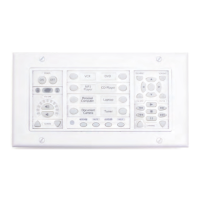
Actively-programmedbuttonswillglow,indicatingthattheyarereadyforuse.Pressanybuttonto
sendtheprogrammedIRcommandorseriesofIRcommands.
IftheTCMonthePixieProisconfiguredtoMultiple-Devicemode,theSource buttonLED will
remainlitafterbeingpressedtoindicatewhichTCMcodeprofileisactive.WhentheTCMmoduleis
configuredtoSingle-Devicemode, theSourcebuttonLEDwillglowbrieflywhenpressed,then
returntonormalbrightness.
Note:ThehourglassstatusLEDwillilluminatewhilecodesarebeingsent.Somemacrosmaytake
severalsecondstocomplete.
Security
IfSecurity isenabled,pressingthePower Off buttonwillactivatethelockoutonthePixieProdisplay.
IfSecurity isdisabled,pressingthePower Off buttonwillnotchangethePixieProdisplay.Whenthe
PixieProisconfiguredtosecuritymode,thecontrolinterfacewilllockimmediatelyaftertheOff but-
tonispressed.Whilelocked,theSecurity Lock LED willglowredandthePixieProdisplaywilldark-
en.Thedevicewillnotrespondtoanybuttonpressesuntilunlocked.
TounlockthePixiePro,entertheappropriatesecuritycodeusingtheTCMnumericalkeypadand
pressthecenterbuttonofthecircularkeypadtoaccept.Ifthecorrectcodeisentered,thesecurity
lockLEDwillgooutandthePixieProwillbeepthreetimesandthedisplaywillilluminate.Thelock
LEDwilldarkenandthePixieProwillrespondtocommandsagain.
Iftheincorrectcodeisentered,thePixieProwillemitasinglelongbeepandwillremainlocked.If
thePixieProisconfiguredtousetheSecurity Retry Lockout Timer (seepage24above),the
PixieProwillnotallowanotherattemptuntilthetimerhasexpired.Thiswilldiscourageattemptsto
guessthekeycodesequence.
Note:ThePixiePromaybeconfiguredtoautomaticallylockafterthe Automatic Shutdown Timer
expires.
TCM
ThePixieProTransportControl/Menumodule(TCM)maybeconfiguredtocontrolonedeviceoras
manyasnineseparatedevices.Forexample,asinglePixieProTCMmaybeconfiguredtocontrola
VCR,aDVDplayer,aCDplayer,andasatellitetuner.Eachdevicecontrolprofilewillbeactivated
whentheuserselectsthecorrespondingSourceselectionbutton.
Toselectdevice0,pressthecurrentlyselecteddeviceasecondtime.Device0allowstheuserto
accessacodesetnomatterwhichdeviceisselected.Forexampleyoumayprogramdevice0with
theprojectormenucontrols,andyouwillbeabletoaccessthesecommandsnomatterwhich
sourceisactive.
WhentheTCMisconfiguredtocontrolmultipledevices,theTCMwillcontrolthecurrentlyselected
device.Forexample,whentheuserpressesSource1onthePixieProinterface,theTCMwillswitch
totheprogrammingcorrespondingtodevice1.Onlythebuttonsthathavebeenprogrammedfor
thatdevicewillilluminate,sotheuserwillalwaysknowwhichcommandsareavailable.Forexam-
ple,whentheDVDsourceisselected,theDVDmenunavigationfunctionswillilluminate.Whenthe
PixieProisswitchedtotheVCRsource,themenunavigationfunctionswilldarken.
26


 To Next Page
 Loading...