I. Overview
Welcometotheuser’smanualforyournewPixieProModularPanel™!Thismanualdocumentsall
ofthestepsnecessarytogetthePixieProupandrunning,including:
-Assembly ofthePixiePro,includingcustomizationofthebuttonmodules
- Mounting,includingtabletop-mountingandwall-mounting(bothflush-andsurface-mounting)
- Wiring thePixieProtooneinfrared(IR)emitter,ortomultipleIRemitters
- Programming thecodesfromIRremotecontroldevicesintothePixiePro,including:
- Simple Programming:asingleIRcodelearnedbyasinglePixieProbutton
- Complex Programming:aseriesofIRcodeslearnedbyasinglePixieProbutton
- Cloning orcopyingallofthesettingsandlearnedcodesfromonePixieProtoanother
- Configuring settingsonthePixieProtooptimizecontrol
ThePixieProisastand-aloneIR-learningaudiovisualcontroldevice.OnePixiePromaylearncodes
fromtheremotecontrolsofmanydevices,orofjustone.IRoutputmaybewiredtomultipledevices
usingadditionalIRemitters(orderedseparately-SPControlspartno. PXE-EMIT).Forinstructions
aboutwiringthePixiePro,gototheWiring sectiononpage7.
AnexampleofanAVsystemthatcanbecontrolledbythePixiePromightconsistofsomeorallof
thefollowingelements(eachwiththeirowninfraredremotecontrol):projector,DVDplayer,laptop
computer,VCR,documentcamera,cabletelevisionreceiver,electricscreen,andotherdevices.
ThePixieProshipsinaplasticsurfacemountbox.Itmayberemovedfromtheplasticboxand
mountedintoastandardfour-gangmetalswitchorjunctionbox,orfour-gangmudringforwall
installation.Ifusedwithametalbackbox,besuretousetheincludedscrewsandplasticwashers.
ForinstructionsonmountingthePixiePro,includingwall-andtabletop-mounting,seetheInstallation
sectiononpage5.
Eachbuttonmaybeprogrammedwithupto16codesfromanynumberofremotecontrols,uptoa
maximumof768codesforthePixiePro.AsinglebuttononthePixiePromaybeprogrammedwith
justonecode(seeSimple Programming onpage10)orwithmultiplecodes(seeComplex
Programming onpage11).Thecodesprogrammedtoasinglebuttonmaybegroupedinanycom-
binationofroundrobinormacro.Delaylengthsbetweencodesinamacrocanbevariedtooptimize
performance.Forinstructionsonlearningcodes,seetheProgramming sectiononpage9.
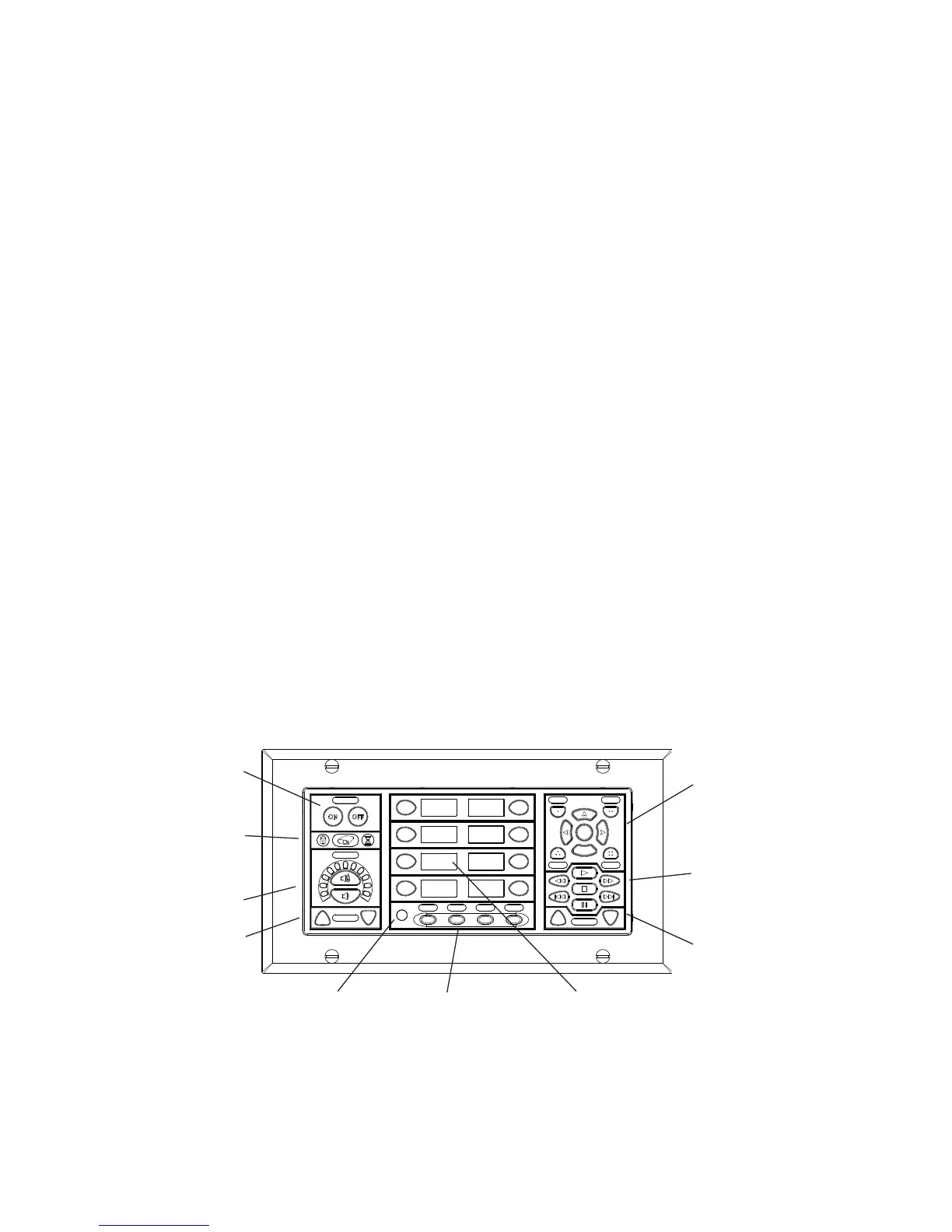
VCR/DVD
Control
Menu/Security
ButtonModule
Device
Up/Down
Buttons
Securityand
TimerActivity
Display
Power
Buttons
Volume
Control/Display
AuxUp/Down
AmbientLight
Adjustment
Sensor
AuxButtons SourceButtons
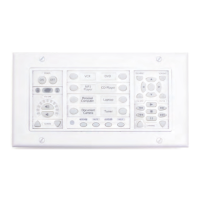
Figure 1: PixieProwithallstandardbuttonmodulesinserted(asitships)
1


 To Next Page
 Loading...