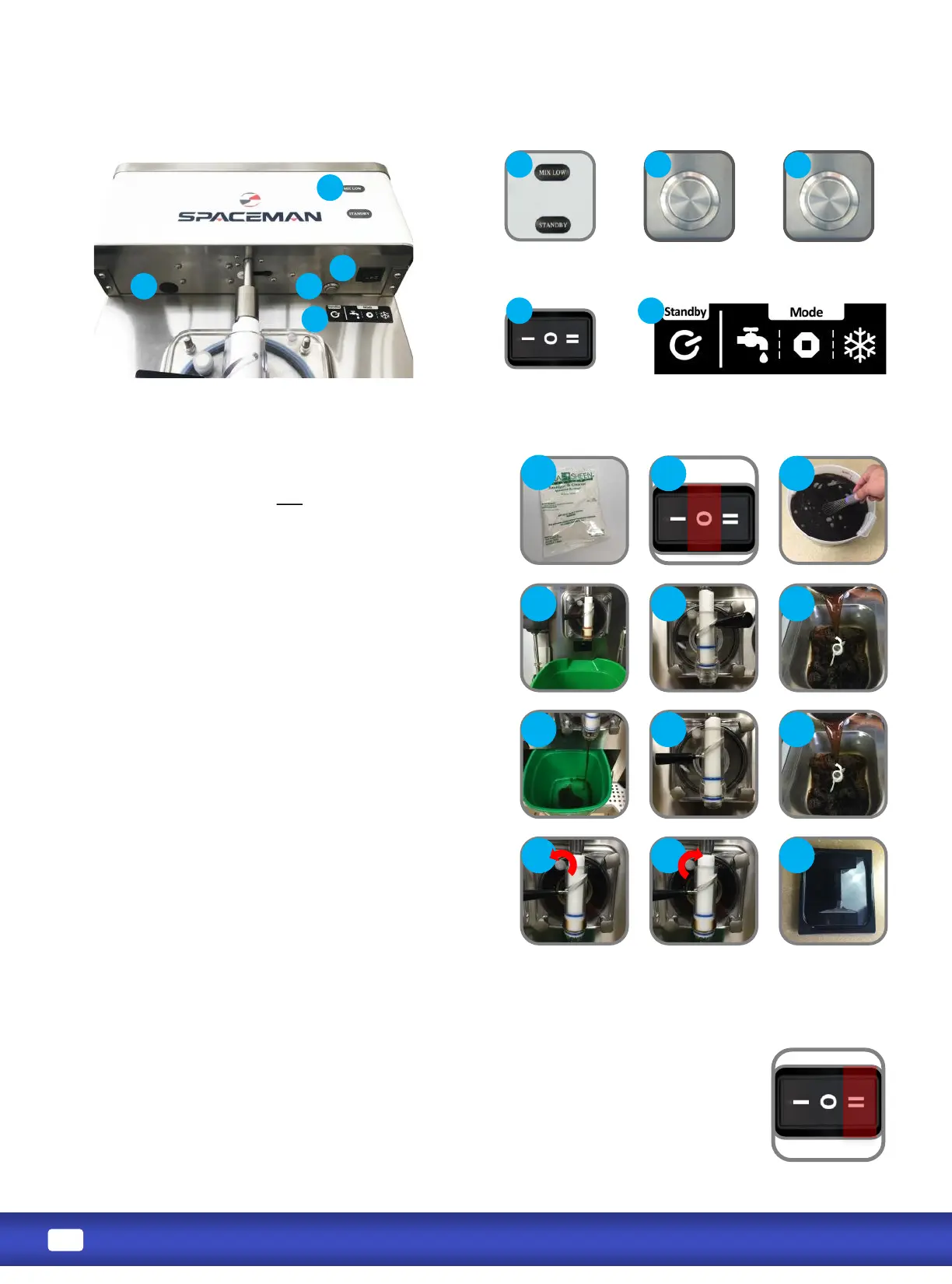
1. Verify machine has been recently sanized (within
1 hour); if machine has not been recently
sanized, verify door hand-screws are ght, and
perform sanizing steps (Page 13).
2. Turn power switch to OFF.
3. Thoroughly mix and prepare at least 7.57 liters (2
gallons) of product according to manufacturer
instrucons; mix should be cool and smooth (free
of large chunks).
4. Place a bucket or container below the draw valve.
5. OPEN draw handle (RIGHT).
6. Pour 0.95 liters (0.25 gallons) of product into the
hopper; sanizer will start to ow out of the draw
spout.
7. Once sanizer has been purged from the machine
and a steady stream of product is owing from the
spout, CLOSE draw handle (LEFT).
8. Pour remaining product into the hopper.
9. Open the prime screw (counter-clockwise) on the
front of the dispensing door and allow the cylinder
to ll with product to the desired level;
cylinder must be at least 75% full to operate.
10. Close the prime screw and ghten completely.
11. Replace hopper lid.
1. Verify cylinder is full of mixed product.
2. Turn power switch to FREEZE and verify STANDBY mode is o .
3. The motor will begin to agitate the product, and the cooling system will begin to
freeze the product.
4. Freezing product takes approximately 10 minutes; product is at the adjusted viscosity
when the at sensor arm is switched to the RIGHT.
5. When the product reaches the desired viscosity, it is ready to dispense.
Standby Buon
Light Box Buon
(If present)
Power Switch
Mix Low Light
Standby Light
STANDBY WASH STOP FRREZE


 To Next Page