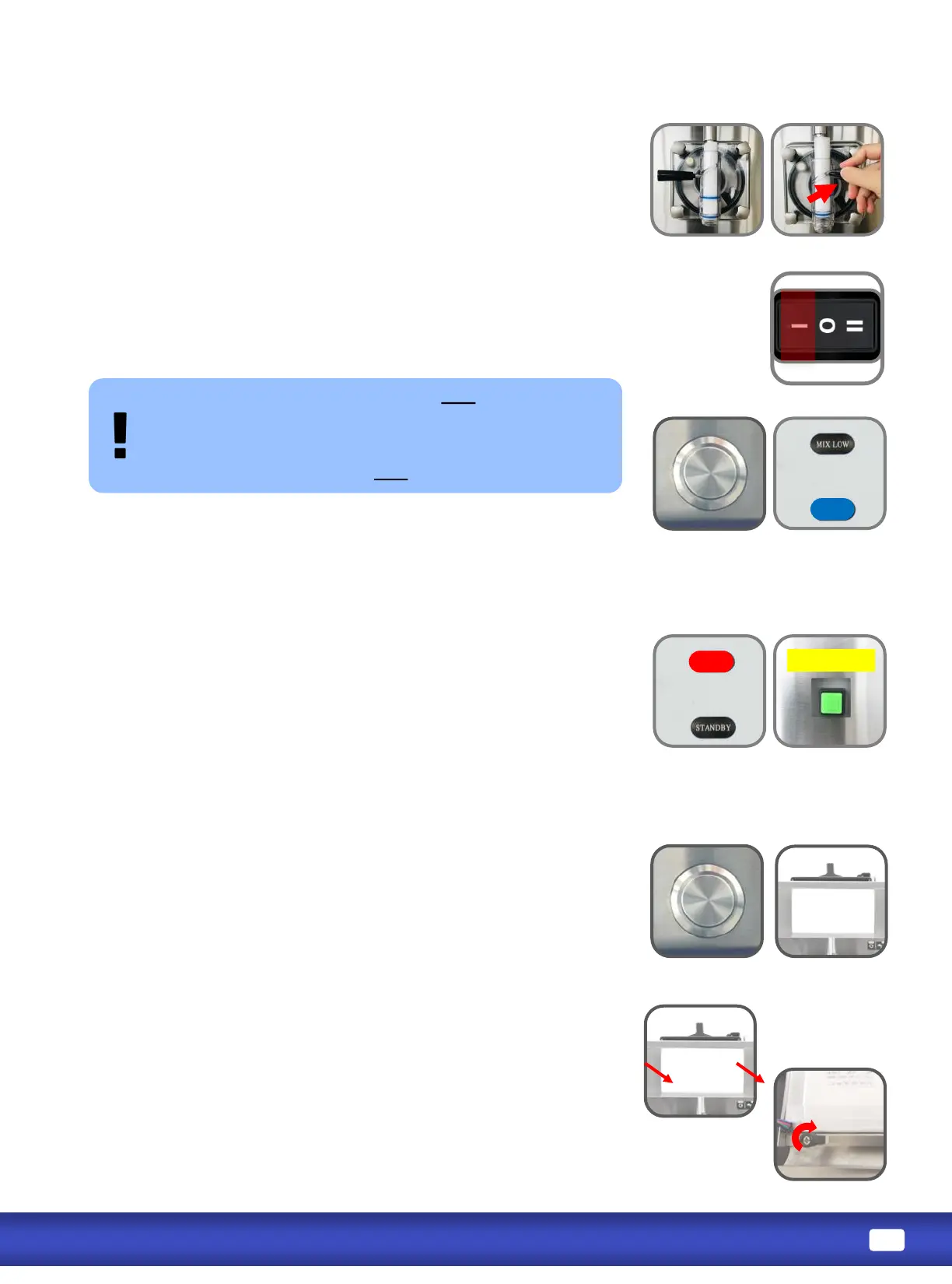
Pull boom of light panel assembly towards you then down to take it
o. Do not disconnect wires.
On back of light panel, loosen hand screws (a few turns only without
taking it o) of tabs that hold light panel onto the frame.
Push light panel up from the frame and insert Flavor Card in between
light panel and the frame. Put light panel back in place.
Turn tabs 90 degrees back to hold light panel. Tighten hand screws.
1. OPEN draw handle (RIGHT) unl the desired amount is dispensed.
2. CLOSE the draw handle (LEFT) when nished dispensing.
In STANDBY, product remains below 5
o
C (41
o
F) in both the
cylinder and hopper, but will NOT be frozen.
Press on STANDBY buon underneath overhead.
Light on front panel illuminates blue when machine is in
STANDBY mode.
Turn power switch to WASH.
The motor will begin to agitate the product or water.
Mix low light is located on front panel of machine. Light will illuminate
RED and the alarm beeper will go o when mix level in hopper is low.
Hopper should be relled as soon as possible.
Alarm beeper can be turned o by pressing the Beeper Reset buon
on side panel of machine.
Always maintain at least 2cm of mix in the hopper. If you neglect to
add mix, a freeze-up may occur. This will cause eventual damage to the
beater assembly, the dispensing door, and gear box.
On front panel of machine, Mix Low and Standby lights on
standard machines will be replaced by a light panel.
Press on Light Box buon underneath overhead, light panel will
illuminate.
Light panel will illuminate WHITE under Freeze and Wash modes.
Light panel will illuminate RED when mix is low.
Light panel will illuminate BLUE under Standby mode.
STANDBY
MIX LOW
Beeper Reset


 To Next Page