OPERATION16
ADJUSTING THE GRINDING
RING HEIGHT
To watch the How-To video, visit sparxhockey.com/ringheight.
For every pair of skates sharpened, you must
assess the height of the Grinding Ring and adjust
if necessary.
We will first introduce a few new concepts, and then move into the
actual adjustment. We want to define an intersection zone, where
the vertical face of the blade (B) meets the nearly horizontal face of
the blade (C).
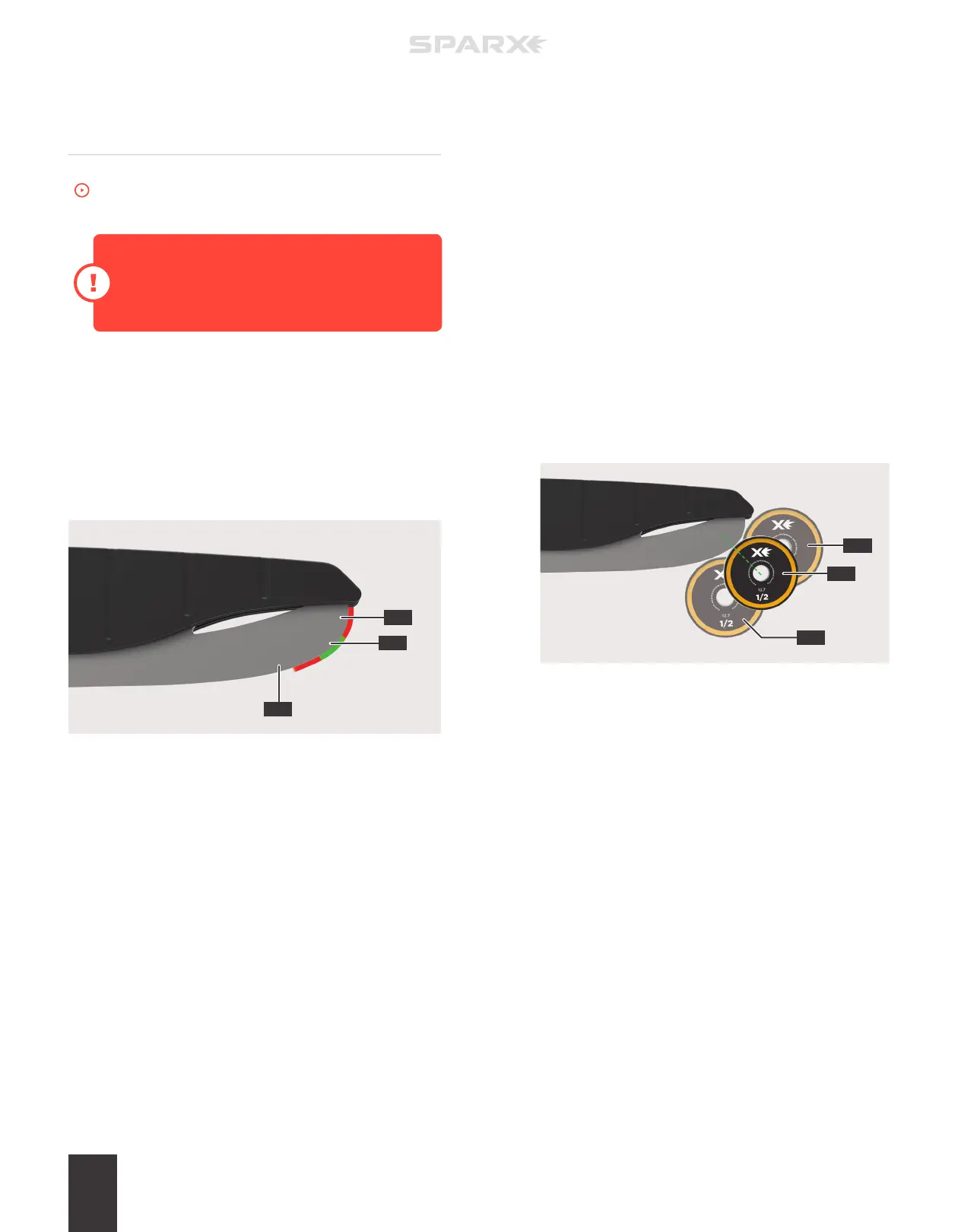
This zone can be a curved section of blade (A) like that shown in the
figure below or in some cases, it can be a point where surfaces (B)
and (C) meet.
When the intersection zone is a curved surface (A as shown above)
the Grinding Ring can safely initially contact the blade anywhere in
this region (A).
When the intersection zone is a point, which is more common with
skates that have been sharpened multiples times, the first contact
between the Grinding Ring and the blade should be just below the
point.
1 INITIATE MOVE MODE
Press the
m
Move Button on the Keypad. This will set the
Grinding Ring into Move Mode and allow you to control
its movement.
2 INSPECT THE CONTACT POINT
Use the
l
Left and r Right Buttons to touch the Grinding
Ring to the skate blade. Inspect its contact point and be sure
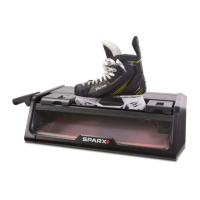
it is in the desired position. In the graphic below you will see
an example of a contact point that correctly set (A), too high
(B), and too low (C). Another way to help visualize the correct
contact point would be drawing an imaginary line (green
dashed line in the example below) from the center of the
Grinding Ring to the initial contact point, the line should be at a
45 degree angle. If the Grinding Ring is not in a desired position,
follow step 3. If the Grinding Ring is in a desired position, skip
to step 6.
A
B
A
C
C
B


 To Next Page