OPERATION18
UNLOADING A SKATE
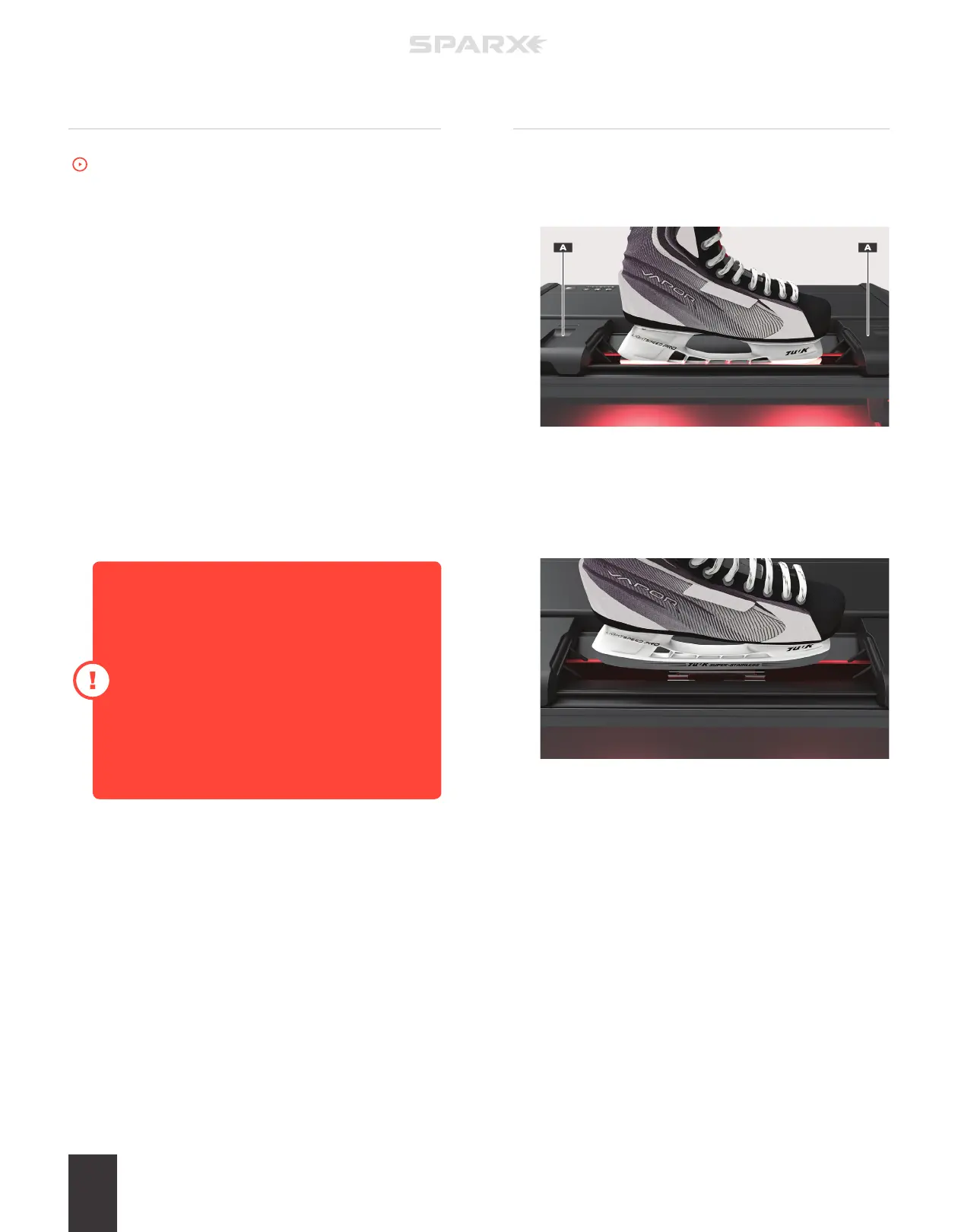
1 DISENGAGE PROTECTIVE SLOT COVERS
Move both Protective Slot Covers (A) away from the skate.
2 REMOVE THE SKATE
Press and hold down the Clamp Lever to open the Skate
Clamp. Remove the skate from the Skate Clamp and release the
Clamp Lever.
SHARPENING SKATES
To watch the How-To video, visit sparxhockey.com/sharpening.
Once you have loaded the skate, closed the Protective Slot Covers,
and adjusted the height of the Grinding Ring, you are ready to begin
sharpening.
To cancel the cycles at any point during the sharpening, press the
n
Cancel Button once. This will send the Carriage back to its home
position at the end of its current pass.
1 TURN ON PV100 VACUUM SYSTEM
If using an accessory Footswitch, press down on the pedal to
power on the external ventilation during sharpening.
2 BEGIN SHARPENING
Press the
p
Play Button. Once the button has been pressed, it
will change from white to blue and the sharpening process will
begin.
If the Grinding Ring skips, comes to a halt, or
your sharpener suddenly powers o when it
first makes contact with the blade, the Grinding
Ring’s height is too high. When properly set, the
Grinding Ring should make a smooth transition
onto the skate blade.
For guidance selecting a proper Grinding Ring
height, refer back to “Adjusting the Grinding Ring
Height” earlier in this Operation section.
Upon pressing the
p
Play Button, the Cycle Counter will flash with
the current cycle number until that cycle (out and in) is completed.
The sharpener will continue to run until all cycles have been
performed.
At the completion of the final cycle, the end of sharpening is marked
by a “cycle complete” tone and the case LEDs will turn green.
ADDITIONAL CYCLES
If additional cycles are desired, you can reset the cycle count and
press the
p
Play Button again.


 To Next Page