22
TURBO SL TECHNOLOGY
CHARGING
GENERAL
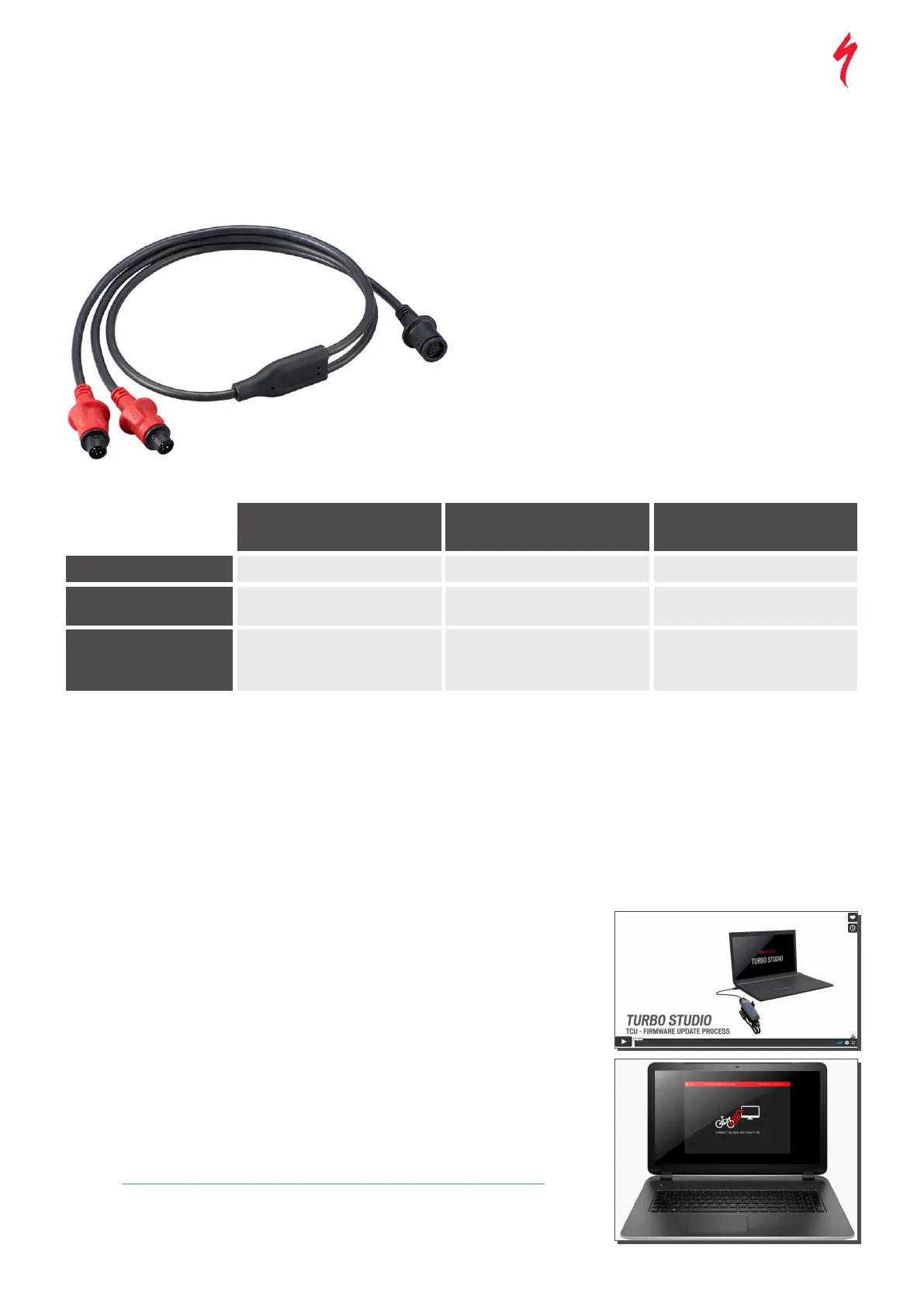
All Como SL bikes must only be charged with the supplied 48 V
custom charger. The Y-splitter charge cable is optional and can
only charge one internal battery and one RE simultaneously.
TURNING OFF THE LIGHTS WHILE CHARGING
After initiating charging, the lights power up, but they can be
turned off by pressing the power button on the TCU, which will
cause the lights and TCU to turn off, but charging will continue.
This also works when using the Y-splitter cable to charge the
internal battery and the Range Extender battery simultaneously.
Powering off the lights while charging is recommended.
3%->100%
STOPS CHARGING
(charger LED turns green & bike
turns off)
CHARGING CURRENT
3h 20 min
2h 35 min
3h 20 min
3h 25 min
2h 55 min
3h 35min
1.0 +/- 0.2A*
2.5 +/- 0.3A
3.0+/-0.3A
= 1.0+/-0.1A (RE) + 2.0+/-0.2A
(Int.)
RE ON CHARGER
INTERNAL BATTERY
ON CHARGER
INTERNAL BATTERY +
CABLE ON CHARGER
* Note: Due to a lower charging current, charging the RE alone takes longer than charging the internal battery and as long as
charging RE + internal battery through Y-cable. The reason for slower charge times is to maintain battery health for riders
(higher currents would stress the cells and decrease health much quicker).
CHARGE TIMES FOR FULL CHARGE
TURBO SL TECHNOLOGY
FIRMWARE UPDATES (WIRED)
GENERAL
FOR RETAILERS:
Firmware updates should be run through Turbo Studio in these scenarios:
1. After building a bike
2. Before bike-handover to rider
3. Whenever a rider brings a bike into the store
The process is explained in this video for Retailers.
FOR RIDERS:
Depending on Turbo bike model/system and availability, Riders can run some
on the SBCU YouTube channel.
Example: How to update your Turbo e-bike’s TCU Display and Motor in Mission Control



 To Next Page