User’s Manual
DVR-4TH/8TH/16TH Series
SPECO TECHNOLOGIES 07/10
156
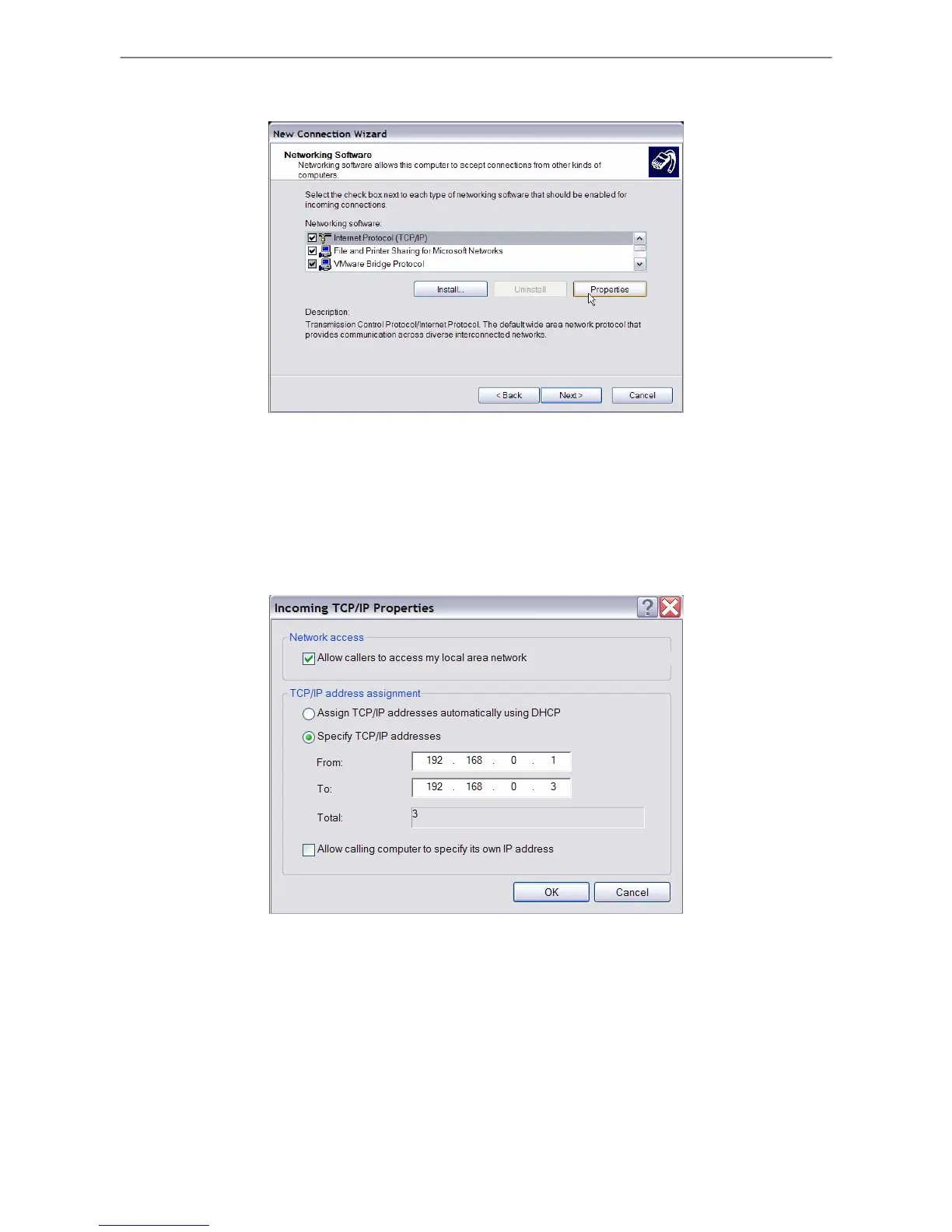
• In Networking Software menu, select <TCP/IP> and click on <Properties>.
• In TCP/IP address assignment, if the PC has DHCP server, then choose <Assign
TCP/IP addresses automatically using DHCP>, or choose <Specify TCP/IP
addresses> and enter the range of IP addresses that you wish to use. Once done,
click <OK> to confirm then back to Networking Software menu. Click on <Next> to
continue.



 To Next Page