22
“NTP server time is faster than the system time.
In this case, NTP server time is ignored to protect the user data.
User must set the time manually.
System Time: Mon Oct 10 13:46:49 2011
Server Time: Mon Oct 10 13:33:12 2011
DVR ID: DVR
IP ADDRESS: 172.16.2.46”
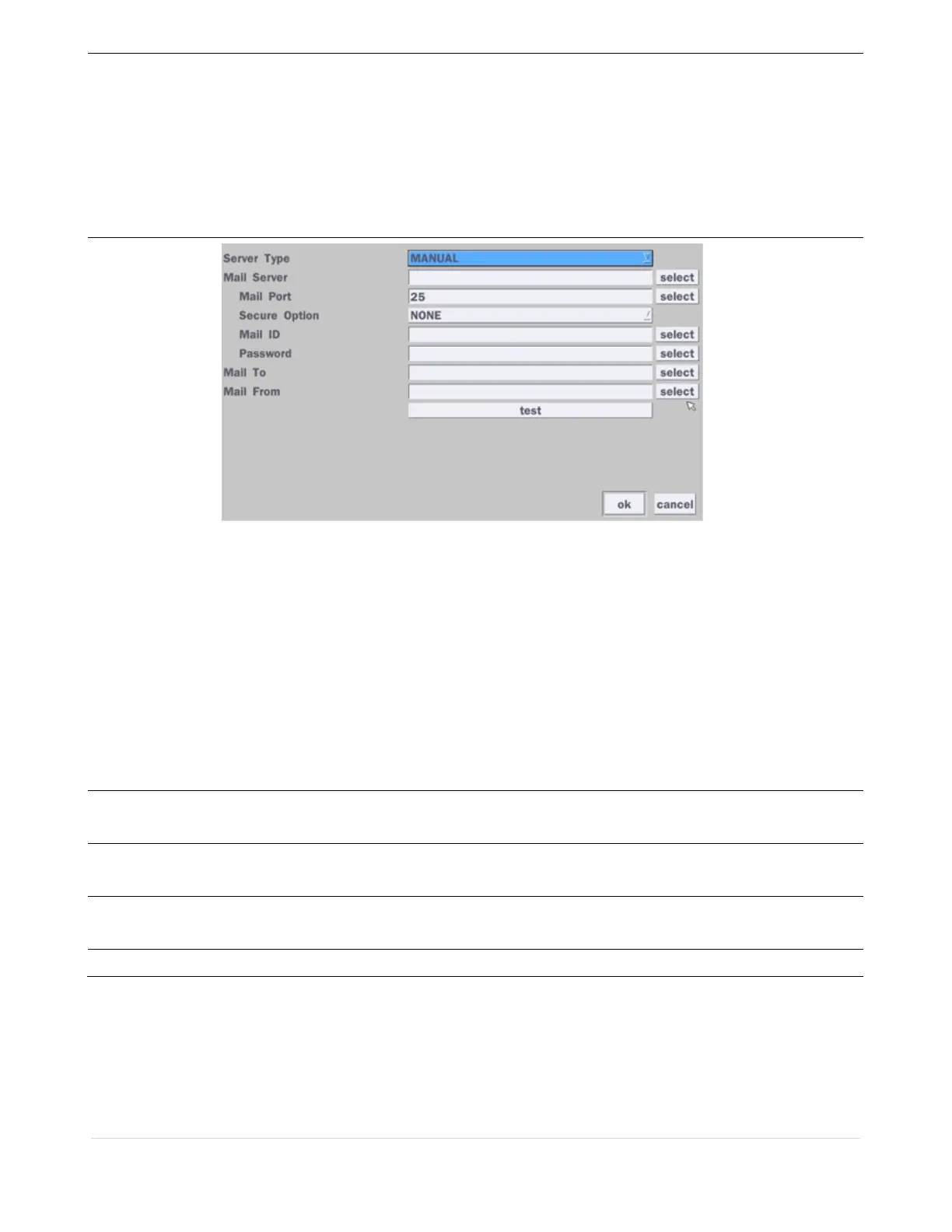
e-Mail Setup
Server Type: Manual, Gmail, Hotmail, Aol or Yahoo
Mail Server: Enter the appropriate mail server information.
Mail Port: Assign Mail Port number.
Secure Option: Select the secure mail server connection method. (SSL or TLS)
Mail ID: Enter the appropriate mail server ID.
Password: Enter the appropriate mail server Password.
Mail To: Enter the appropriate email address to enable sending e-mail reports using a
virtual keyboard.
Mail From: To set the email address sent to the destination host.
Test: Test the user’s email input settings.
Unit Name
Name the DVR (e.g. Factory)
This feature is to identify the name of the DVR under the same network.
System
Restart
Make the system restart.
System
Shutdown
Make the system shutdown.
EZ Setup
Refer to Page 16 ~ 17



 To Next Page