25
4-3-1. Recording Schedules
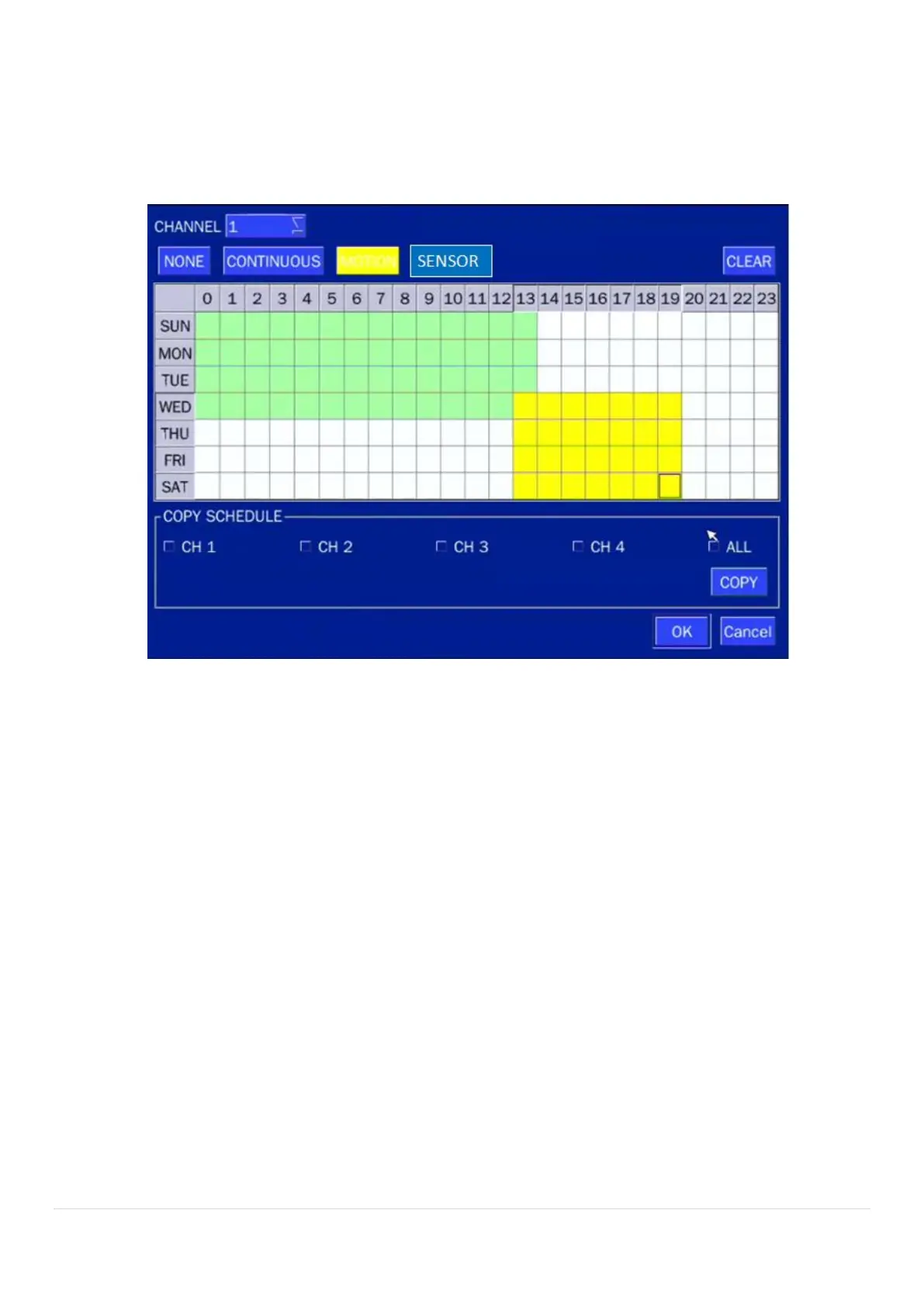
To setup a recording schedule, select SCHEDULE in the RECORD menu. Navigate through the items using
the mouse or the control button.
Select CHANNEL > select NONE, CONTINUOUS or MOTION > HIGHLIGHT AREA
To copy a schedule to a different channel, select the channel from the COPY SCHEDULE menu.
.
Figure 4.3.2. Schedule Recording Setup Screen
NONE: Disable recording
CONTINUE: CONTINUOUS recording (Highlighted in Green)
MOTION: MOTION recording (Highlighted in Yellow)
SENSOR: SENSOR recording (Highlighted in Red)



 To Next Page