26
4-4. Setup – DEVICE Mode
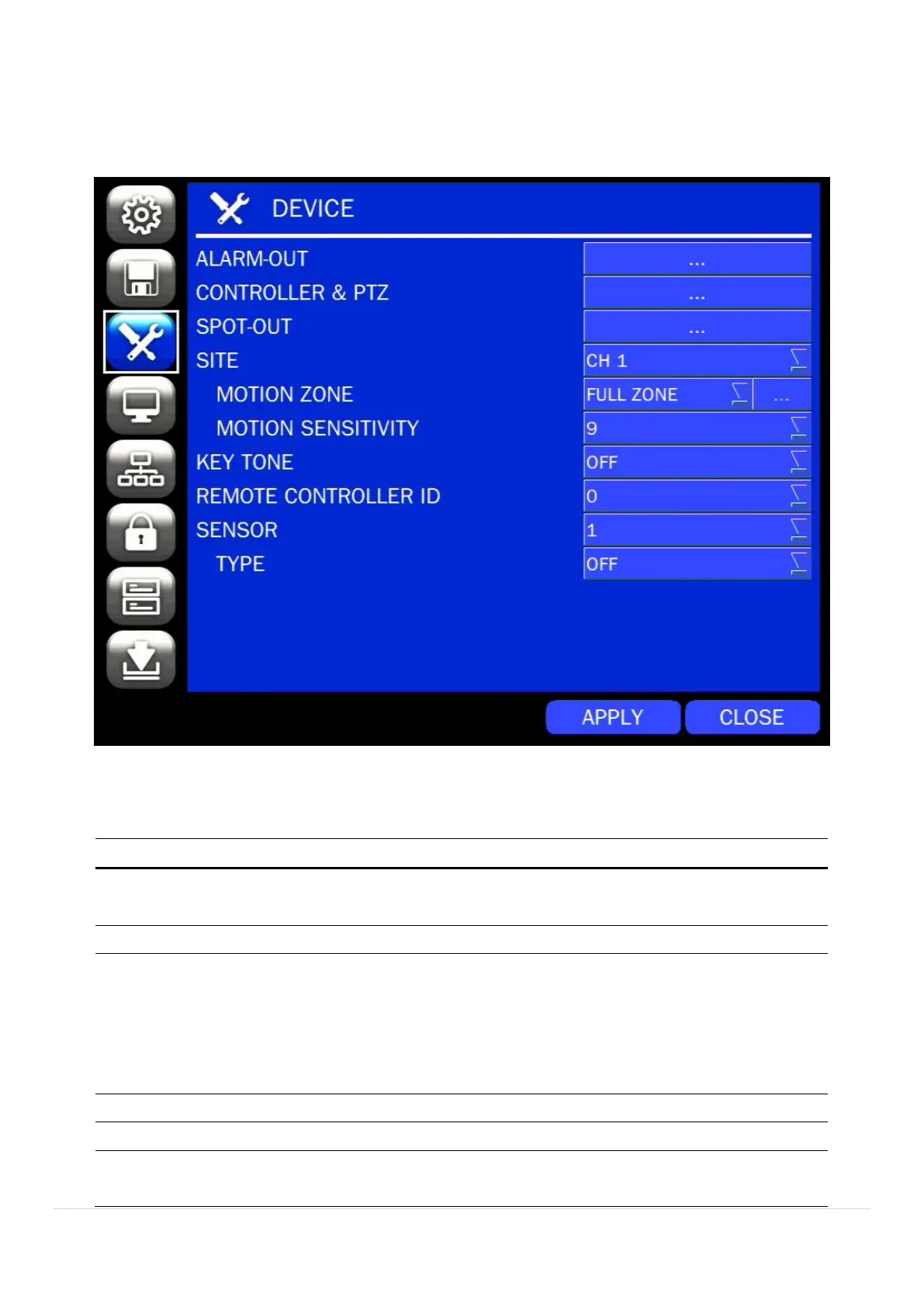
In the SETUP menu, select the DEVICE tab. Then, the device menu is displayed as pictured below.
Navigate through the menu items using the mouse or the control button on the remote control and change
the value of the menu item.
Figure 4.4.1. DEVICE Setup Screen
Table 4.4.1. Menu Items in DEVICE Setup Screen
Set the sensor, motion, and video loss for triggering alarm relay
HDD Error and Video Loss can trigger beeping.
Set the PTZ baud rate, protocol, and ID.
D4RS/D4WRS: CVBS OUT is switchable as Composite Video
Output or Spot-Out according to the resolution of VIDEO OUTPUT
(VGA).
D8RS/D16RS/D8WRS/D16WRS: CVBS1 – Composite Video
Output / CVBS2 – Spot-Out.
Select specified channel for motion zone setup.
Select either Full Zone or Partial Zone for motion detection.
Set the motion sensitivity for the selected channel.
Control the motion sensitivity from 1 to 9.



 To Next Page