73
7-7-7. Storage
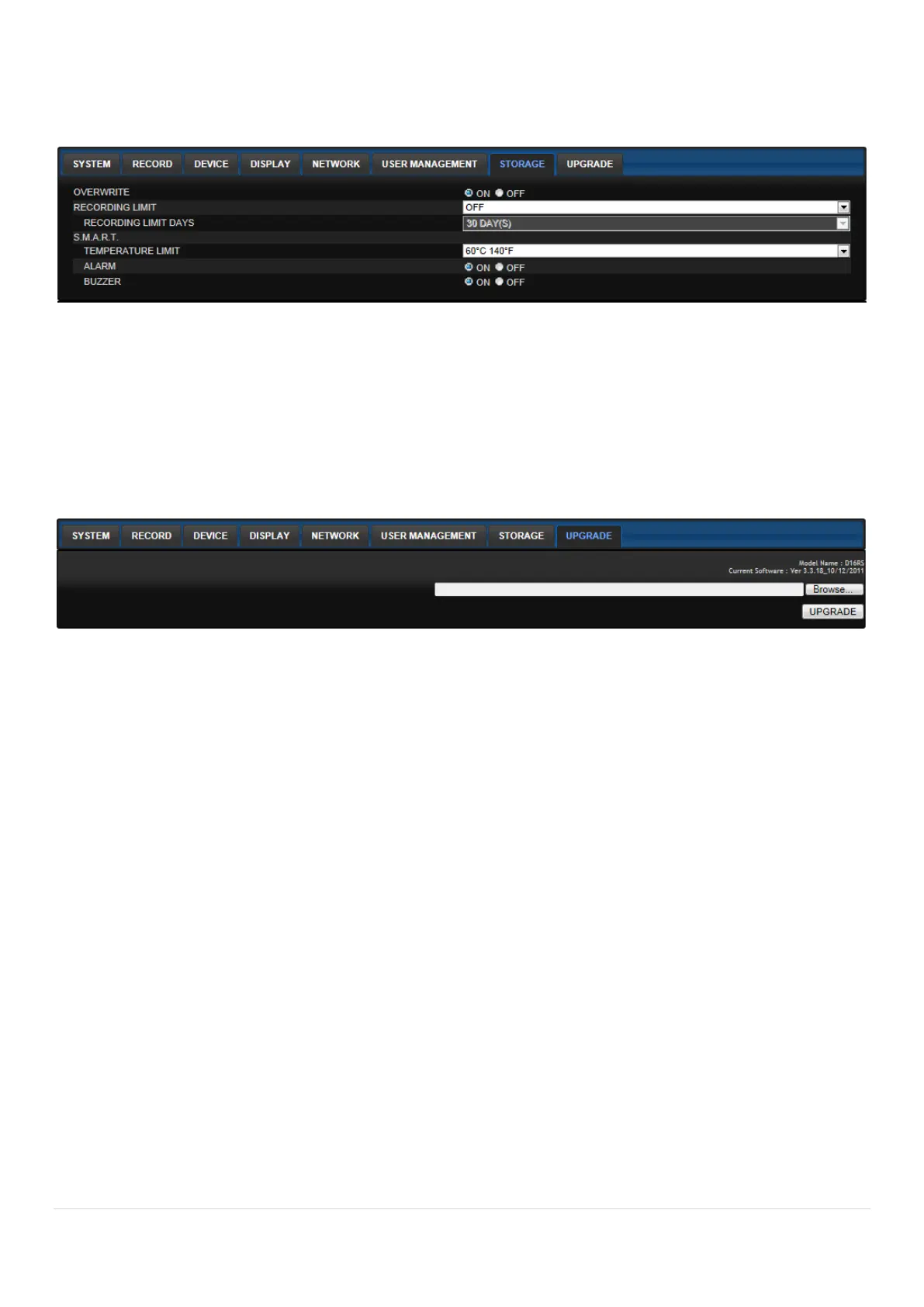
Select Storage to configure continued recording settings by overwriting the hard disk and the storage
period for the recording data.
OVERWRITE: To continue recording by overwriting when the hard disk becomes full, check the
checkbox.
RECORD LIMIT: Sets whether to limit or not the recording data storage period.
S.M.A.R.T.: Sets the TEMPERATURE LIMIT of the Hard Disk to trigger the ALARM and the
BUZZER.
7-7-8. Remote Upgrade
Shows the current Firmware version installed on DVR.
Browse: Select BROWSE to locate the firmware file.
Upgrade: Select UPGRADE to upgrade the firmware of the DVR.



 To Next Page