85
9. Network Access Using the Smart Phone Viewer
9-1. App Viewer for iPhone
1. Enter the Apple App Store.
2. Search “Speco Player” in the App Store.
9-1-1. Live
1. Open the installed “Speco Player” App and select the Live Preview. Then click the menu button of the phone
to add a remote device.
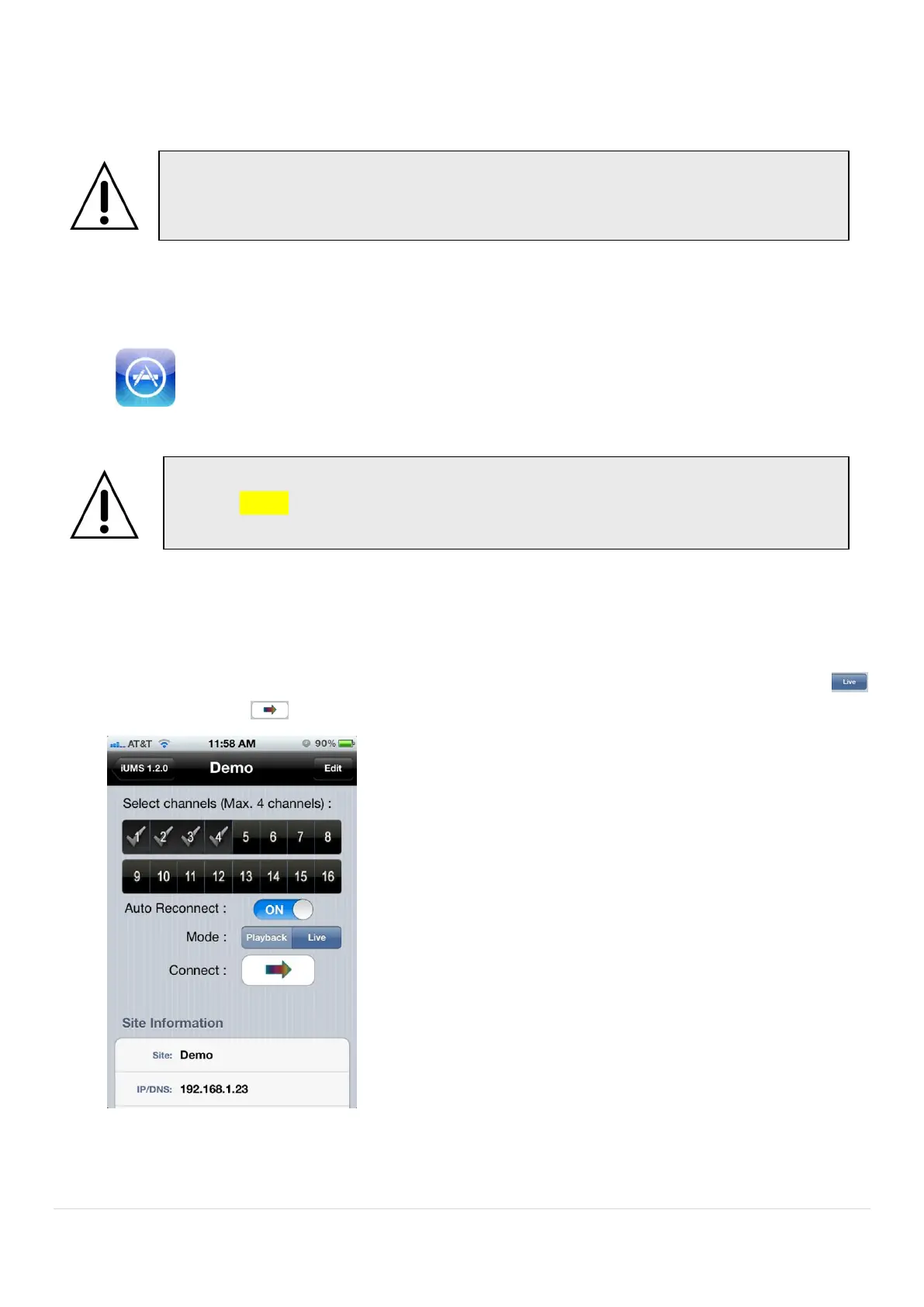
2. Select the registered device and select the channels to monitor up to 4 channels. Select Mode as ‘Live’
and click ‘Connect’ .
3. The app will display the selected channel(s). Double tap the channel screen to switch 1 channel display to 4
channels split display or vice versa.
Notice
Data Usage will be applied if there is no Wi-Fi connection. Please check with your
Phone Carrier.
Notice
SPECO Player is for the RS, WRS and HD series DVRs. SPECO VIEWER is not
compatible with the T Series DVR’s (TH, TN or TL) or the PC Series DVR’s.



 To Next Page