User’s Manual
DVR-4TN/8TN/16TN/16TS/16TT Series
SPECO TECHNOLOGIES 01/08
28
DST Bias
<DST Bias> allows the user to set the amount of time to move forward from
the standard time for daylight saving time. The available options are <30>,
<60>, <90> and <120> minutes.
3.6 Network Time Protocol Setup
This section guides you to synchronize your unit to fit the local time.
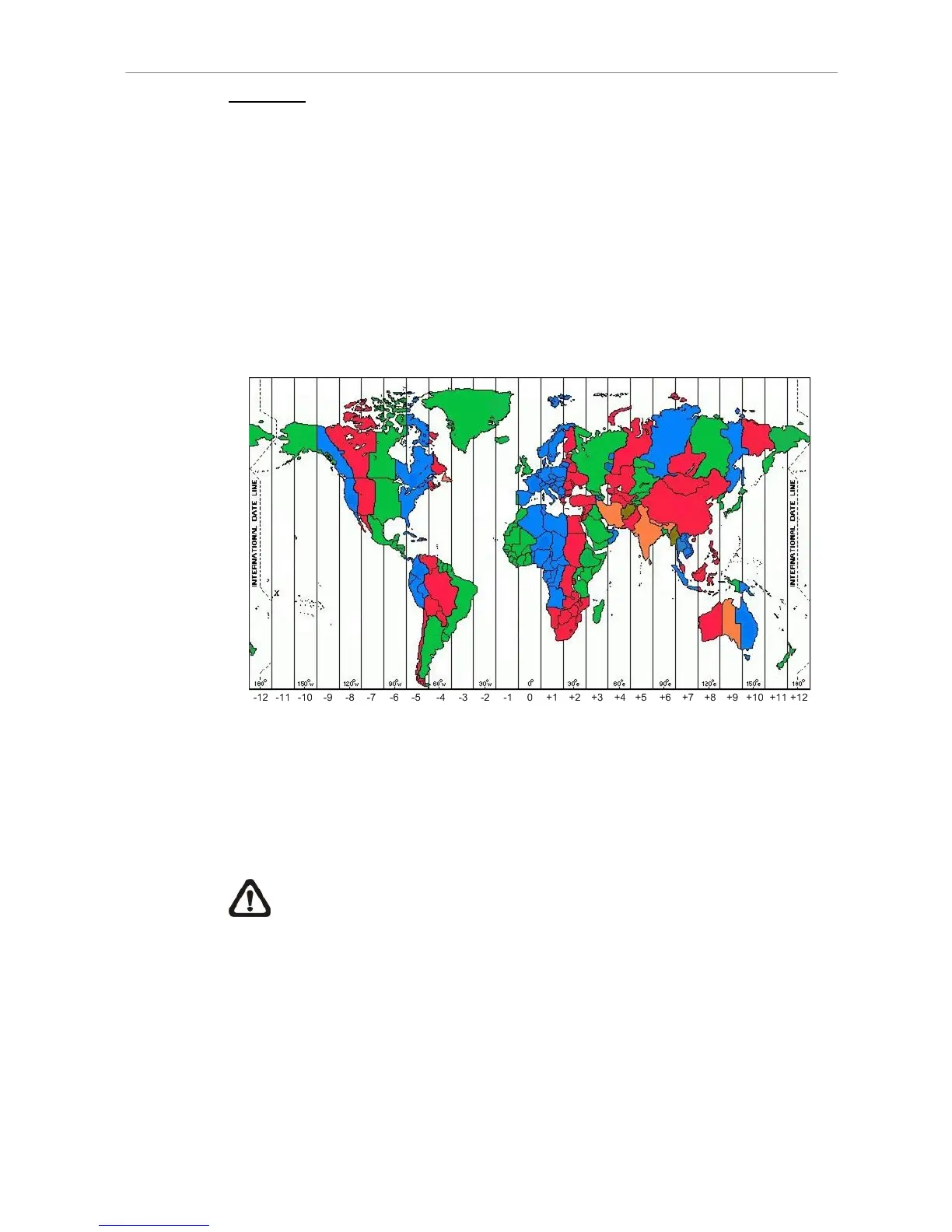
Go the <System Setup> Æ <Date/ Time> Æ <Time Zone>. Refer to below
figure and select your time zone from the options.
Then go to <System Setup> Æ <Date/ Time> Æ <Network Time Protocol
Setup> and select <ON> for the item <Automatically Time Sync>. When this
function is ON, time sync will be performed every hour in order to observe
correct time of your local zone.
NOTE: If you want the unit to automatically synchronize the local time,
the <Time Zone> item MUST NOT be set to <OFF>, or the function
cannot be activated.


 To Next Page