User’s Manual
DVR-4TN/8TN/16TN/16TS/16TT Series
SPECO TECHNOLOGIES 01/08
33
4. Basic Operation
The DVR-4TN/ 8TN/ 16TN/ 16TS/ 16TT series allows the user to easily
access some general operations through the front panel. The following
sections introduce the general operation of the unit.
4.1 Viewing Live/ Playback Video
The general functions in live and playback mode are described in the sections
that follow.
4.1.1 Viewing Modes
The DVR-4TN/ 8TN/ 16TN/ 16TS/ 16TT series unit supplies the user several
ways of viewing both live and recorded video. The following descriptions
describe the view formats that are available.
Viewing in Full Screen
Press any CHANNEL key directly to view the corresponding camera image in
full view format.
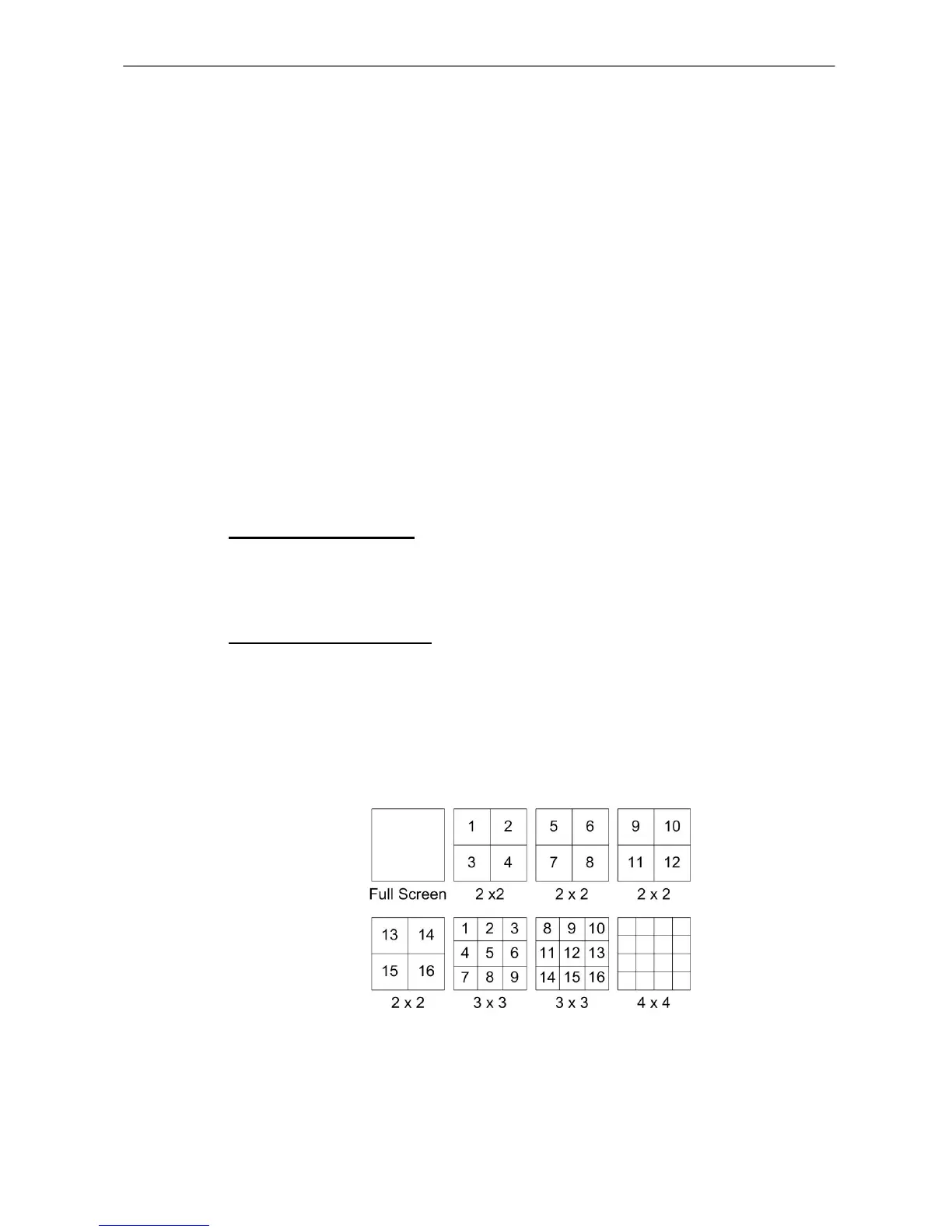
Viewing in Multi-window
Various multi-window view formats are available for selection. To switch
between these viewing formats, press MODE repeatedly.
The available view formats are illustrated in the following figure. Note that 3x3
and 4x4 viewing modes are for DVR-16TN/ 16TS/ 16TT models only.



 To Next Page