2.2 Network Connection and IP assignment
The camera supports network operation. When a camera is first connected to the network, it is
necessary to allocate an IP address to the device with the “SpecoManager” utility on the CD. (Default
DHCP)
1. Connect this network camera / device to the network and power up.
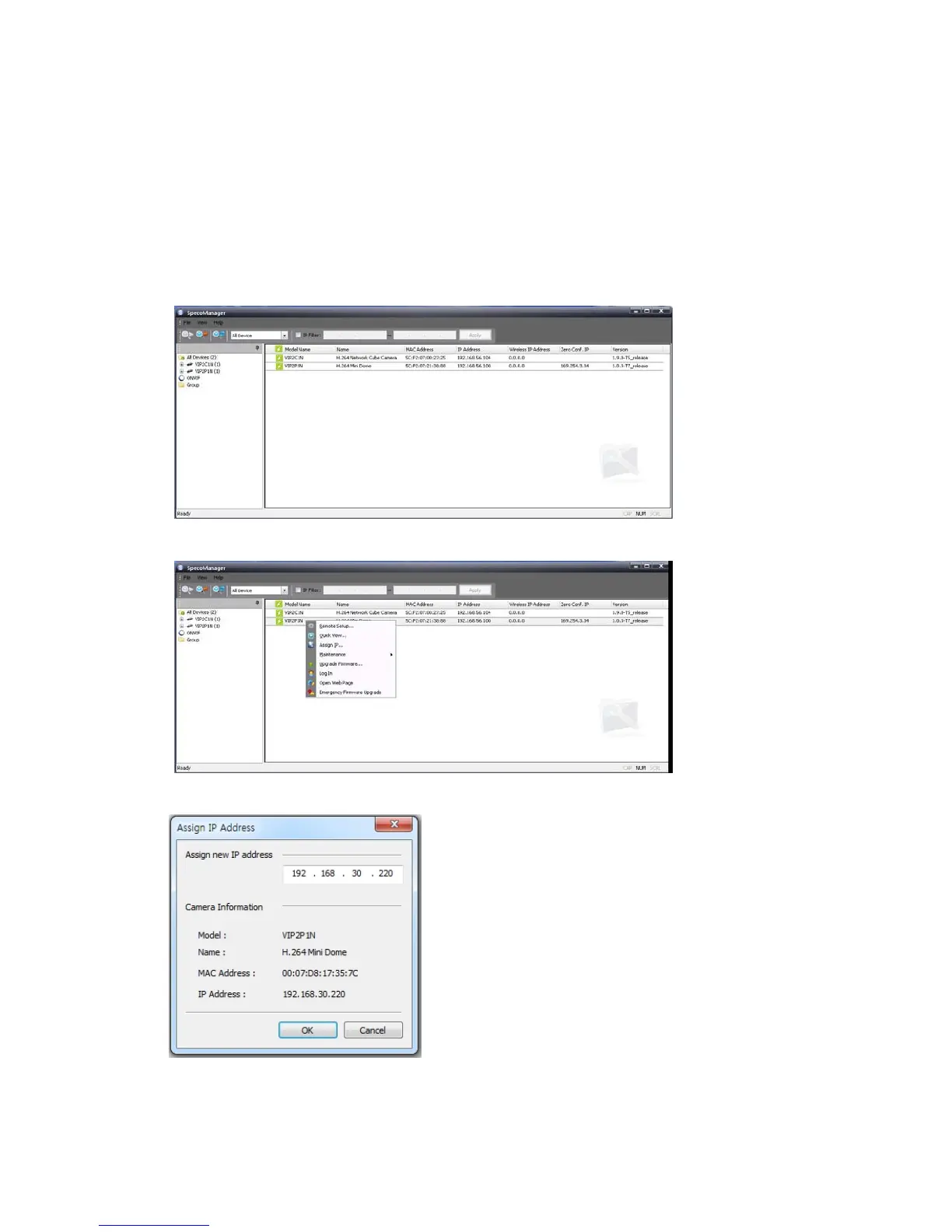
2. Start SpecoManager. The main window will be displayed and after a short while, devices
connected to the network will be displayed in the list. Compatible devices include Speco network
cameras and ONVIF Profile S listed cameras.
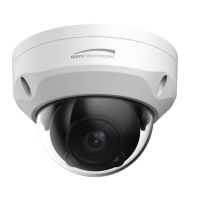
3.
Select the camera on the list and click right button of the mouse. You can see the pop-up menu
below.
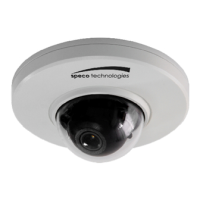
4
. Select Assign IP. You will see the Assign IP window. Enter the required IP address.
Note: F
or more information, refer to the SpecoManager User’s Manual.
12


 To Next Page