Home
Speco
IP Camera
VIP2P1
Page 50 (Network)
Speco VIP2P1 - Network
72 pages
Manual
Save Page as PDF
To Next Page
To Next Page
To Previous Page
To Previous Page
Loading...
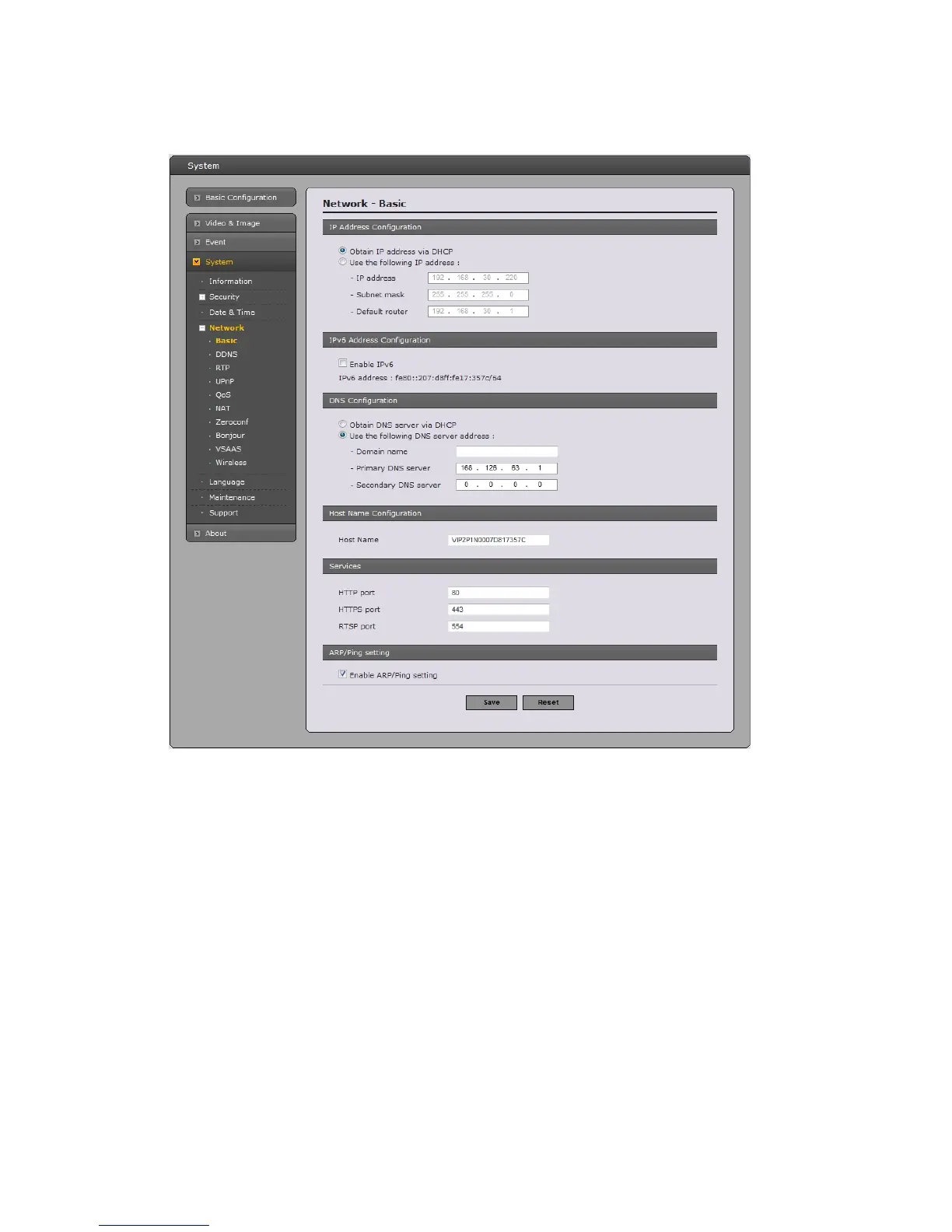
4) Network
Setting in r
egard to network can be ex
ecuted. Sett
ings for IP
, DNS, Host Name, P
ort, and ARP/Ping
can be established, along with setting for DDNS,
uPnP
, QoS, Zeroconf
ig, Bonjour and wireless.
50
49
51
Table of Contents
Main Page
Default Chapter
1
Network Camera
1
Explanation of Graphical Symbols
2
Fcc Compliance Statement
3
Important Safety Instructions
5
Table of Contents
6
Description
7
Components
7
Key Features
8
Layout
9
Installation
10
Camera Installation
10
Network Connection and IP Assignment
12
Operation
13
Access from a Browser
13
Access from the Internet
14
Setting the Admin Password over a Secure Connection
14
Live View Page
15
Network Camera Setup
17
Basic Configuration
17
Users
18
Network
19
Video & Image
20
Date & Time
22
Video & Image
23
Event
29
Event-In
29
Event-Out
35
Device Information
40
Event Map
43
System
45
Information
45
Security
46
Date & Time
49
Network
50
Language
61
Maintenance
61
Support
62
Playback
64
Help
66
Resetting to the Factory Default Settings
67
Appendix
68
Troubleshooting
68
Alarm Connection
69
Preventive Maintenance
69
Product Specification
70
System Requirement for Web Browser
71
General Performance Considerations
71
Related product manuals
Speco O3VFDM
13 pages



 To Next Page