3.8 Resetting to the factory default settings
To reset this network camera to the original factory settings, go to the Setup>System> Maintenance
web page (described in “3.5.4 System > Maintenance”) or use the Reset button on This network
camera, as described below
•
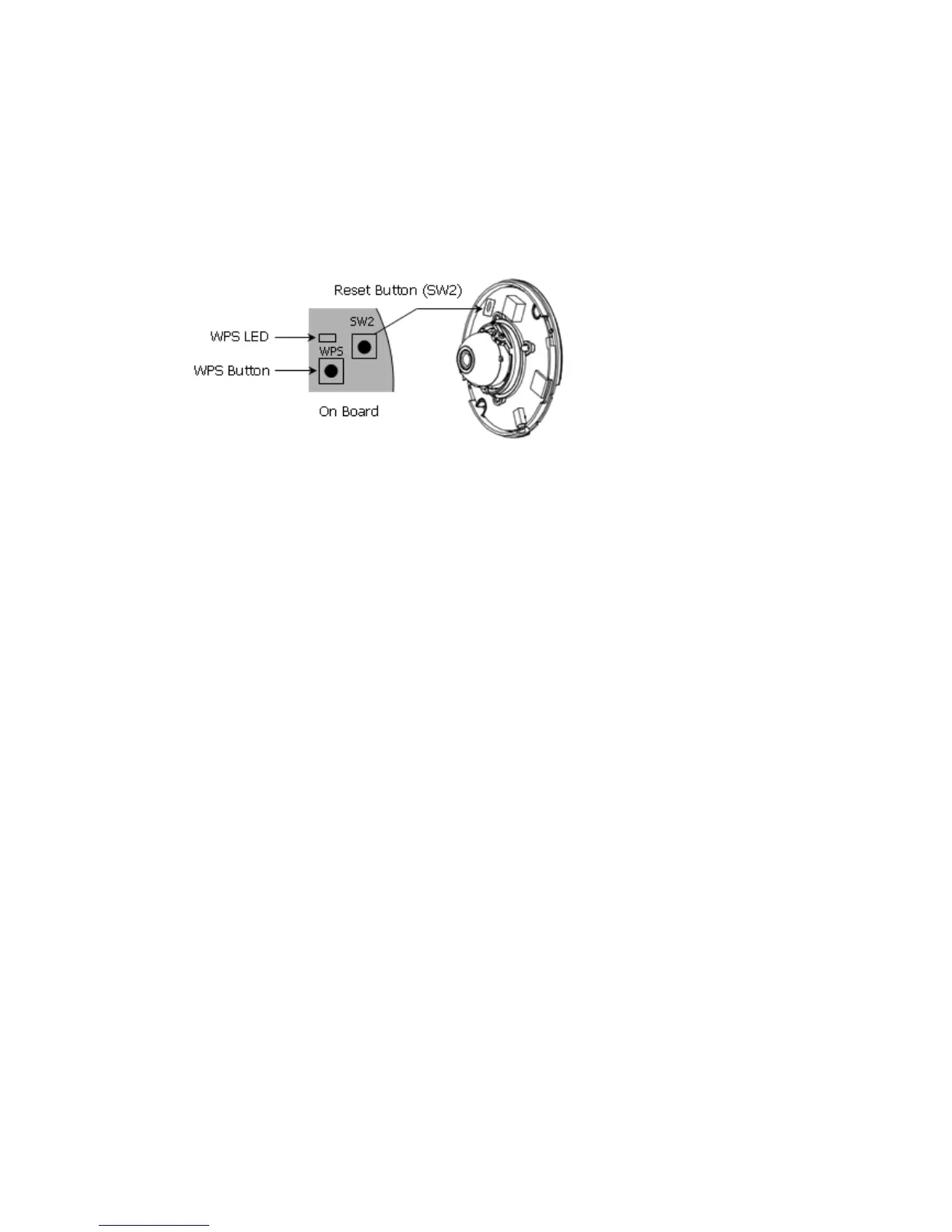
Using the Reset Button
Follow the instructions below to reset this network camera to the factory default settings using
the Reset button.
1. Switch off this network camera by disconnecting the power adapter.
2. Press and hold the Reset button with a straightened paperclip while reconnecting the power.
3. Keep the Reset button pressed during about 2 seconds.
4. Release the Reset button.
5. This network camera resets to factory defaults and restarts after completing the factory
reset.
Caution: When performing a Factory Reset, you will lose any settings you have saved.
67


 To Next Page