▼ Record
When thi
s network camera detects an event, it can record video stream in the Micro SD Memory (not
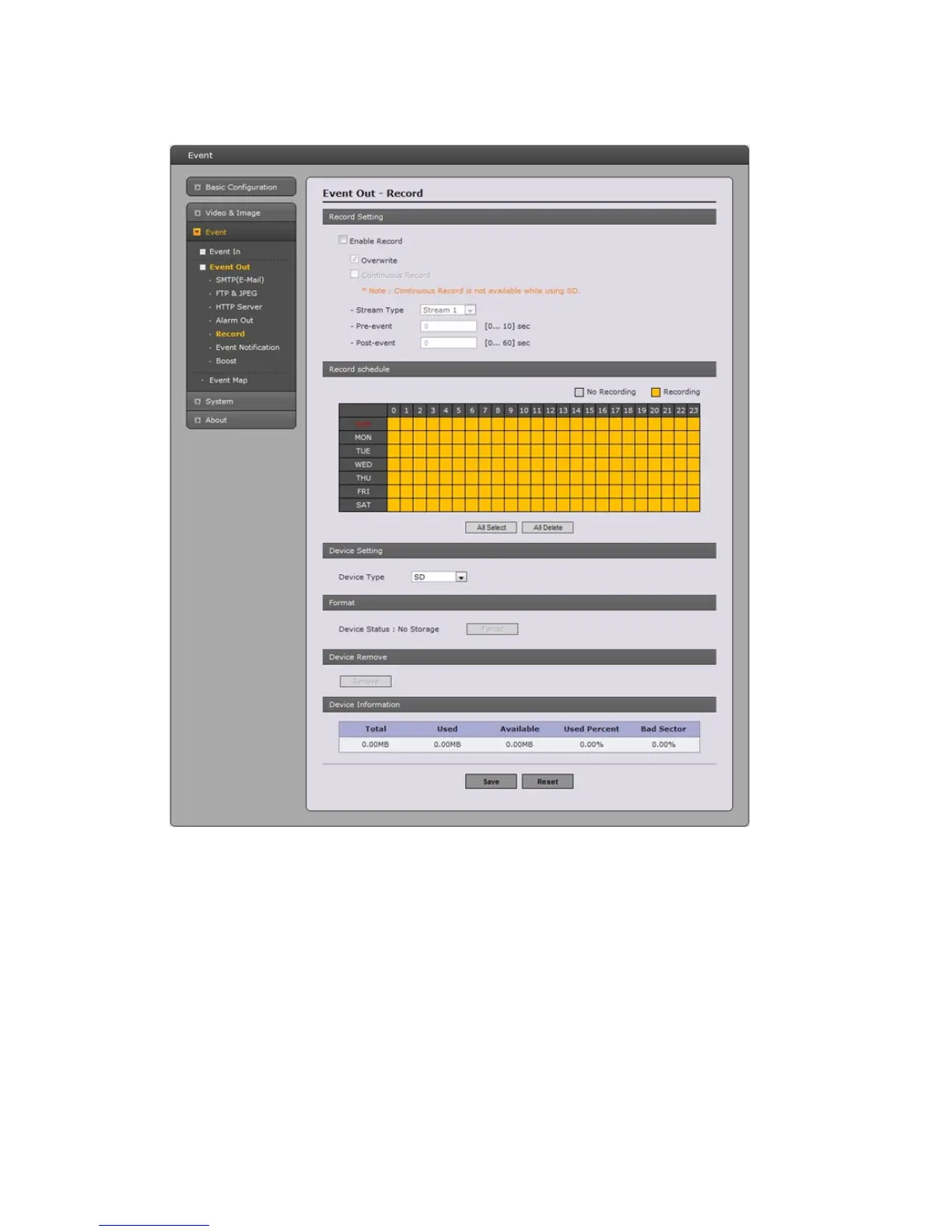
supplied) or NAS (Network Attached Device) as a storage device. Check the box to enable the service.
• Record Setting
- Overwrite: Click checkbox to overwrite the storage device.
- Stream Type: You can select Stream1, Stream2, or Stream3.
* Stream1: H.264 or MPEG-4 data
* Stream2: MJPEG data
* Stream3: You can select VIDEO or IMAGE.
- Pre-event: Enter pre-event time value for storage device pre-recording.
- Post-event: Enter post-event time value for storage device post-recording.
• Record Schedule
You can set the weekly recording schedule for each day. Drag or click area by a box unit at first.
Clicking the block toggles the recording between on and off.
Click the “All Select” button to set a schedule for the entire week or a whole day, respectively.
39



 To Next Page