Spectralink PIVOT Smartphone Quick Barcode Connector Administration Guide
721-0045-000_A.docx
February 2017 22
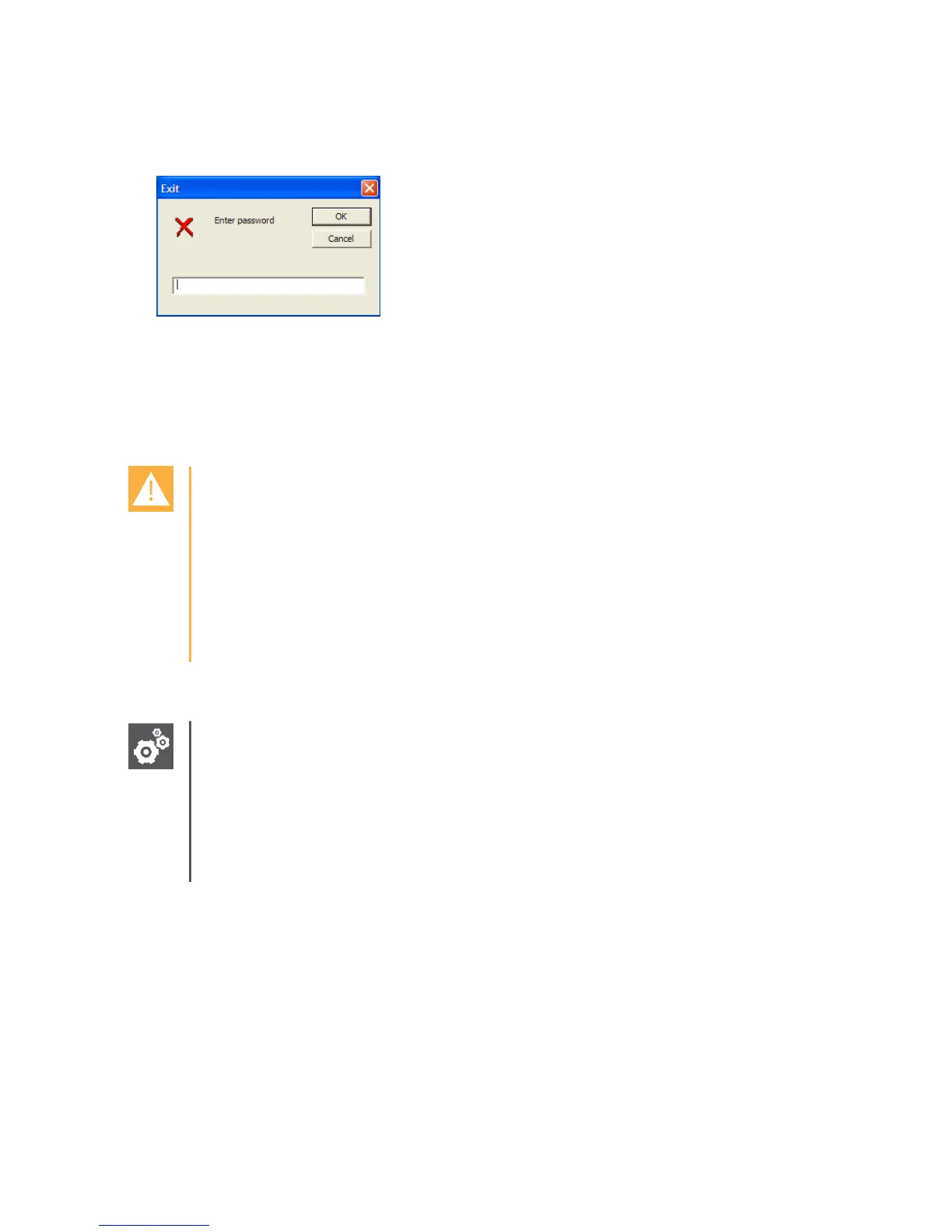
you to prevent unauthorized users from changing or closing the application by displaying
the dialog, as shown next. The password must be at least four characters.
Enter and confirm a passphrase in the Set Passphrase and Confirm Passphrase fields.
The passphrase must match the passphrase setting in the smartphone even if you don’t
intend to encrypt the data communications between your smartphone and the Spectralink
QBC application. To encrypt the data, you must select the Encryption Enabled option,
discussed next. The default passphrase is BcmaTestPassword1.
Caution: Ensure passphrase settings match
As described in
Setting , a matching passphrase must be set in the Admin menu QBC
configuration. Navigate to Admin menu> QBC> Passphrase.
Ensure that these two passphrases do match or PIVOT will not connect to the
QBC. If the passphrase must be changed, the phone must be rebooted before it will
recognize the new one.
Choose the Encryption Enabled option to encrypt all barcode data transactions.
Settings: About Password and Passphrase Fields
The Password and Passphrase fields are case sensitive. You can enter a
maximum of 256 characters (comprising the ASCII character set) including ! @ # $
% ^ & * ( _ ) + = ? <> \ / [ ] { }_ ’ ~ ” , - . and |. Spectralink QBC will support other 8-
bit code pages, including Cyrillic. The password and passphrase security do not
support Unicode.


 To Next Page