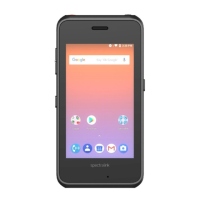
Spectralink PIVOT Smartphone Quick Barcode Connector Administration Guide
721-0045-000_A.docx
February 2017 8
Conventions Used In This Document
Icons
Icons indicate extra information about nearby text.
Warning
The Warning icon highlights an action you must perform (or avoid) to avoid
exposing yourself or others to hazardous conditions.
Caution
The Caution icon highlights information you need to know to avoid a hazard that
could potentially impact device performance, application functionality, successful
feature configuration and/or affect phone or network performance.
Note
The Note icon highlights information of interest or important information that will
help you be successful in accomplishing a procedure or understanding a concept.
Tip
The Tip icon highlights information that may be valuable or helpful for users to
know, such as special techniques, shortcut methods, or information that will make
user tasks easier to perform.
Web
The Web Info icon highlights supplementary information available online such as
documents or downloads on support.spectralink.com or other locations.
Timesaver
A time-saving tip is typically used to mention or highlight a faster or alternative
method for users who may already be familiar with the operation or method being
discussed.
Admin Tip
This tip advises the administrator of a smarter, more productive or alternative
method of performing an administrator-level task or procedure.


 To Next Page