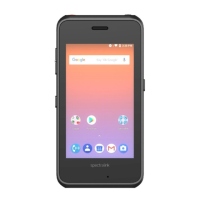
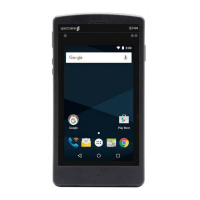
Spectralink Versity Interoperability Guide—RingCentral
721-0085-000_A.docx
August 2021 5
Display Caller ID information for incoming and outgoing
calls.
Allows user to place active calls on hold.
Call Transfer (warm, blind)
Allows user to transfer the active call to some other
number.
Host a conference call with up to two other parties.
Allows the user to:
Forward all calls to eg. Voicemail, group or colleague
Allows user to answer another incoming call when
already in an active call.
For more information, see Configuration> SIP> Call
status and parameter description in the web-based
Administration Page of the server.
List of missed, answered, and placed calls.
Allows user to silence incoming calls.
Play music to callers on hold.
Supports touch-tone feature codes.
Environment Information
• RingCentral Office - www.ringcentral.com
• RingCentral Network Requirements -
https://support.ringcentral.com/s/article/9233?language=en_US
• Spectralink Versity smartphones (R2.2)
RingCentral Documentation
RingCentral Assign an existing device to an
existing extension
https://support.ringcentral.com/s/article/Provisioning-
Assign-an-existing-device-to-an-existing-
extension?language=en_US
RingCentral Manual Provisioning for Third-Party
Phones
https://support.ringcentral.com/s/article/Manual-
Provisioning-How-to-set-up-desk-phone-with-
RingCentral?language=en_US
RingCentral Get the SIP Settings For Manual
Provisioning
https://support.ringcentral.com/s/article/Manual-
Provisioning-How-get-SIP-Settings?language=en_US



 To Next Page