Spectralink Versity Interoperability Guide—RingCentral
721-0085-000_A.docx
August 2021 8
Assign an Existing Device to an Existing Extension
To add an existing device to an existing user, do the following:
1 Log in as an Administrator to your RingCentral Online Account.
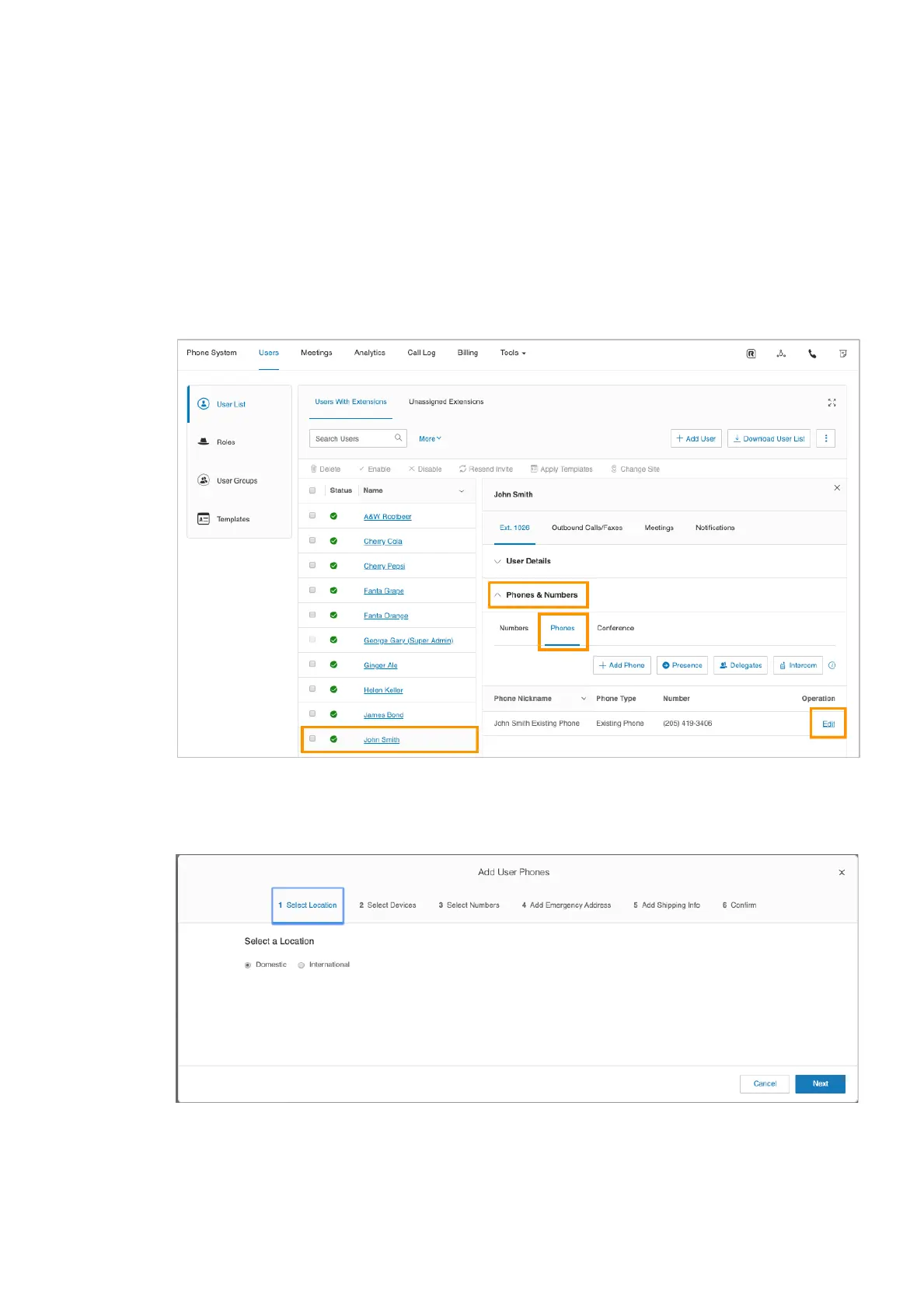
2 Under Admin Portal, click Users, click User List, click Users With Extensions and
select the desired User. In this example, we will use John Smith.
○ Expand the user’s Phones & Number section, click Phones, and then click Add
Phone.
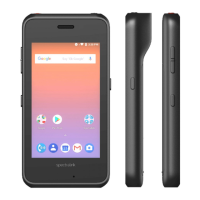
○ An Add User Phones page appears.
3 Select either Domestic or International.
4 Select Other Phones, click Existing Phone, and then click Add.


 To Next Page