721-0085-000_A.docx
August 2021 7
Chapter 2: Configure the RingCentral
Office Call Server
Configure TLS settings in RingCentral Admin Portal
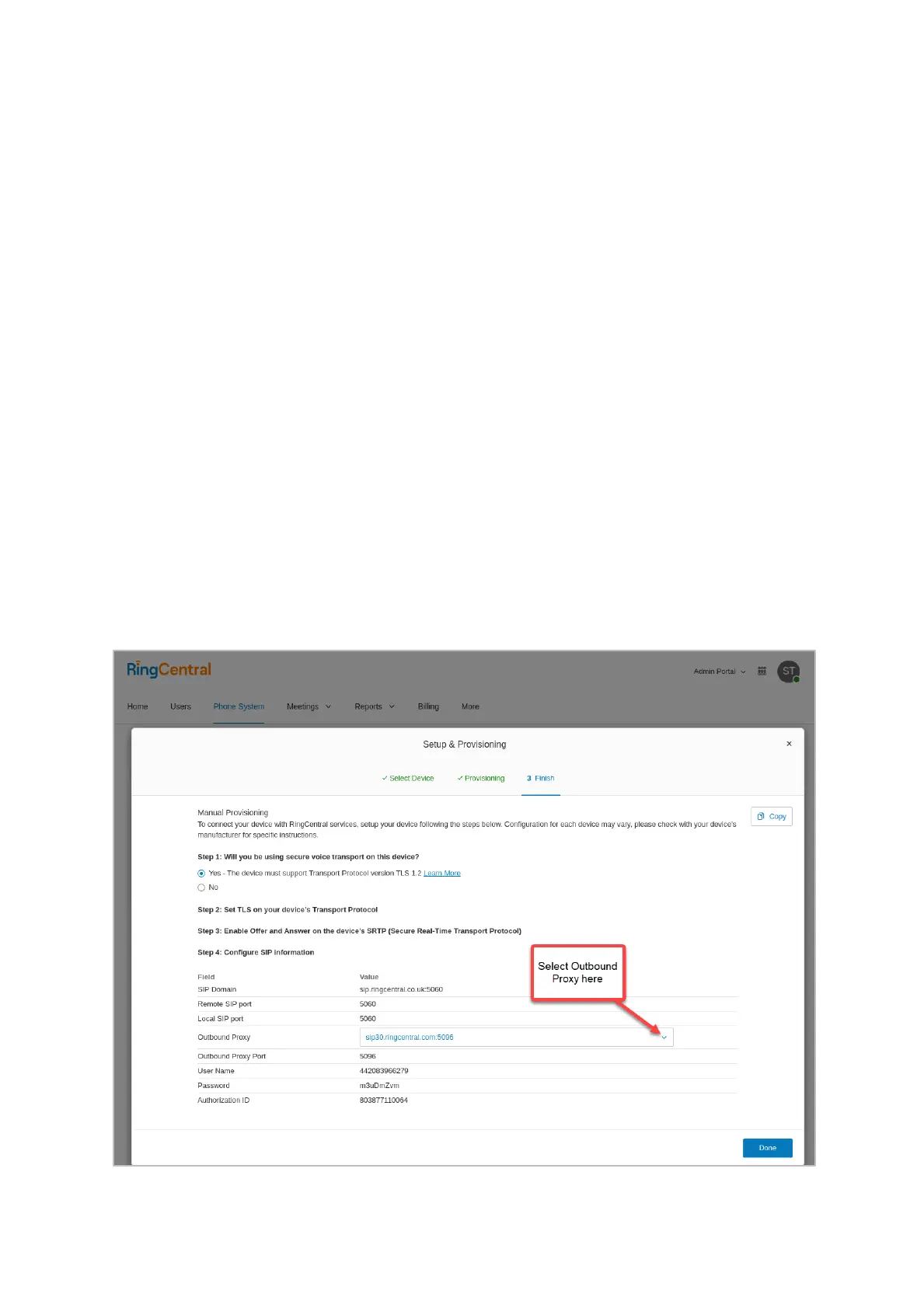
For TLS setup, each existing device must be set to support TLS.
1 Login in RingCentral Admin Portal
2 Go to Phone System TAB
3 Expand Phone&Device Menu
4 Select User Phones SubMenu
5 Click on the target Device
6 Enter in Setup&Provision
7 Select Other Phones
8 Select Existing Phone
9 From Outbound Proxy drop down list select a proxy according to the location of
your device (ex: sip30.ringcentral.com:5096)


 To Next Page