Spectralink Versity Interoperability Guide—RingCentral
721-0085-000_A.docx
August 2021 9
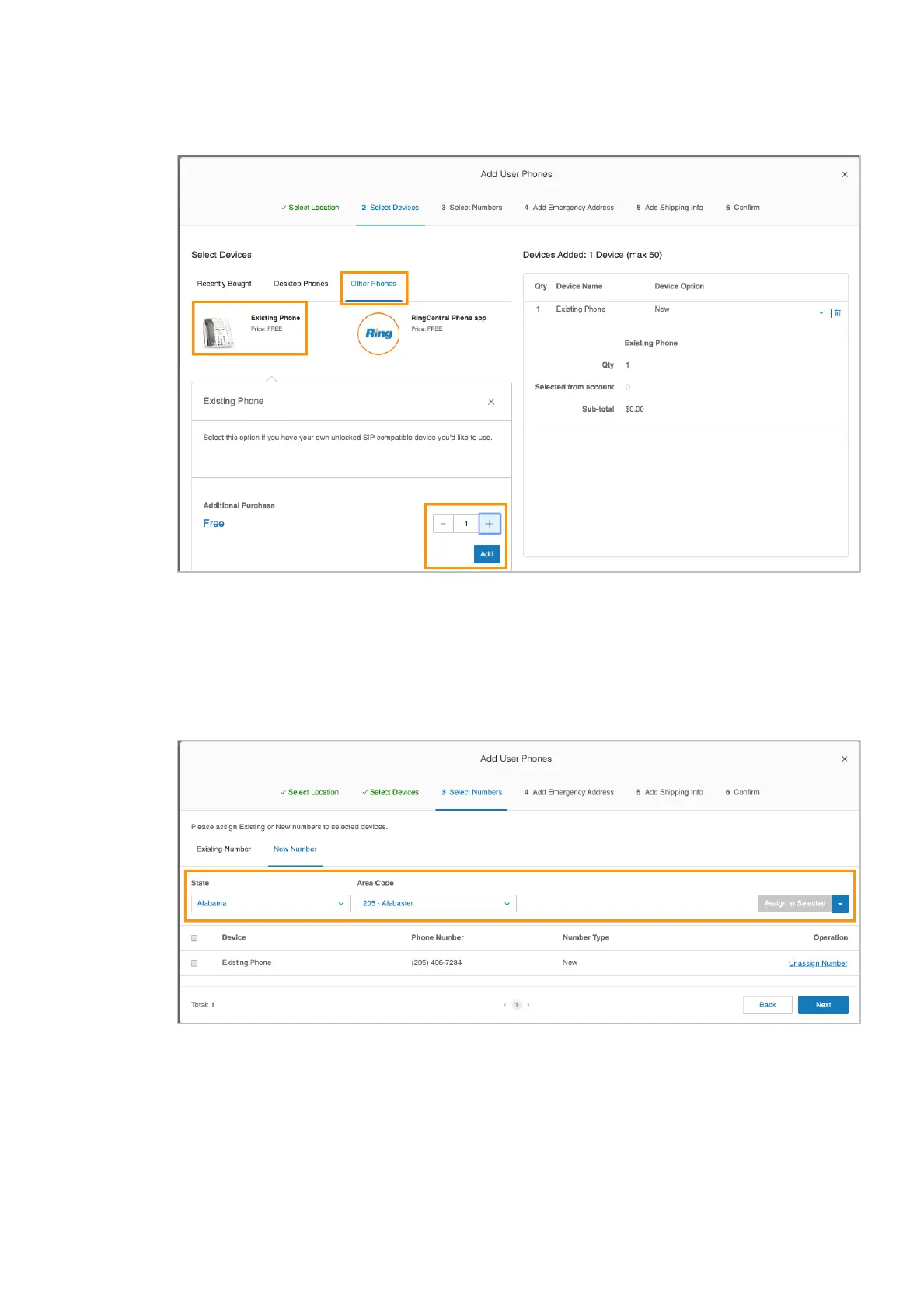
You can now see information about added devices and order summary.
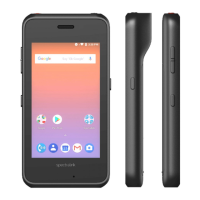
5 Assign a phone number to the device:
○ If you already have an existing number, click Existing Number to add it to the
device.
○ If you want to add a new number to the device, click New Number, and then
select the desired number.
6 Specify the Emergency Address for the device.


 To Next Page