CHANNEL
LIST GUIDE
MENU GUIDE
MAIN PAGE
4.EPG
lEtectronic
Program
Guidel
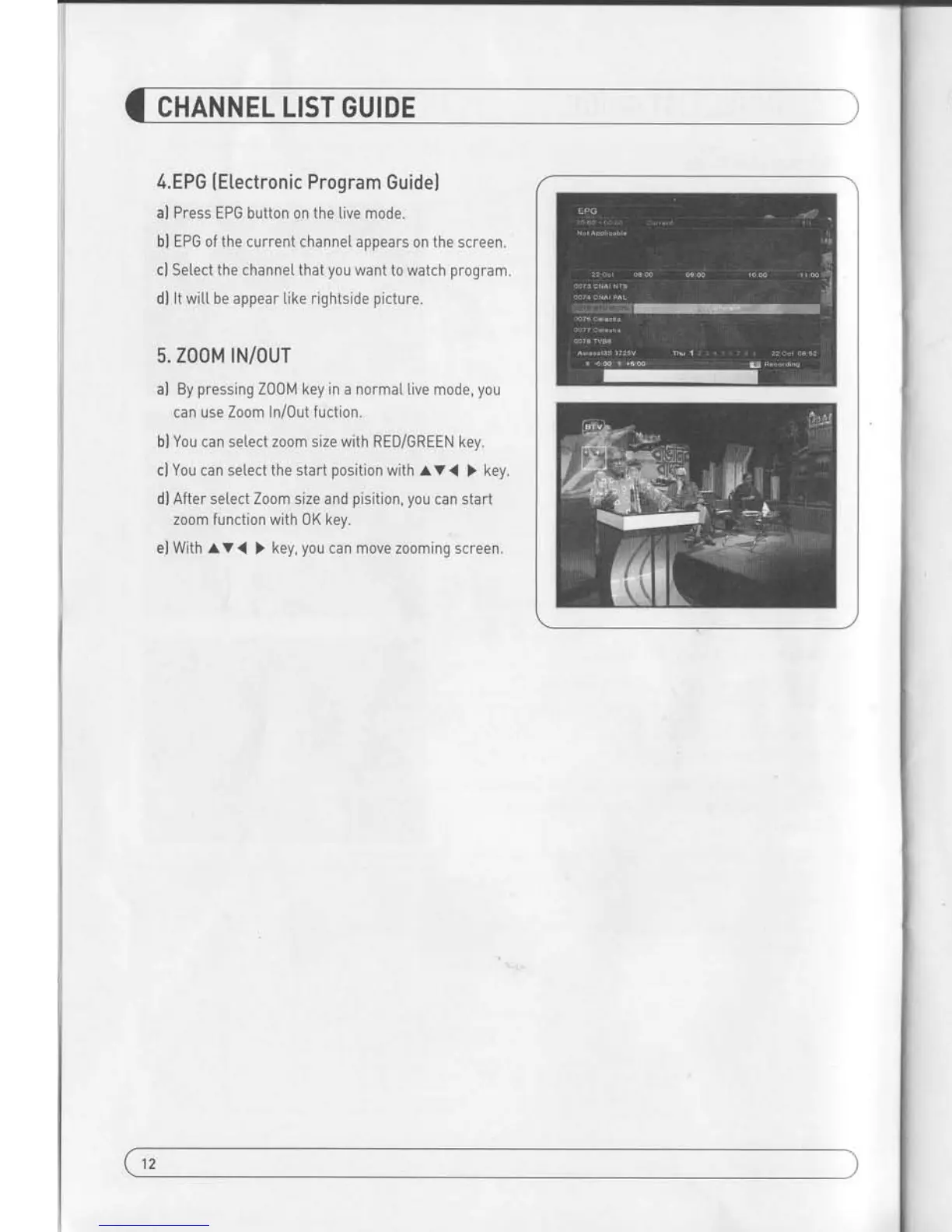
al Press EPG button on the live
mode.
bl EPG
of
the
current channe[ appears 0n the
screen.
cl Setect the channeI that
you
want to watch
program.
dl lt witt be appear Iike rightside
picture.
5. Z00M
rN/our
al By
pressing
Z00M
key
in a norma[ live mode,
you
can use Zoom
In/Out fuction.
bl You can setect zoom size with RED/GREEN
key.
cl You can setect the start
position
with
AV<(
)
key.
dl After select Zoom size and
pisition, you
can
start
zoom function with 0K key.
el With AV<
)
key,
you
can move zooming screen.
I. CHANNEL
MANAGER
This section may hetp
you
to organize channets according
to
your preference.
1. Setect Channe[
Manager in the Main Pagewith
av
and
press
0K.
2. TV Channel Manager Page dispLays on the screen.
3" Setect
the mode that
you
want using
(
).
4.
To see the channel that
you
choose,
go
to the channel
and then
press
RED botton.
5. Press EXIT to return to the
previous
menu or
press
li4ENU to
go
to the current Live channel
Press the MENU button
on the RCU to open Main
Page on the screen.
Main Page witt be displ.ayed.
1. You can move
into the main
page
using
l.V
<
>
on the RCU.
2. Press 0K to confirm
your
selectron.
3. Press EXIT to return
to the
previous
menu or
press
MENU to
go
to the current
live channel.
L ChanneI
Manager
lV. Utitity
ll. Instattations
V. Accessorv
lll.0otions
l-1. Favorite
l-2. Rename
l-3. Move
l-4. Lock
l-5. Detete
';
-
-'..
r-
!:
Favortre
, ,rinn
< ,
go
to the Favorite mode then
press
YELLOW button to choose Favorite 1-8.
2. Press 0K on the channe[
that
you
want to add
or detete.
3.
f*
witt be marked at
the end of selected channel
name bar.
To delete
press
0K again.
4. Setected
channe[s witl be automatica[[y saved.
5. lf
you
want to check the
saved Favorite ChanneI List
go
to other mode(Rename-DeteteJ
except Favorite
and then
press
FAV button to check
Favorite 1-8.
6. Press EXIT
to return to the
previous
menu or
press
MENU to
go
to the current live channet.
7. Press BLUE button to rename Favorite.
13
12


 To Next Page