MENU GUIDE
MENU GUIDE
IV. UTILITY
v.
AccESsoRY
This section
may help
you
to use
USB, etc.
Setect
Utitity in Main Page
using
a v
and
press
0K.
.
lV
-1.
System Information
.
lV
-2.
Timer
.
lV
-3,
Catendar
.
lV
-4.
Reboot 5TB
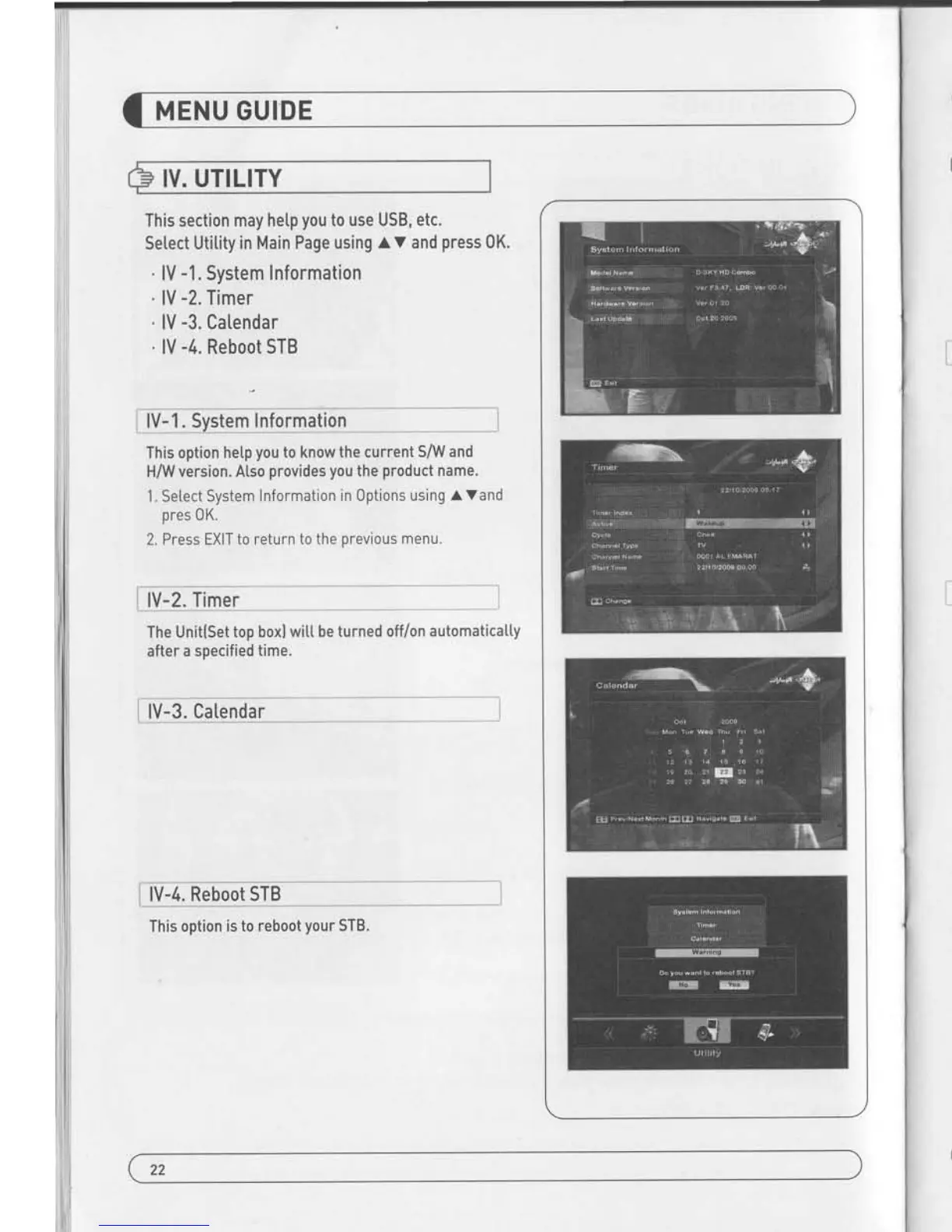
lV-1.
System Information
This option
hetp
you
to know
the current S/V/
and
H/YV
version. Also
provides you
the
product
name.
1
. Se[ect System
lnformation in 0ptions
using
a Vand
ores 0K.
2. Press EXIT
to return to the
orevious
menu"
The Unit(Set
top boxl will
be turned off/on
automatically
after
a soecified time.
-4. Reboot
STB
This
option is to reboot
your
STB.
This section may hetp
you
to use USB, etc.
Setect Utitity
in Main Page using
V
and
press
0K.
.
v
-1.
usB
.
V -2. Common
lnterface
LlH_u5B ___ l
The receiver is equipped with host.
1. Setect USB in Utitity with t V and
press
0K.
2. lf
you
want
to save Sofware or Database,
press
Green
button on the
RCU.
3. Select the fi[e which
you
want to save using fv
and 0K
b utton-
4. After downtoading the setected f i[e, the
receiver wi[[
reboot automatica[[v.
i
V-2
Commo!!4eitee9__r
The receiver is equipped with
one slot of Common
Interface which have access to the scrambted
the
pay per
view services with
various conditionaI access moduIes
and a valid smart card.
The
programs
that can be
descrambled are determined
by
the
conditionaI access modute and smart card
that
you
u5e.
1. Setect Common
lnterface in utititywith
r.V
and
press
0K
2. Common Interface dispLays on the screen.
[The
phrase'No
Modute' is indicated when the
conditionaI access
modu[e
is
not istalted]
3. Insert the
conditional access modute into Stot
1.
4. The name of the Slot differs
according to each inserted
conditionaI
access module.
5. Press EXIT to return
to the
previous
menu or
press
MENU to
go
to current live channel.
23
22


 To Next Page