PVR
GUIDE
PVR GUIDE
li
,i'
tl
PVR
GUIDE
Vii. MPl
ruy
,--
- -- --- -
j
-
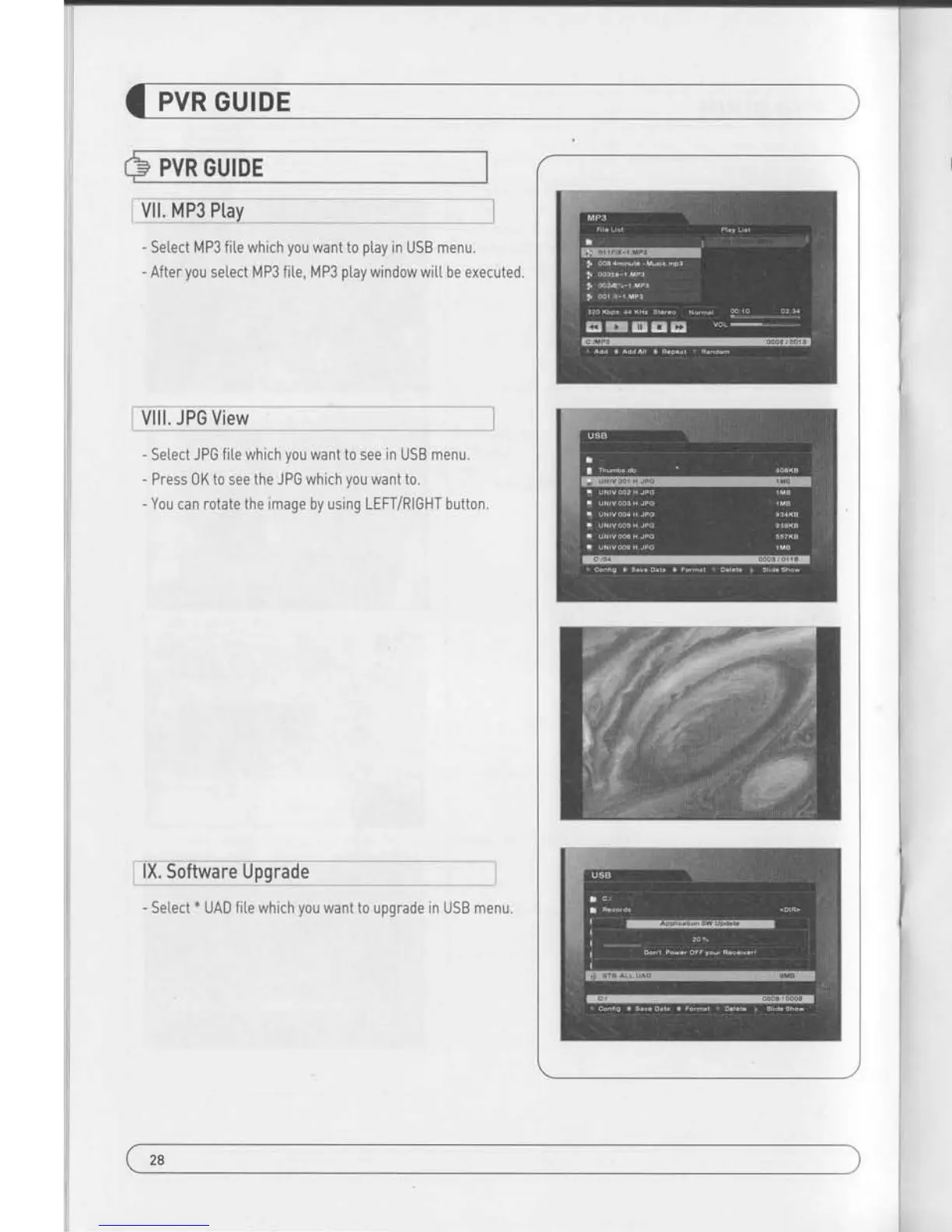
Setect MP3 fite which
you
want to
play
in USB
menu.
- After
you
setect MP3 fite, MP3
ptay
window wit[ be executed.
Vlll. JPG View
-
Setect JPG file which
you
want to see in USB menu.
- Press 0K to see the JPG which
you
want to.
-
You can rotate
the
image by using LEFT/RIGHT button.
lX, Software Upgrade
- Setect
*
UAD fite which
you
want t0 upgrade in USB menu
PVR GUIDE
L How
io
ptiittrirecriio
bt
PVR of
'HD-XXX'
in
fc 9r !!v1l_lqy:!_ _
X-1 How to
ptay
in PC
AJ Ptay KM Ptayer.
Bl Setect Language.
1
)
Ctick right
button of Mouse -) Language
)
your
[anguage.
C) Change
the extension name of
the recorded file to
*.mpg".
x
Example
:Wetcome to A_131821 -) Wetcome
to
A_131821 .mpg
Dl Setect the f ile which
you
want to
ptay.
1
|
Ctick right button
of Mouse
-)
0pen FiteslSl -)
SeIect.
X-2 How to Ptay
in
"Divx
Ptayer"
Al The fite
format must be changed to
",avi
format to
play
in
DivX P[ayer.
B) Setect a destination fotder where
to
be saved
the fite which
wit[ be changed to
*,avi.
1l Ctick
fight button of Mouse -) Capture -) Setect
Capture Fo[der.
C) Repeat Al -) Bl -)
cl
-)
D) of No.1 how to
play
in PC,
DJ Capture the fie which
is being
played
currentty to convert
into
*.avi.
1J Ctick right button
of lt/ouse
-)Capture
-) Video
Quick
Captu re.
2l Then the
ptaying
fite is saved ln
designated fo[der by
*.avi
format.
El lf the
ptaying
fite is STB SD channet, it is saved by SD and lf
the fite
is HD or H.264 it saved by HD or H.264. lf user does
not
have DivX
ptayerwhich
can
play
HD or H.264
lat
least
CPU
sigma8634J, he must convert the fite SD so that the
generaI
SD DivX
player
ICPU
sigma85l 1) can
play
the
fite.
J(*$mxen
29
2S


 To Next Page