13
Power:
Menu:
Interval:
Press and hold the POWER button to turn on or o
the machine (hold it for approximately 3 seconds).
Note, the master switch at the bottom of this control
panel must be positioned to the correct power
source before you can turn on your machine. It has
3 positions with O being o. Position it to the left
if you have an internal battery and wish to power it
from this source. Position it to the right if you have
an external battery or AC adaptor and wish to power
it from this source. This switch should be returned
to the o (middle O) position when transporting or
storing the machine.
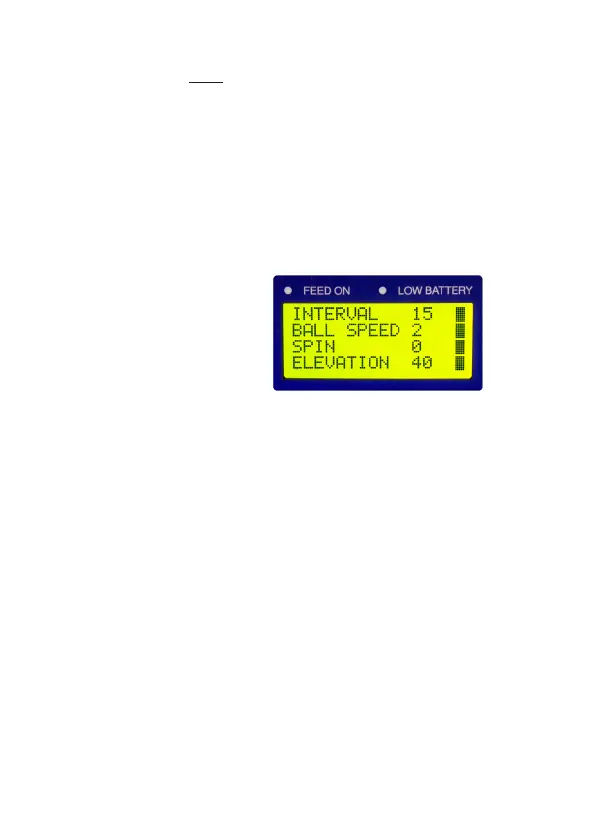
To adjust the interval, ball speed, spin & elevation
you need to press the MENU button. Once pressed,
a menu option will begin to ash (it will stop ashing
after 30 seconds if no selection is made). You can
move between the menu items by using the UP
and DOWN buttons. You can adjust the settings of
each item by pressing the LEFT and RIGHT buttons.
To make the setting vary automatically, you can
press the VERTICAL button and an “R” will appear
next to the value. Once you have nished making
your adjustments, press the MENU button again to
complete your selection.
This sets how often the balls are ejected from
the machine. It can be adjusted from 0 – 20
with 20 being the fastest (approximately 1 ball
every 2 seconds). You can make this setting vary
automatically by +/- 0.5s by pressing the VERTICAL
button (an “R” will appear next to the value to


 To Next Page