IM-P343-44 CTLS Issue 5 19
EP500 Standard Electropneumatic Positioner
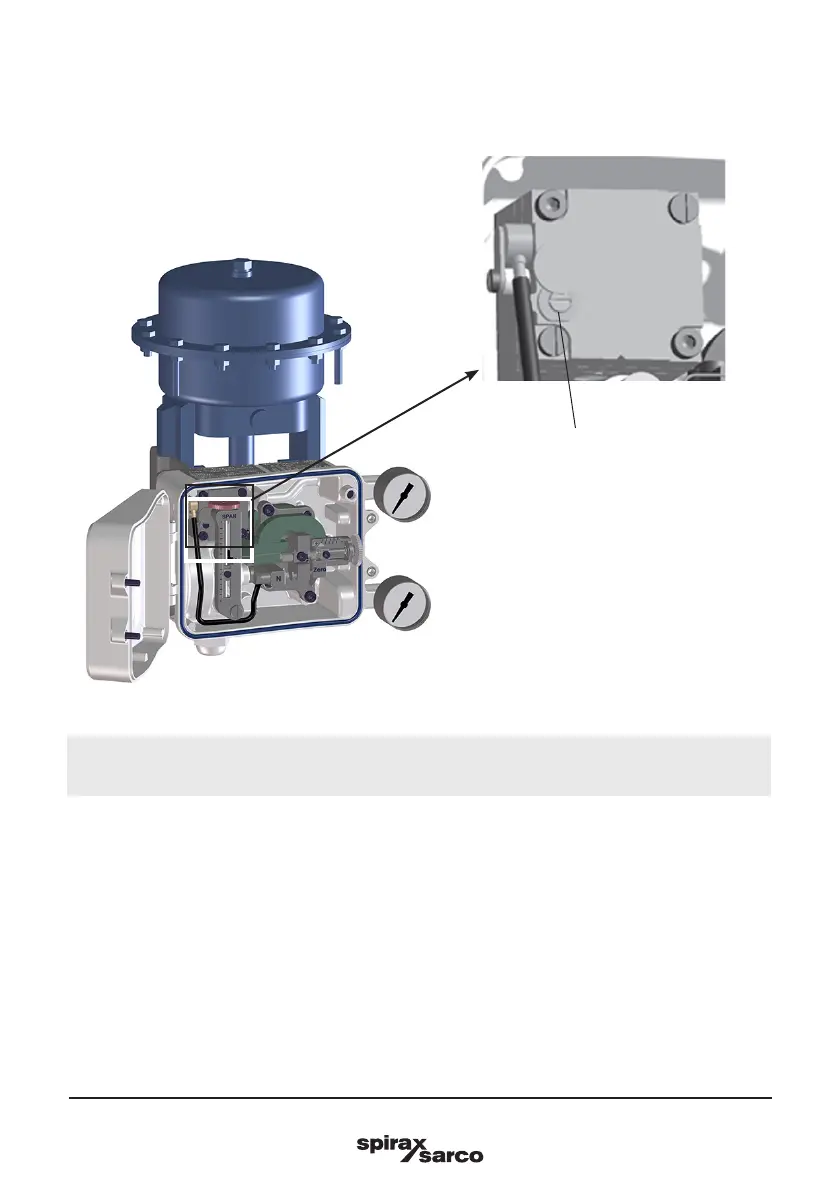
4.2 Set sensitivity
We recommend not to change the Xp regulation until you familiarise with the product
and with this regulation.
To increase positioner sensitivity close the adjusting screw, to decrease sensitivity open the
screw. Do not open the screw beyond the mechanical lock.
Xp closed means the positioner is very reactive and consuming a small amount of air.
However on small valves this could result in valve hunting. In this case, unscrew slightly
(in steps of 1/8 turns) the Xp screw, until the oscillation disappear.
Xp opened means that the unit is less reactive wastes more air, but is more stable.
Note: Adjustment of the Xp % screw causes a change of positioner 'zero' point, and it is
therefore important to repeat the zeroing and travel setting procedures after any changes.
Once the positioner has been mounted and connected up, proceed as follows:
Fig. 20
X
p
regulation



 To Next Page