IM-P343-22 CH Issue 2
17
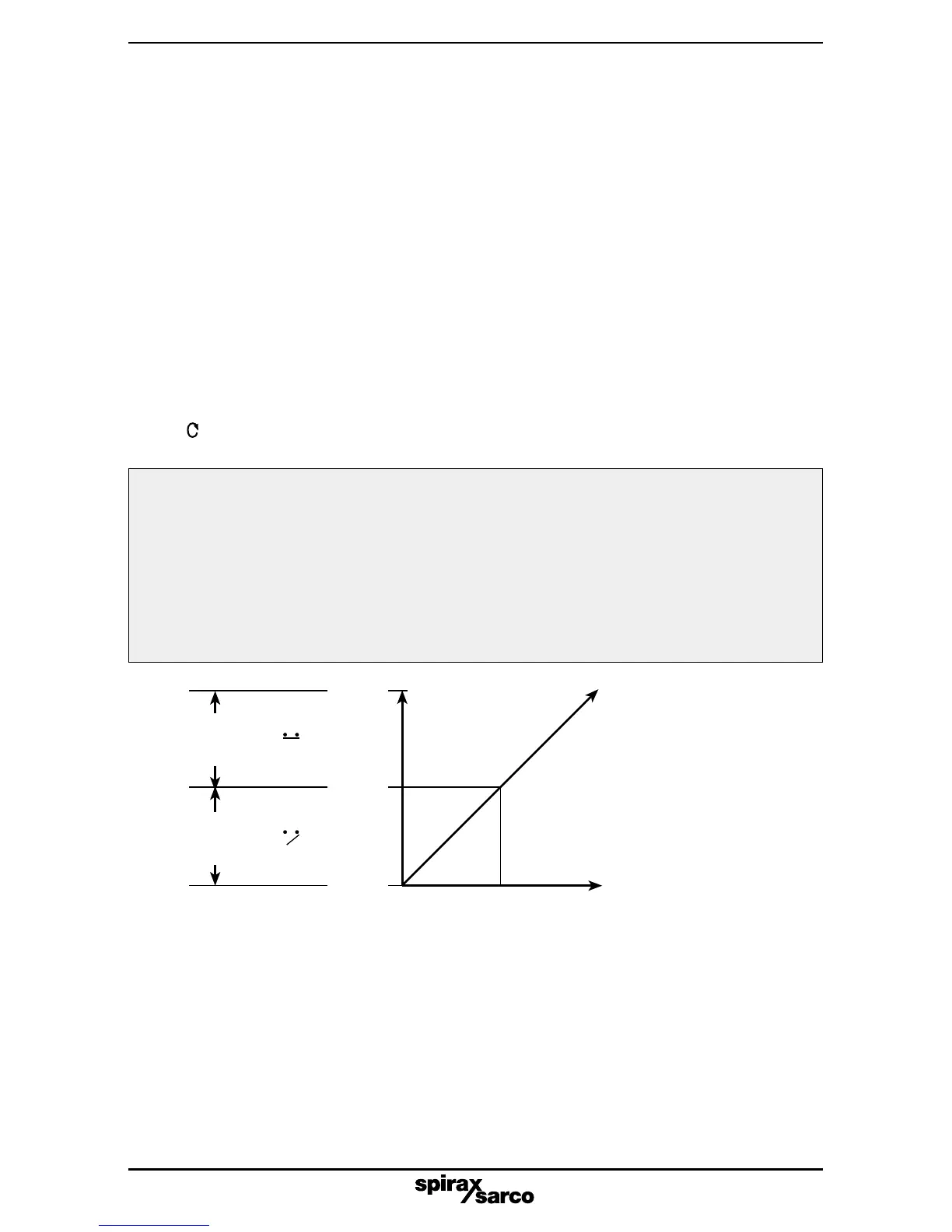
Fig. 20 TS1 Travel switch 1 (normally open)
Switch
closed
Signal
Switch
open
Travel
100%
0%
Note:
Software configured travel
switches can be set within
the range 0% to 100% of full
travel irrespective of any
travel limit settings.
4.2 TS1 and TS2 software travel switches
Software configured travel switches are optional and provided on a separate
plug in PCB board. They will only appear in the programming menu if the
options PCB is fitted, and switch SW1 set to position A.
Two switches are available TS1 and TS2.
TS1 is normally open and TS2 is normally closed. Switching action is set as a
% of valve travel (refer to Figs. 20 and 21).
TS1 - software configured travel switch 1 (normally open)
Programming notes
Software configured travel switches are optional with the SP2 positioner. The
switching point can be set as a percentage of the valve travel between 0 to100%.
A value can be set outside the limits of the travel settings (MIN-T) and (MAX-T).
Initially OFF will be displayed indicating that the switch is not set. To set a
switching point press s and t keys to alter the displayed value. Press
key to accept the displayed value and advance to travel switch 2 normally
closed (TS2).
Commissioning notes
Travel switch 1 (TS1) is normally open. External wiring should be made between terminals
1 (+) and 2 (-). The value set is a % of valve travel. At the set value the switch will close.
If the options PCB is fitted and the slide switch SW1 set to position 'A' the status of the
switch will be shown on the LCD (refer to Fig. 20).
Software configured travel switches can be used to remotely indicate valve position or to
operate warning devices, fans, stirrers, motors or other process equipment via a secondary
switching device.
50%



 To Next Page