Care and maintenance 21
Cleaning the pump
pre-chamber
The washer-dryer is fitted with a self-cleaning
pump that does not require regular maintenance.
However, if small items (such as coins or buttons)
fall into the pre-chamber that protects the pump,
you will need to retrieve them.
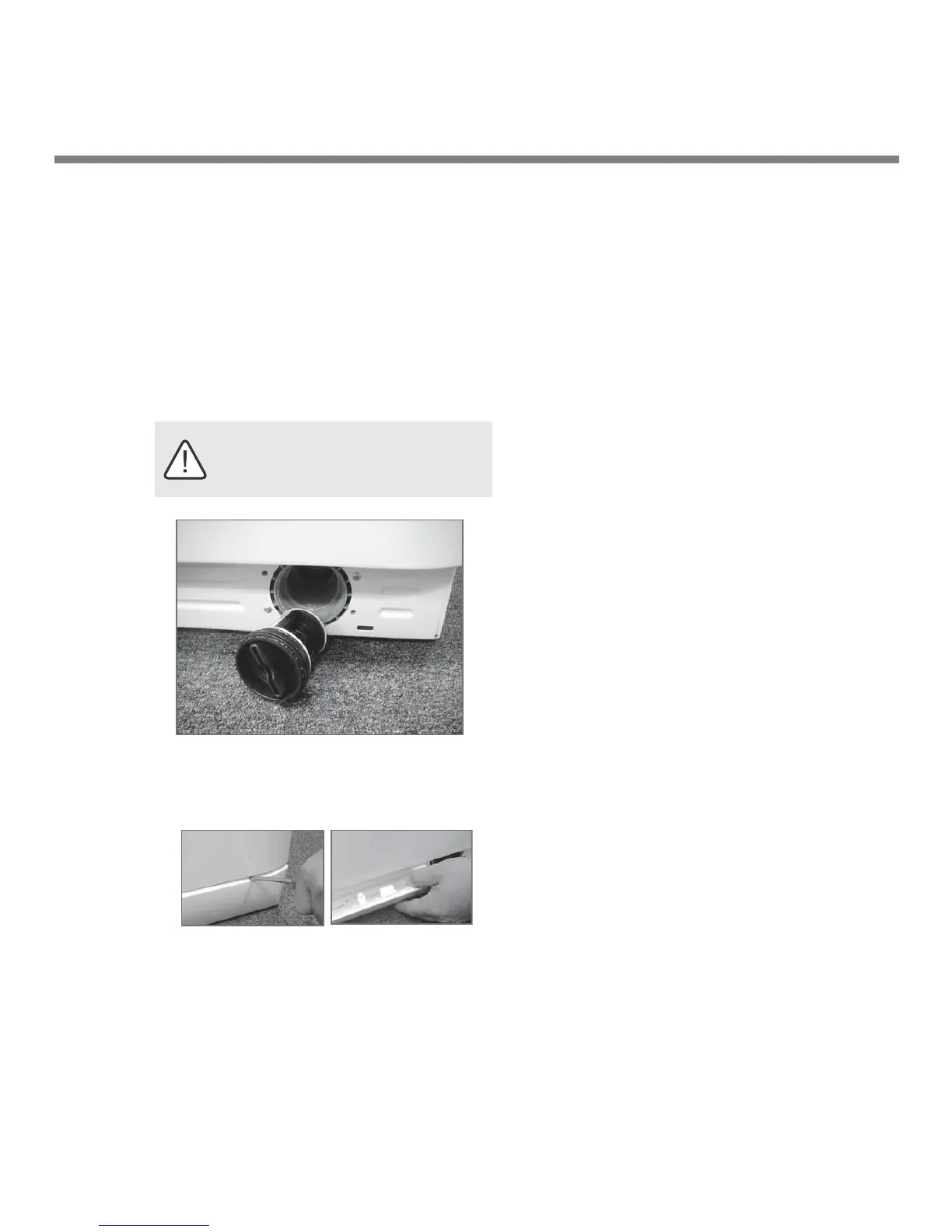
To access the pre-chamber:
1 Using a screwdriver, remove the cover panel on
the lower front of the washer-dryer.
2 Place a small dish or tray below the cover.
Unscrew the pre-chamber by rotating it counter
clockwise. A little water may trickle out. This is
perfectly normal.
3 Clean the interior thoroughly.
4 Screw the pre-chamber back on.
5 Reposition the panel, making sure the tabs are
positioned correctly before you push the panel
back onto the appliance.
IMPORTANT: Before cleaning, make sure
the wash cycle has ended and unplug the
appliance.
No lint filter to clean
Your Splendide removes the lint automatically with
the help of it’s self-cleaning pump, so there’s no lint
filter to clean.



 To Next Page