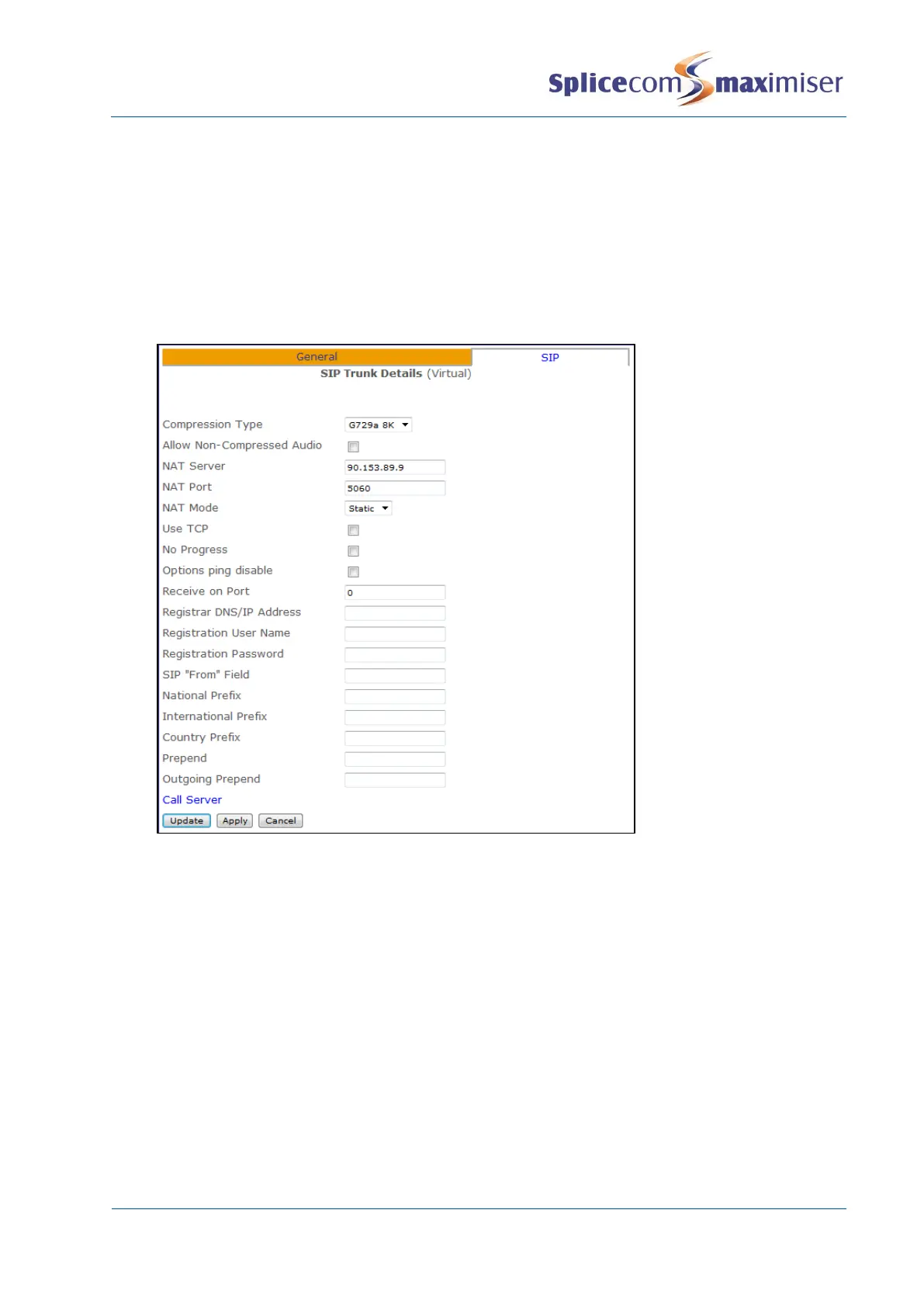
20 In the NAT Server field enter
a the IP address allocated by the ADSL provider, or
b if using STUN, the name of the STUN server (provided by the SIP provider)
21 In the NAT Port field enter
a
5060
, or
b
3478
- if using STUN
22 From the NatMode field select Static or STUN
23 If a Registration DNS/IPAddress, User Name and Password have been supplied by the SIP provider
enter this information in the relevant fields otherwise leave the fields blank.
24 Select Update or Apply when ready.
You will also need to configure port forwarding on the ADSL router to forward packets to the IP address of
the Call Server to which the SIP Trunks are registered, typically,
UDP Port 5060 (SIP)
UDP Ports 6300-6699 (Audio)



 To Next Page