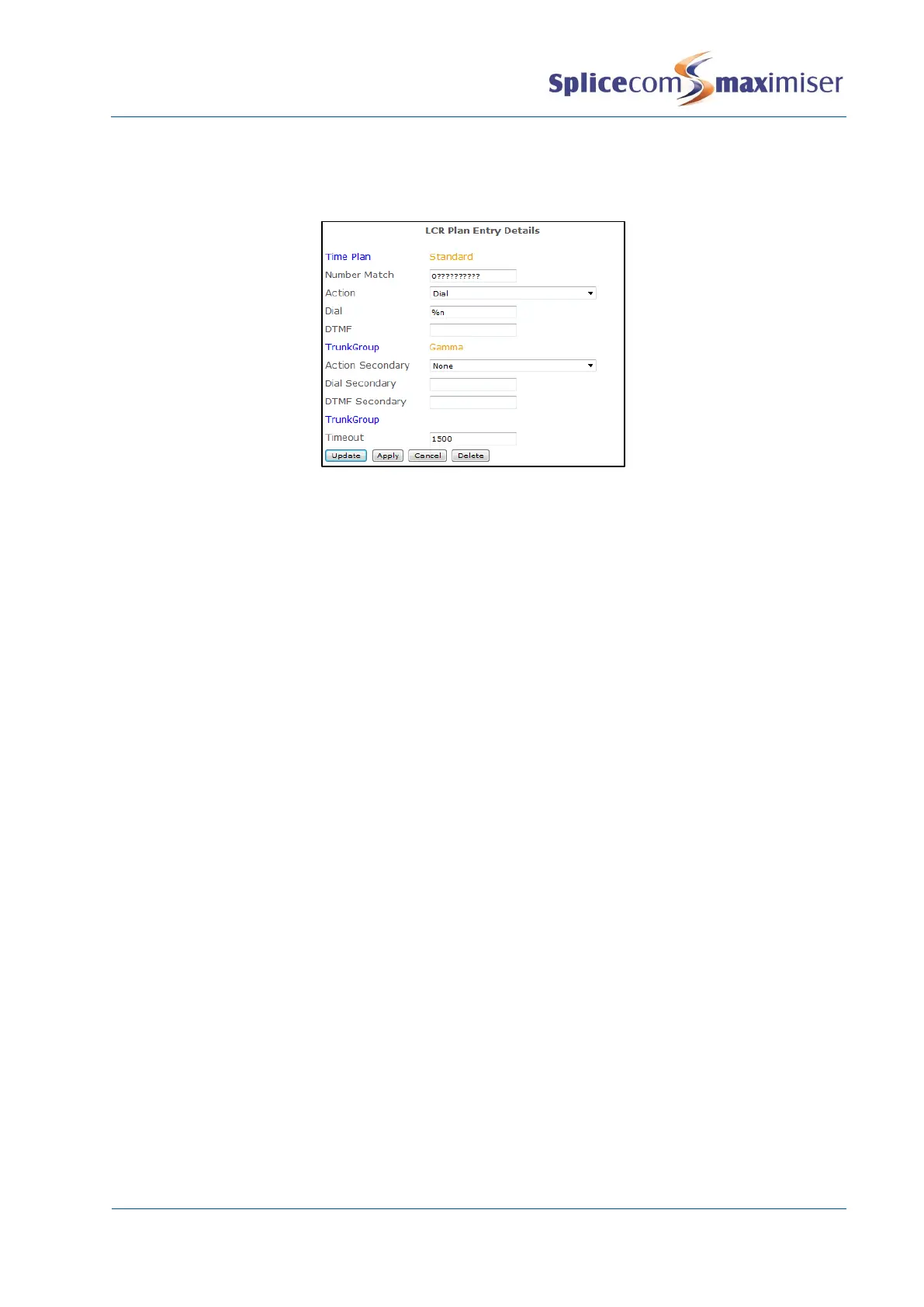
Please note that SIP providers do not accept Overlap Dialling (default) therefore the LCR Plan entries
routed to a SIP trunk must be configured to collect the digits and send them en-bloc, similar to the
following example for dialling national numbers.
Using the SIP “From” Field
In general this field is left blank however if a provider requires certain information to be presented the
following should be taken into account.
The maximiser system presents <presentation number> <account number>@<module address>
If alternative information is required the follow text strings can be used:
%s = presentation number (e.g. 441923282200)
%c = account number (e.g. 00001234567)
%u = user (e.g. Sam Jones)
so a blank entry is equivalent to:
%s %c@<module address> eg 441923282200@sip.provider.net
An example entry in the SIP “From” Field:
%s@ims.telekomsrbija.com
(To ensure the CLI number is presented)
Configuring a Trunk to Trunk call
Incoming calls via a particular trunk(s) can be routed directly to another trunk where, for example, a video
conference unit is connected. This facility can be configured as follows.
1 Open the DDI Call Plan assigned to the Trunk(s) receiving the incoming call.
2 Create a DDI Call Plan entry for the number being dialled to, for example, access the video
conference unit.
3 In the Translate To field enter the DDI number prefixed with a number that does not exist on the
system, similar to the following example.



 To Next Page