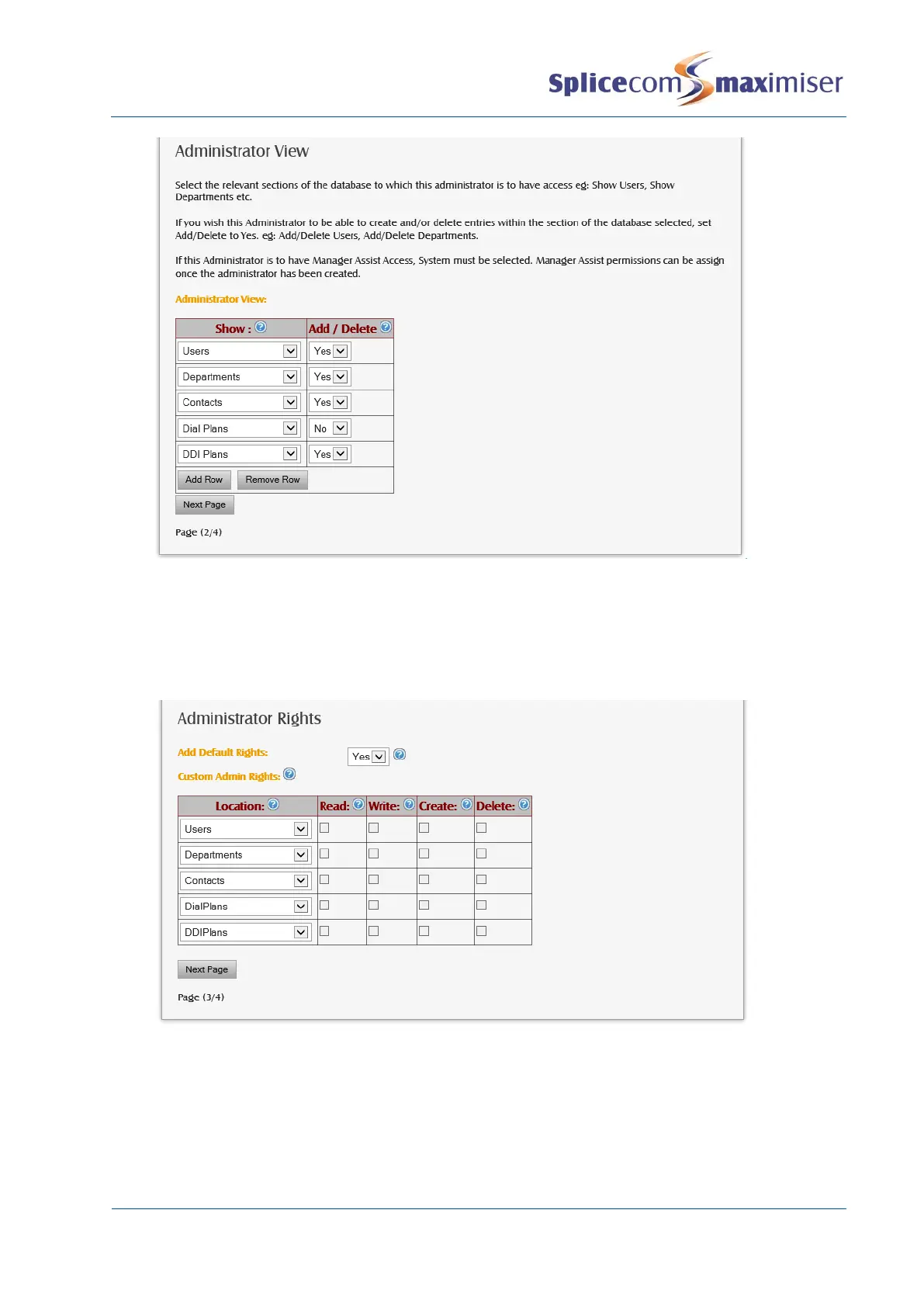
12 Select the Next Page button.
13 From the Add Default Rights list box select either:
x Yes – all rights will be given to each page listed below, however full access will be dependent
on whether Yes or No was selected within the previous page.
x No – specify the rights required to each page in the Custom Admin Rights section, however full
access will be dependent on whether Yes or No was selected within the previous page.
14 Select the Next Page button.
15 An overview of the options selected will be displayed.
16 Select the Create Administrator button
17 The New Administrator Complete screen will display the new Administrator you have completed.
You will also see this new Administrator within the Administrators section of the configuration.



 To Next Page