Creating a new Administrator manually
1 In Manager, select Administrators
2 The Administrator List will be displayed
3 Select the Add button
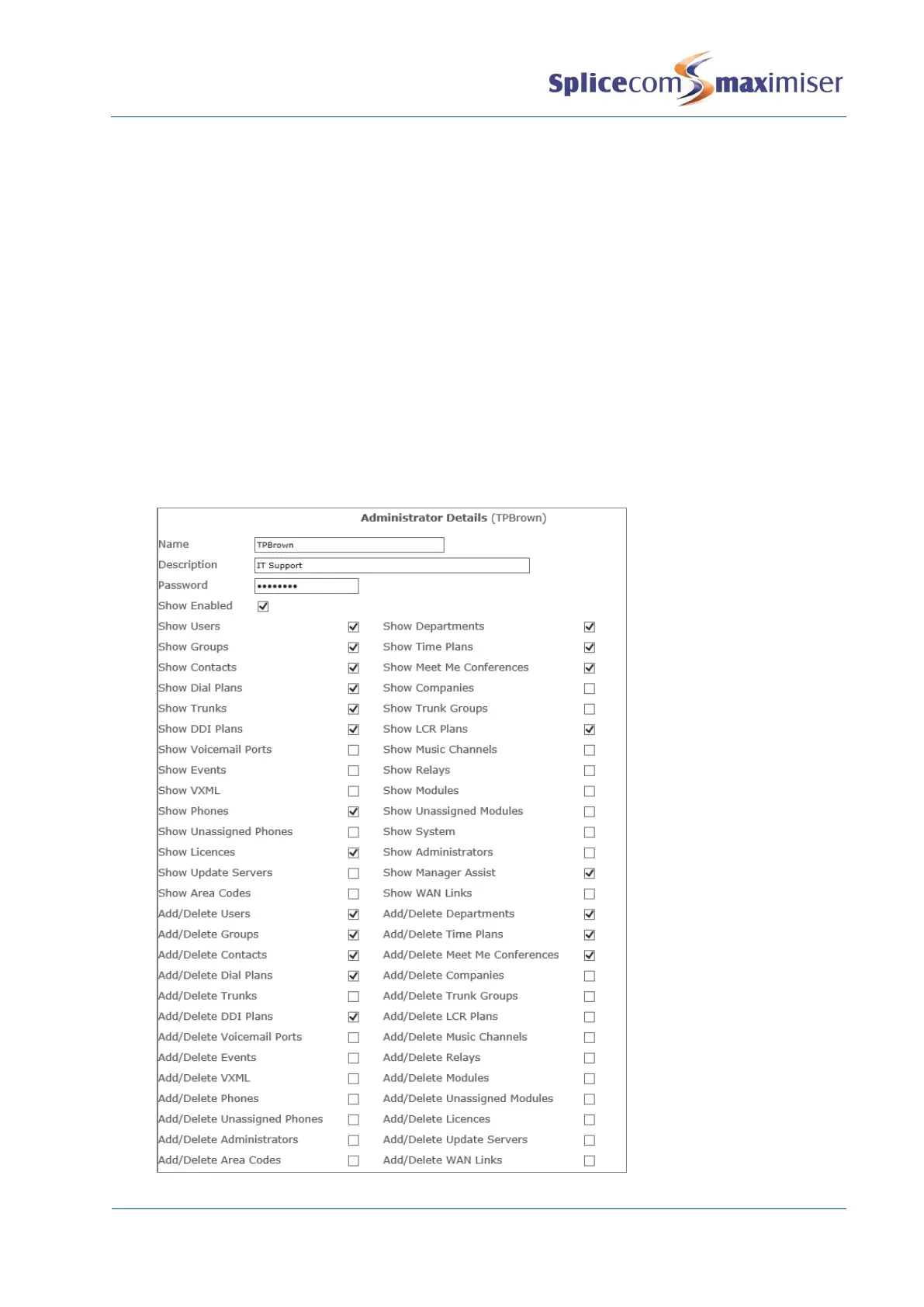
4 Enter the name required for the new Administrator
5 Enter a description if required to further identify this Administrator
6 Enter the password to be used by this Administrator. Alpha-numeric characters only.
7 Tick Show Enabled. This will enable the use of the Show tick boxes below. If not ticked this
Administrator will have full access to the database (dependent on the rights and access allowed).
8 Tick the relevant box beside the section of the database to which this administrator is to have
access eg Show Users, Show Departments etc
9 If you wish this Administrator to be able to create and/or delete entries within the section of the
database selected above tick the relevant box, eg Add/Delete Users, Add/Delete Departments.
This option will display the Add button within a list and the Delete button within a specific entry.
(Please note that the Show option allows administrators to amend an entry even though
Add/Delete is not selected (dependent on the rights and access allowed).)
10 Select Apply



 To Next Page