Any member of the Department’s Distribution Group can use this Dial Plan entry to access the
Department’s voicemail. If this short code is dialled on an extension that is not a member of the
Distribution Group the Department’s Access Code will be requested. Please refer to Remote Access to
Department Voicemail section on page 244 for further details.
Securing access to a Department’s voicemail
If further security is required when using a Dial Plan entry to access a Department’s voicemail each
member of the Department’s Distribution Group can be required to enter the Department’s Voicemail
Access Code. This can be configured as follows.
1 In Manager select Departments
2 From the Departments list select the Department required
4 In the Voicemail Access Code field enter a 1-8 digit code
5 Select Apply
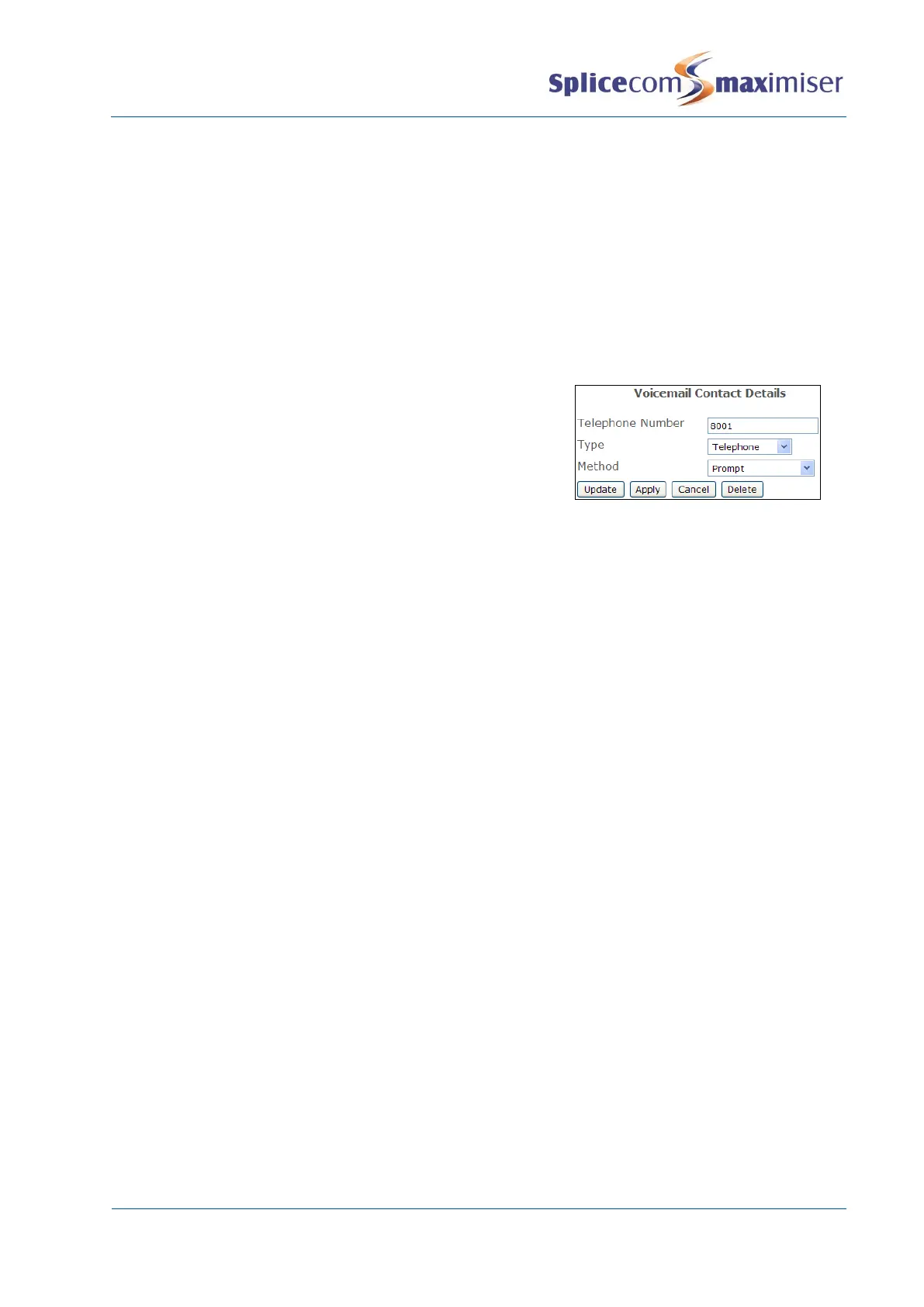
6 Select the Add Voicemail Contact button
7 In the Telephone Number field enter the Department’s
extension number
8 From the Type list box select Telephone
9 From the Method list box select Prompt
10 Select Update or Apply when ready.
Please refer to the Setting a Department’s Voicemail Access Code section from page 244 for further
details.
Setting Department Voicemail Notification
If a User of a PCS 58x/57x/56x/55x, PCS 410/400, PCS 100, PCS 60 or PCS 50 wishes to handle voicemail
messages for a Department via their PCS this Department should be entered in one of the User’s
Department Voicemail fields as follows.
1 In Manager select Users
2 From the Users list select the User required
3 Select the Voicemail page
4 Select the Department Voicemail field
5 From the Select Department list select the Department required
6 Repeat steps 4 and 5 for the Department Voicemail 2, 3, 4, 5, 6, 7 and 8 fields, if required.
7 Select Update or Apply when ready.



 To Next Page