7 Select Update or Apply when ready.
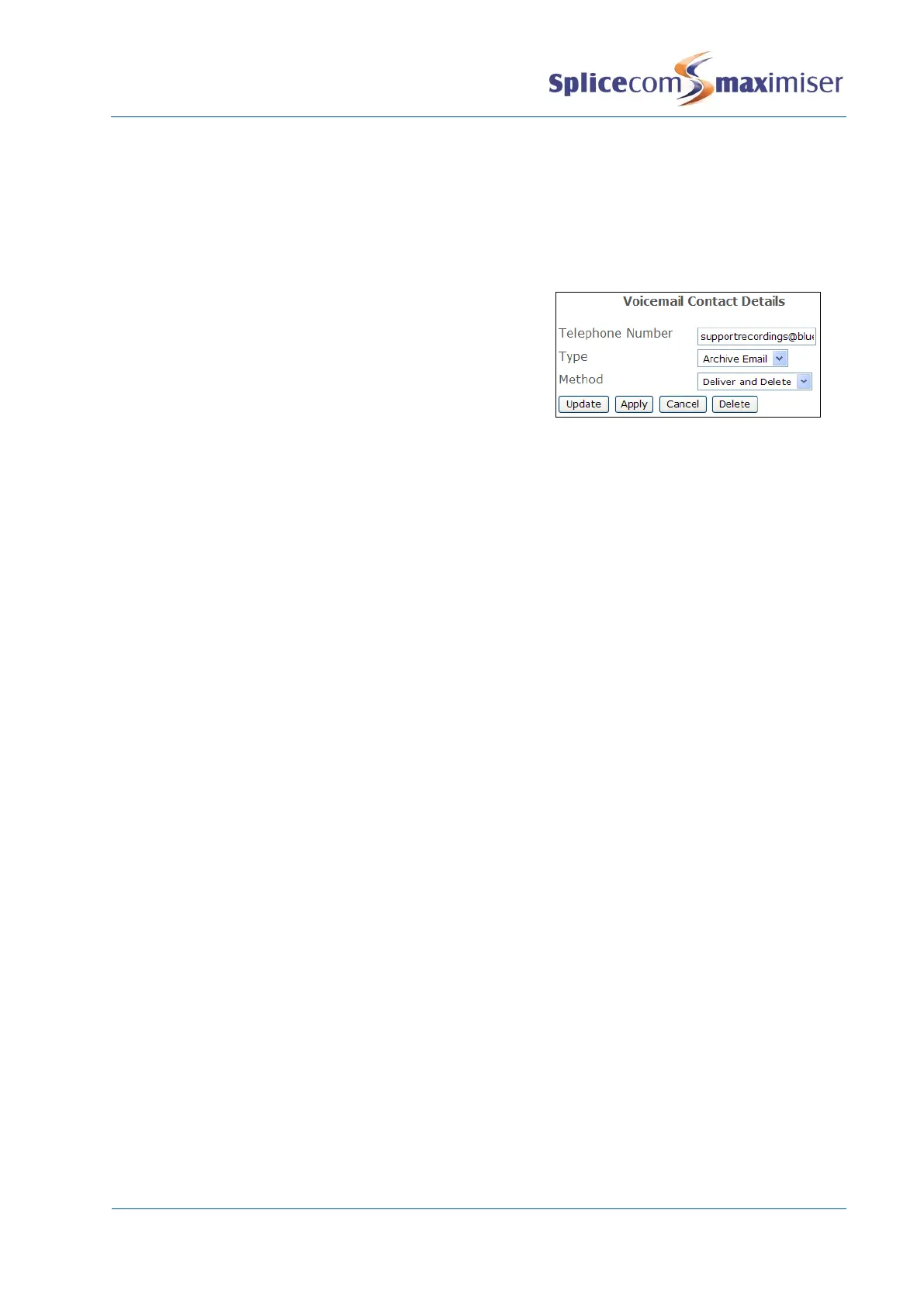
To send inbound call recordings to an email account the following configuration can be used. (Please
note that to use this facility Voicemail Email must set up first as detailed on page 231.)
1 In Manager select Departments
2 From the Departments list select the Department required
3 Select the Voicemail page
5 In the Telephone Number field enter the email address
where the recordings are to be sent.
6 From the Type list box select ArchiveEmail
7 From the Method list box select Deliver and Delete or
Deliver
8 Select Update or Apply when ready.
If the Deliver and Delete Method is used the recording will be immediately deleted from the voicemail
server. If the Deliver Method is used the recording will be marked as old on the voicemail server and
deleted after 7 days.
Please note that the same or multiple Voicemail Contacts can be added to multiple Departments
simultaneously via Manager Assist>Configuration Aids>Department – Bulk Add Voicemail Contacts.
Recording Inbound Calls to a User
Automatic recording of Inbound Calls can be enabled on a User by User basis. The calls are recorded as a
voicemail message for that User and are accessed in the same way as normal voicemail messages.
To enable recording for a User follow these steps:
1 In Manager select Users
2 From the Users list select the User required
3 Select the Voicemail page
4 From the Record Mode list box select one of the following:
a Resource – at present will also record all calls
b Mandatory – to record all calls
c Random – For Future Use
d Trunk – to record all incoming external calls. The User will not be able to turn off recording via
their handset. A User can record incoming internal calls by pressing the Record button/icon
on their handset.
e Disable – calls will not be recorded
5 Select Update or Apply when ready.
To send inbound call recordings to an email account the following configuration can be used. (Please
note that to use this facility Voicemail Email must set up first as detailed on page 230.)
1 In Manager select Users
2 From the Users list select the User required
3 Select the Voicemail page



 To Next Page