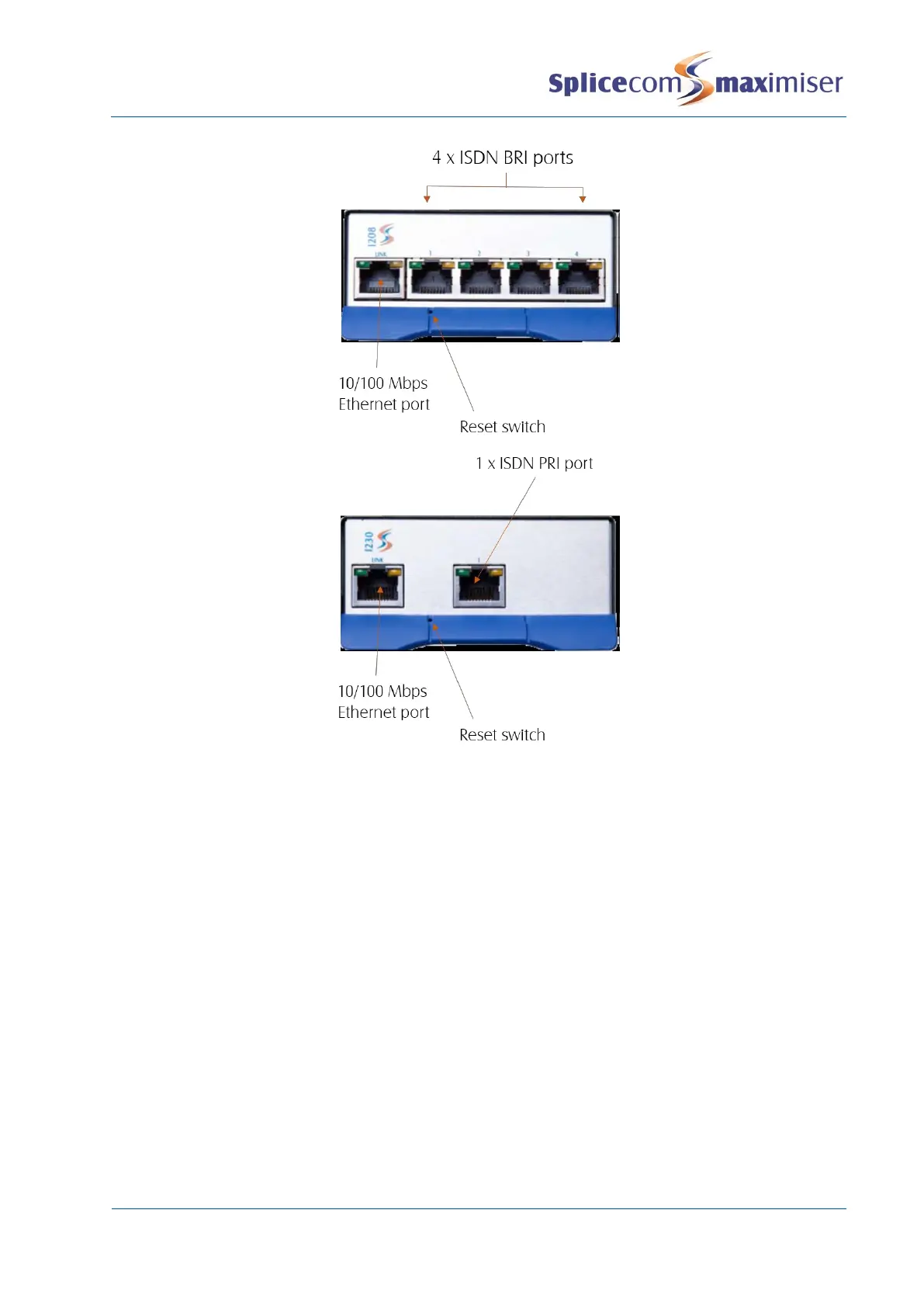
Initial Considerations
x Power is supplied by Power over Ethernet (PoE) which can be provided via an Intelligent Gateway
Module PSU (PoE4), third party PoE switch or via a PoE LAN port available on a 5100 and 5018 Call
Server or 5300 Phone Module.
x On initial installation the I208/I230 will request its IP address via a DHCP server.
Powering up an I208/I230
1 Connect the I208/I230 to the system via the LINK port on the front of the module. This can be
either via the network or directly to a LAN port on a 5100/5018 Call Server or Phone Module.
2 The module will request an IP address from a DHCP server. It will make 4 attempts and then back
off for a period before trying again. The back off period will extend for each failed attempt. The
right LED (yellow) on the LINK port will toggle on/off every 5 seconds while waiting for an IP
Address.
3 Having obtained an IP address (the right LED on the LINK port turns off) the module broadcasts to
find a Call Server to provide its configuration and become active.
4 The right hand LED of the LINK port will turn on and become solid when the module is ready.
5 In Manager select Unassigned Modules
6 The I208/I230 will be displayed together with its MAC address
7 Select this link



 To Next Page