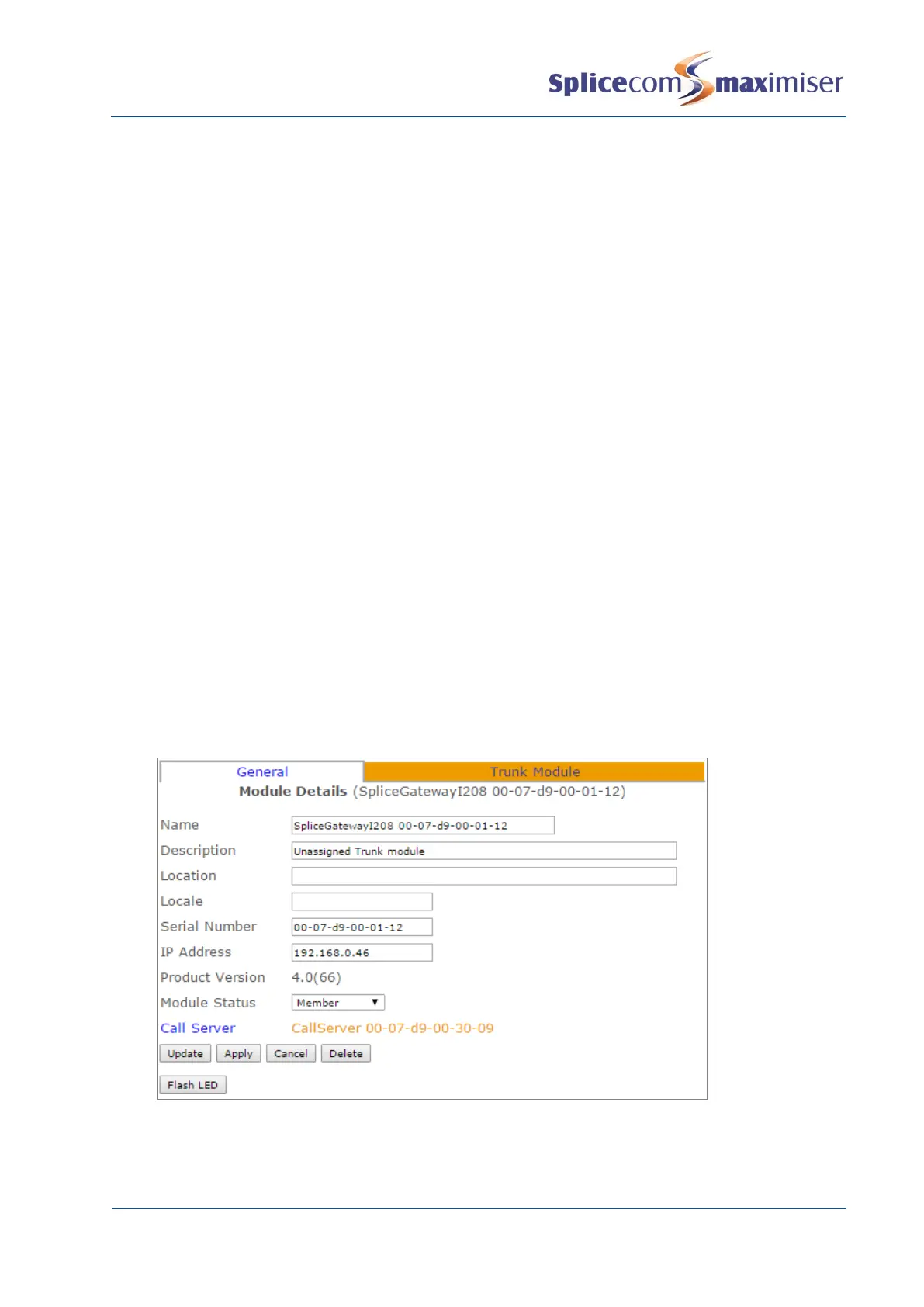
8 The Module Status field will display Available
9 From the Module Status list box select Member
10 Select Update or Apply when ready
11 This unit will now be listed under Modules
Configuring an I208/I230
1 In Manager select Modules
2 The I208/I230 will be displayed together with its MAC address, indicated by I208 or I230 in the
module name.
3 Select this link to view and configure this module.
Name, Description and Location – these are text fields and can be used to help identity the
I208/I230. The Name must be unique, should consist of alphanumerical characters only, not
contain any punctuation and begin with a letter.
Serial Number – hardware address of the module.
IP Address – displays the IP address being used by the I208/I230. On initial installation this will be
provided via DHCP, however if static IP address is required this can be configured manually via the
module’s network configuration pages as described below.
Product Version - will display which version of software is currently running on the I208/I230. For
information on upgrading this software please refer to page 288.
Module Status – should be set to Member as configured during set up.
Call Server - indicates to which Call Server the I208/I230 is registered. The Call Server is responsible
for replicating relevant configuration information to the P308. In turn the I208/I230 will store in
RAM configuration information relevant to its functionality.
The Flash LED button will instruct the I208/I230’s SpliceCom LED to flash. This feature is useful
when multiple I208/I230s are being used on a system and will identify the physical I208/I230 from
its corresponding configuration form.
4 Select Update or Apply when ready.
Each port on the I208/I230 can now be configured independently, see the Working with Trunks section
from page 182 for further details.



 To Next Page