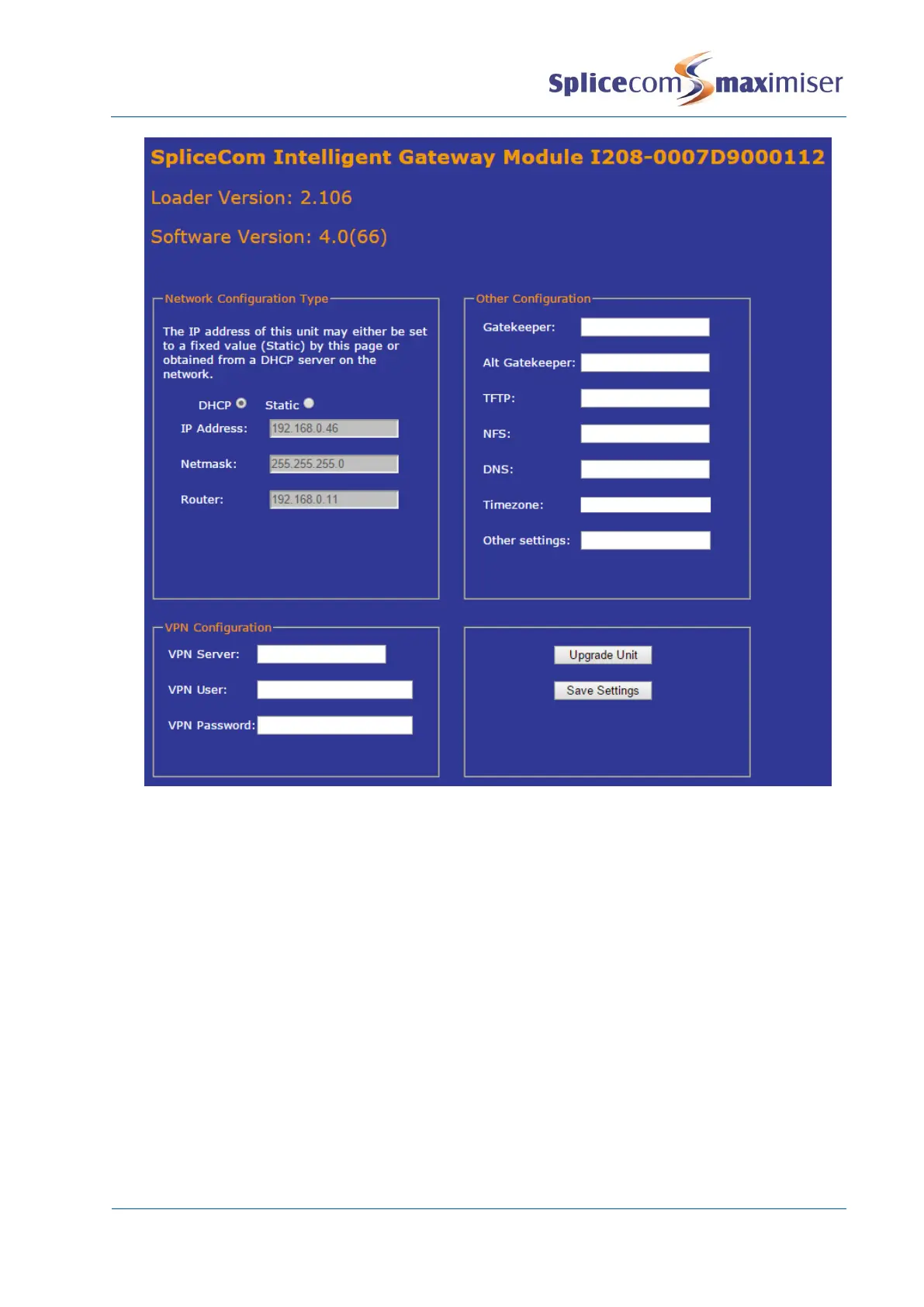
Network Configuration Type – this section can be used to give the I208/I230 a static IP address (or
return the module to using DHCP). Select Static and then enter the IP address, subnet mask and
default gateway address required.
VPN Configuration – this section can be used to enter the VPN server settings for the module.
Other Configuration – use this section to set the
x Gatekeeper - the IP address of the S8000/S716/5100/5108/NSG that you want the module to
register to.
x Alt Gatekeeper – the IP address of the S8000/S716/5100/5108/NSG that you want the module to
register to if the first Gatekeeper fails)
x TFTP, NFS, and DNS settings – these are typically the S8000/S716/5100/5108/NSG that the
I208/I230 is connected to.
x Other settings – for entering additional application Startup Arguments.
5. When ready select the Save Settings button. You will receive a message indicating that a reboot is
required.
6. Select OK
7. The Reboot Unit button will now be available at the bottom right, click on this button.



 To Next Page