8. A progress bar will be displayed during the reboot. If you have not changed the IP address of the
module you will be returned to the login screen, otherwise you need to enter the new IP address
into the browser to access the configuration web page again.
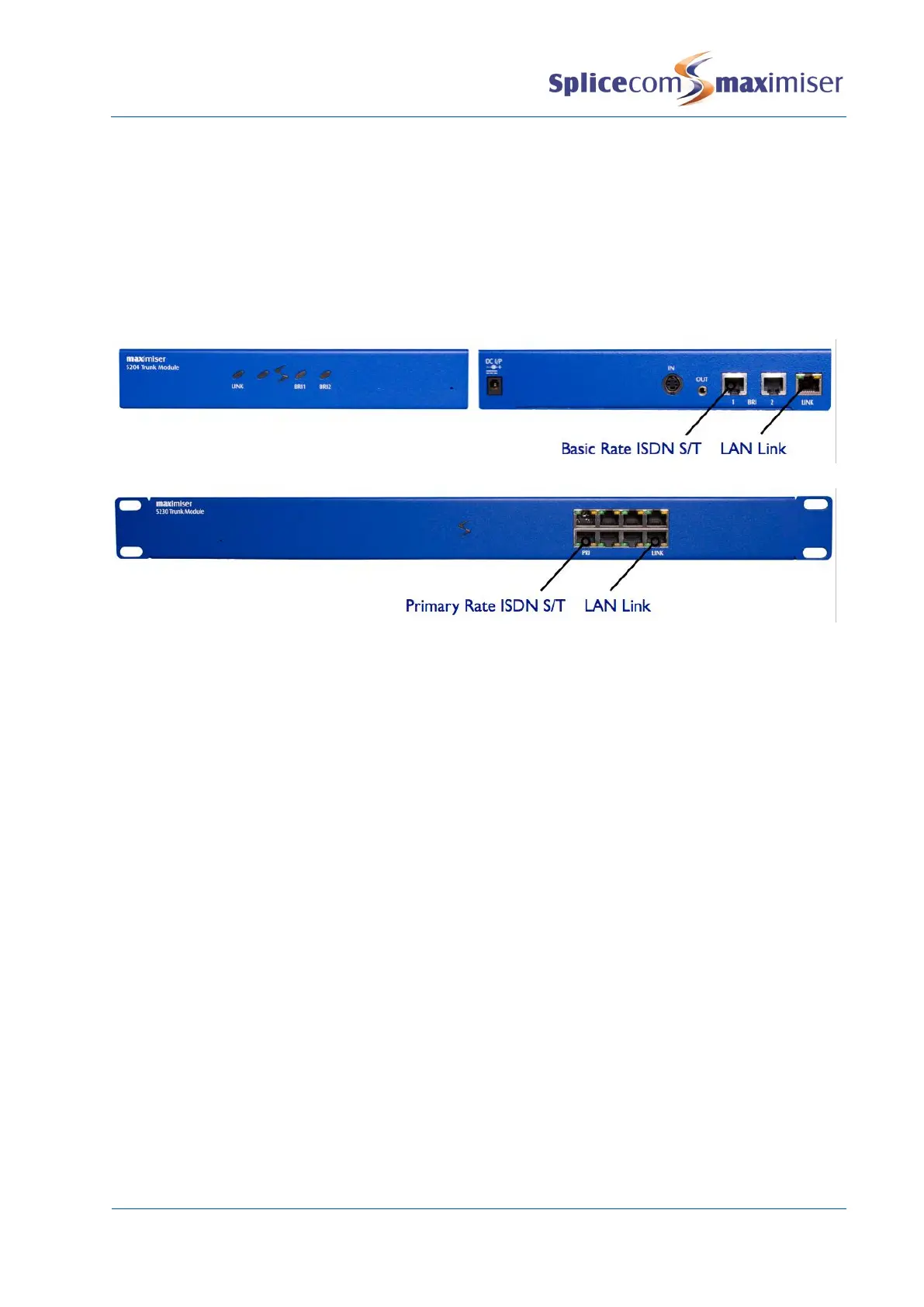
Connecting a 5200 Trunk Module
A Trunk Module can be connected to a system to provide ISDN connectivity for S8000/S716 Call Server
systems or for increasing the number of ISDN ports for a system containing 5100/5108/NSG modules.
5204 Trunk Module
5230 Trunk Module
Powering up the Trunk Module
1 Connect the Trunk Module to the system via one of LAN ports on the front of the Trunk Module.
This can be either via the network or directly to a LAN port on the Call Server.
2 Power up the Trunk Module.
3 The module will request an IP address from a DHCP server. It will make 4 attempts and then back
off for a period before trying again. The back off period will extend for each failed attempt.
4 Having obtained an IP address the module broadcasts to find a Call Server to provide its
configuration and become active.
5 The SpliceCom LED will become solid when the unit is ready.
6 In Manager select Unassigned Modules
7 The Trunk Module will be displayed together with its MAC address,
eg SpliceGateway5230 00-07-d9-00-b8-67.
8 Select this link
9 The Module Status field will display “Available”
10 From the Module Status list box select “Member”
11 Select Update or Apply when ready
12 This unit will now be listed under Modules
Licences
Each Trunk Module is pre-configured with the following licences:
5204 – 2 x Trunk licences, activating the 2 channels on the BRI1 port. Additional Trunk licences must be
installed to activate the channels on BRI2
5230 – 8 x Trunk licences, activating 8 channels on the PRI port. Additional Trunk licences must be
installed to activate further channels.



 To Next Page