IP Paging Microphone User Manual
11
Offline Intercom
Ensure all offline call terminals are logged in to the service software.
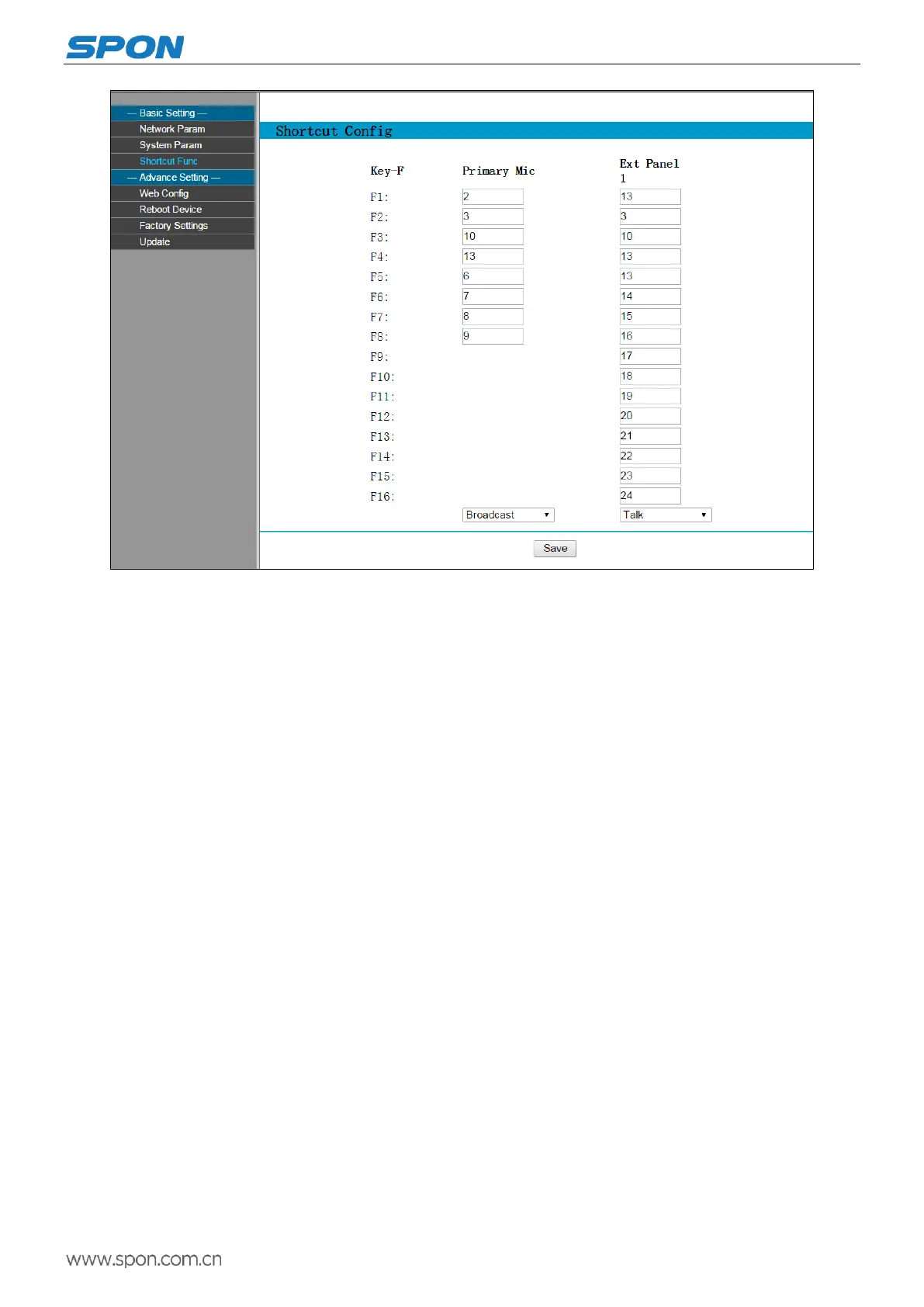
Set shortcut call button: Select the function to intercom on the web page of IP paging microphone, and configure
terminal number of offline intercom to the shortcut call button. (Offline call number is decided by the number of
shortcuts.)
Below is set to terminal 8 to shortcut F1, terminal 5 to shortcut key F2, terminal 3 to shortcut key F3, terminal 6 to
shortcut key F4:



 To Next Page