IP Paging Microphone User Manual
3
Hardware Interface Introduction
Front
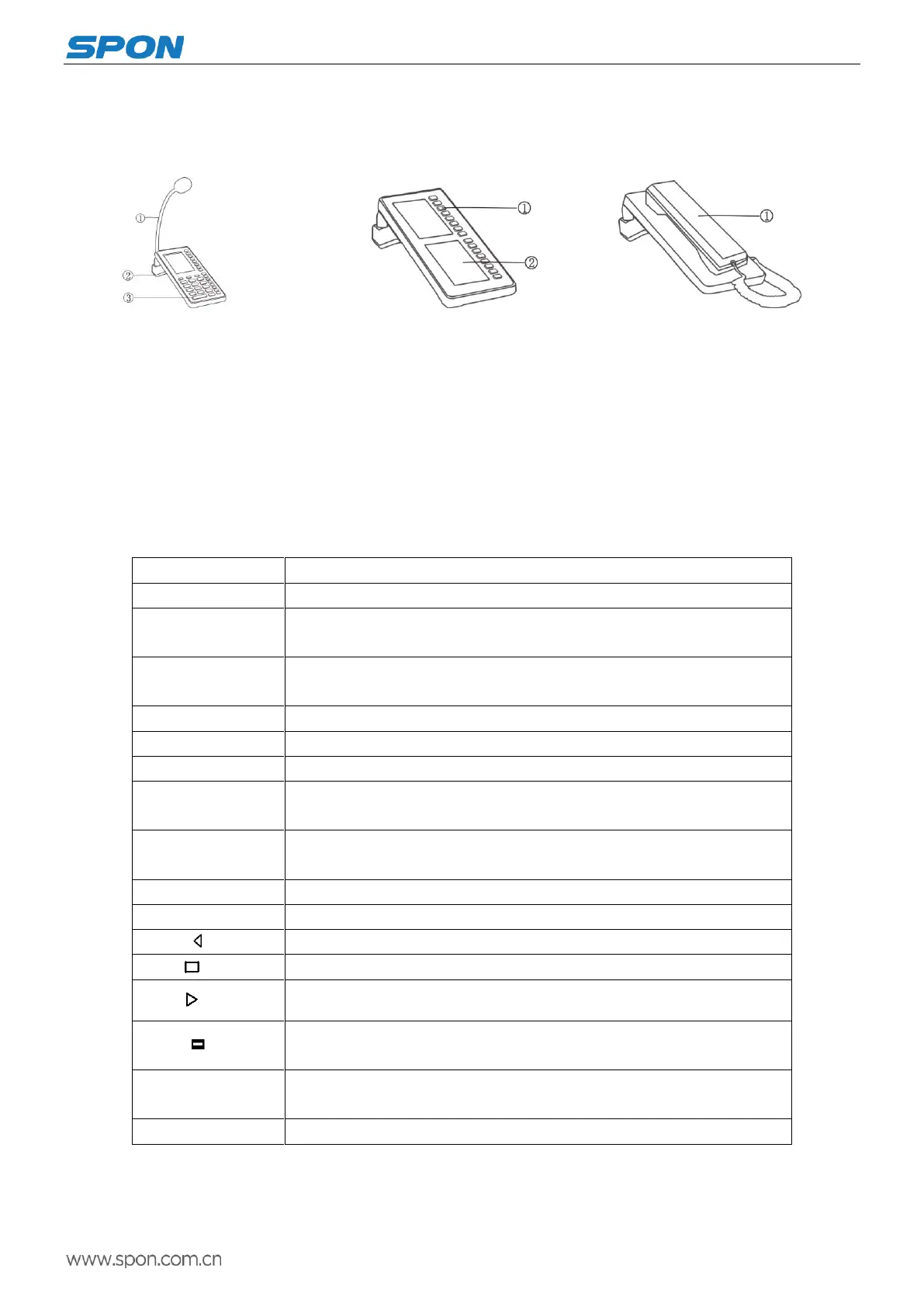
1.IP network paging microphone 2.Expansion panel (optional configuration) 3.Telephone receiver panel(optional configuration)
① Microphone pole
Collect the live voice
②Loudspeaker
Built-in loudspeaker, restore the
far-end and local voice.
③Keyboard
Mutual input channel, accept
Command input.
Keyboard Operation
Press Emergency Key on 1 second, it may broadcast to all zones.
Check the SD card file through this key, press the F1-F8, it will play the
corresponding file by pressing the F1-F8 key.
Check the terminal network parameters, system parameters and system
software version information etc.
Reserved, it`s not enabled at present.
Press this key to enter into the monitoring status.
Press this key to enter into the broadcasting status.
When it`s playing the audio by pressing this key to increase the speaker
volume.
When it`s playing the audio by pressing this key to decrease the speaker
volume.
Press this key to enter into the intercom status.
Press this key to cancel the operation or back to the main interface.
Press this key to realize the left page turning.
Press this key to realize the right page turning.
The key is located on the expansion panel to match the double display screen, it
can realize the shortcut intercom or broadcasting when pressing this key.
Press the corresponding key to enter into the shortcut key left corresponding
function interface.
Used for the intercom and broadcasting zones selection.
①Key
②Display screen
True color display screen indicate
complete machine login status,
volume value, partition list and
other relevant information
① Earphone
Built-in loudspeaker and
microphone,restore the far-end
and collect scene voice.



 To Next Page