IP Paging Microphone User Manual
15
For example: terminal 1 is 001.wav, terminal 23 is 023.wav,001.wav、 002.wav means terminal 1 and terminal 2
respectively incoming ringing, others are same as it.
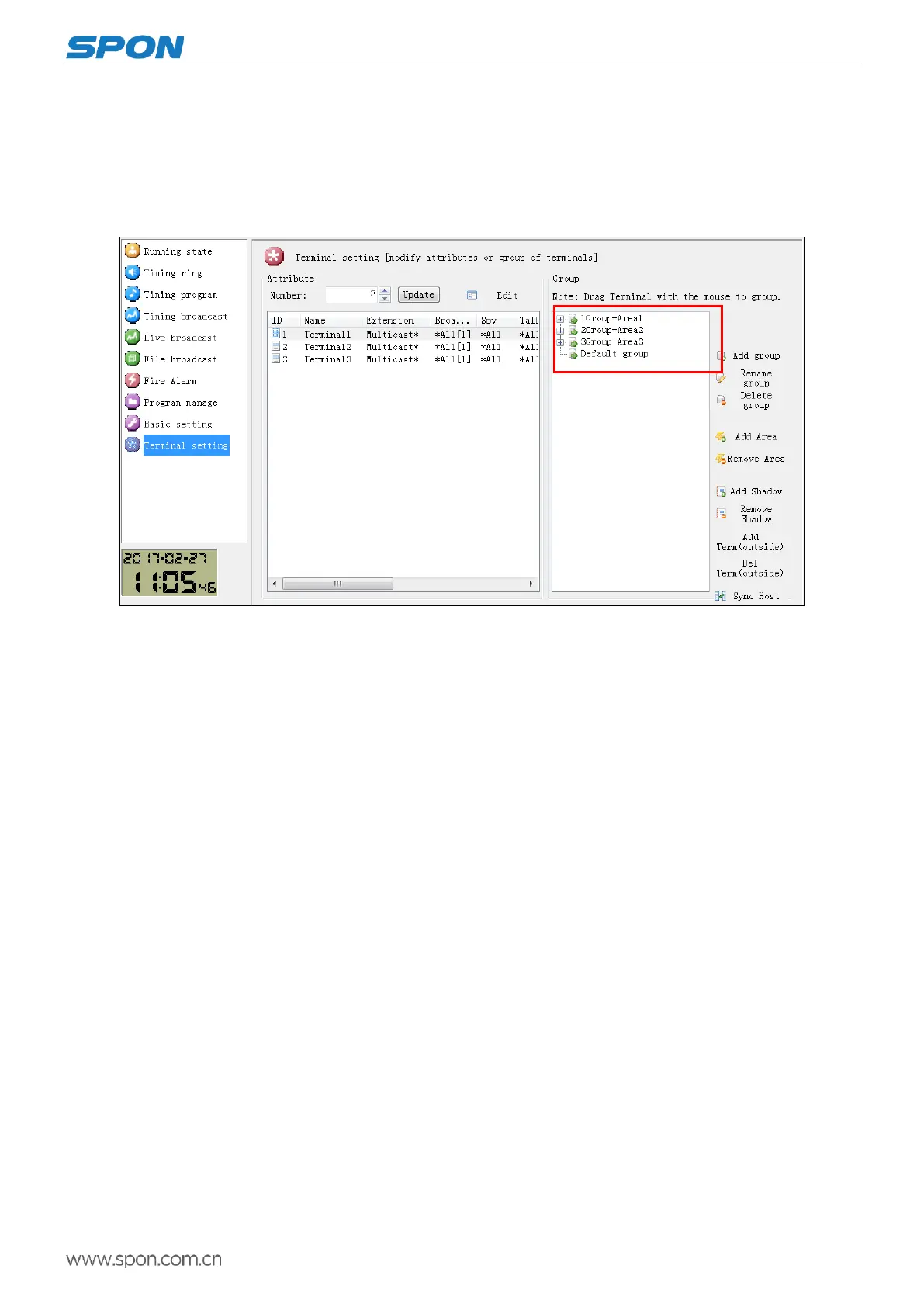
Terminal List Settings
It could user-defined the each terminal name and other information from the server terminal setting according to the situation,
please refer to software operation instruction for details.
Basic Function
Intercom
Dialing
Press the key 【numbers】input the target terminal ID number, then press the key【intercom】shortcut key to talk with the
target terminal.
Press the key 【cancel】, exit the intercom status.
Speed dial
Firstly, we need to set up the intercom mapping between the keyboard and the corresponding terminal (for the details please
refer to the shortcut function settings on the web page.) Press 【F1】-【F8】 key on the main interface or the 16 the shortcut key
on the expansion panel can make the intercom calling or broadcasting to the corresponding target terminals.
Note: IP Paging Microphone and extension panel can call the terminal within(including) 65000 , this function needs to
cooperate with the dedicated version server to achieve.
Trigger
Press【Trigger】shortcut key to close alarm output port 1 of the target terminal, and then disconnect after 5 seconds.
Transferring
Press【transfer】shortcut key , the intercom target will transfer to the next preset target terminal automatically.
Third parties talking
Set the function of third parties talking is enable or not, it`s enabled by default.



 To Next Page
 Loading...