IP Paging Microphone User Manual
14
FTP Operation ( audio file management )
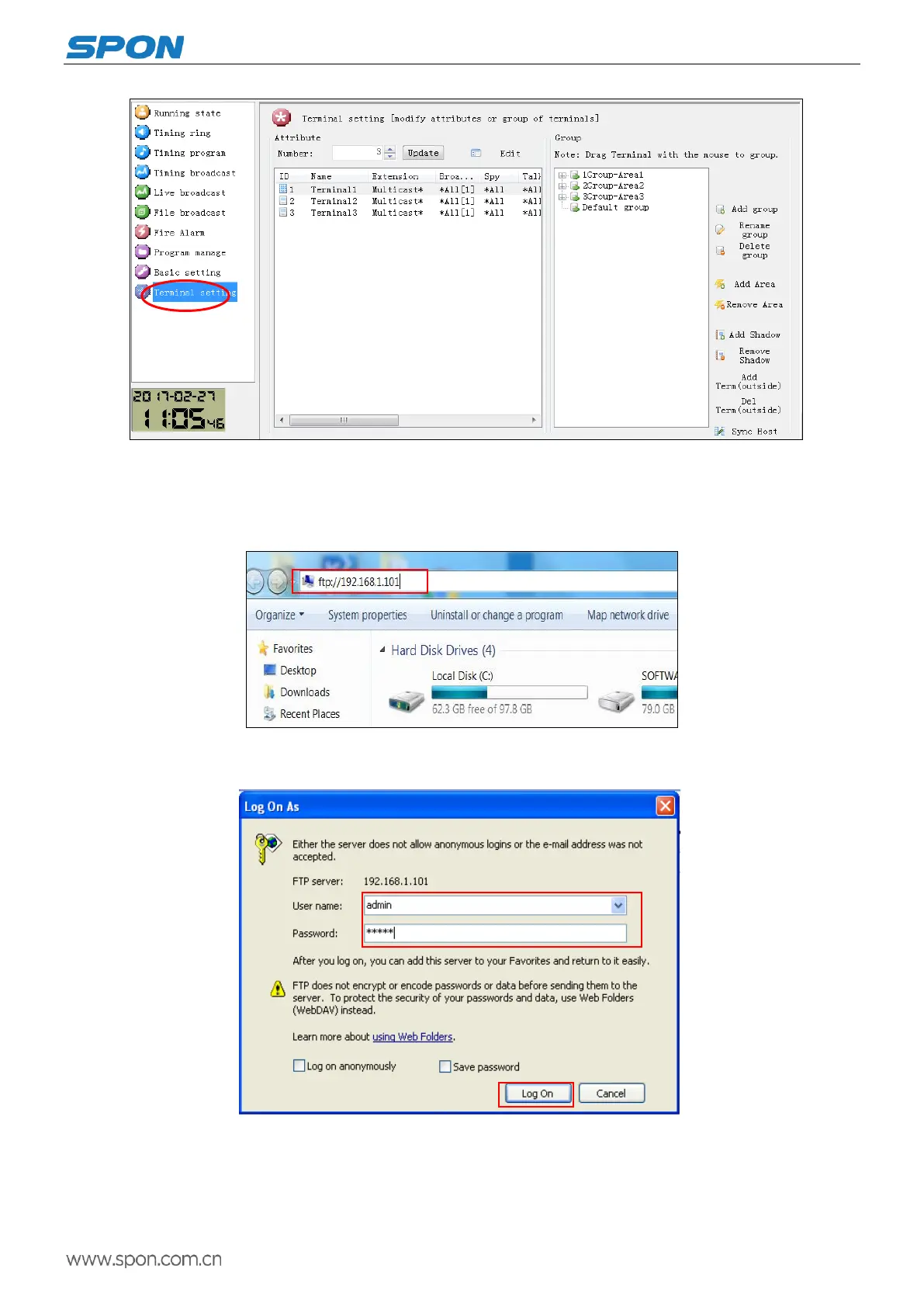
(1)Please enter the “ftp://terminal IP address(The factory default is 192.168.1.101)”in the browser, then press the enter.
(2)Input user name and password (the default is : admin, password : Rdc070#*) in appeared login window, chick “Log on”
enter into FTP.
it can use the server build-in WAN program making tools to switch the audio documents.
Remote playing file: AudioFile. Make the converted audio file (22K, WAV file) copy to AudioFile folder. Press “file” on theIP
Paging Microphone can use the uploaded files.
Ringer folder :RingFile.Make the converted audio file (22K, WAV file) copy to RingFile folder. Ringing filename format:
terminal number. wav



 To Next Page