IP Paging Microphone User Manual
4
Back
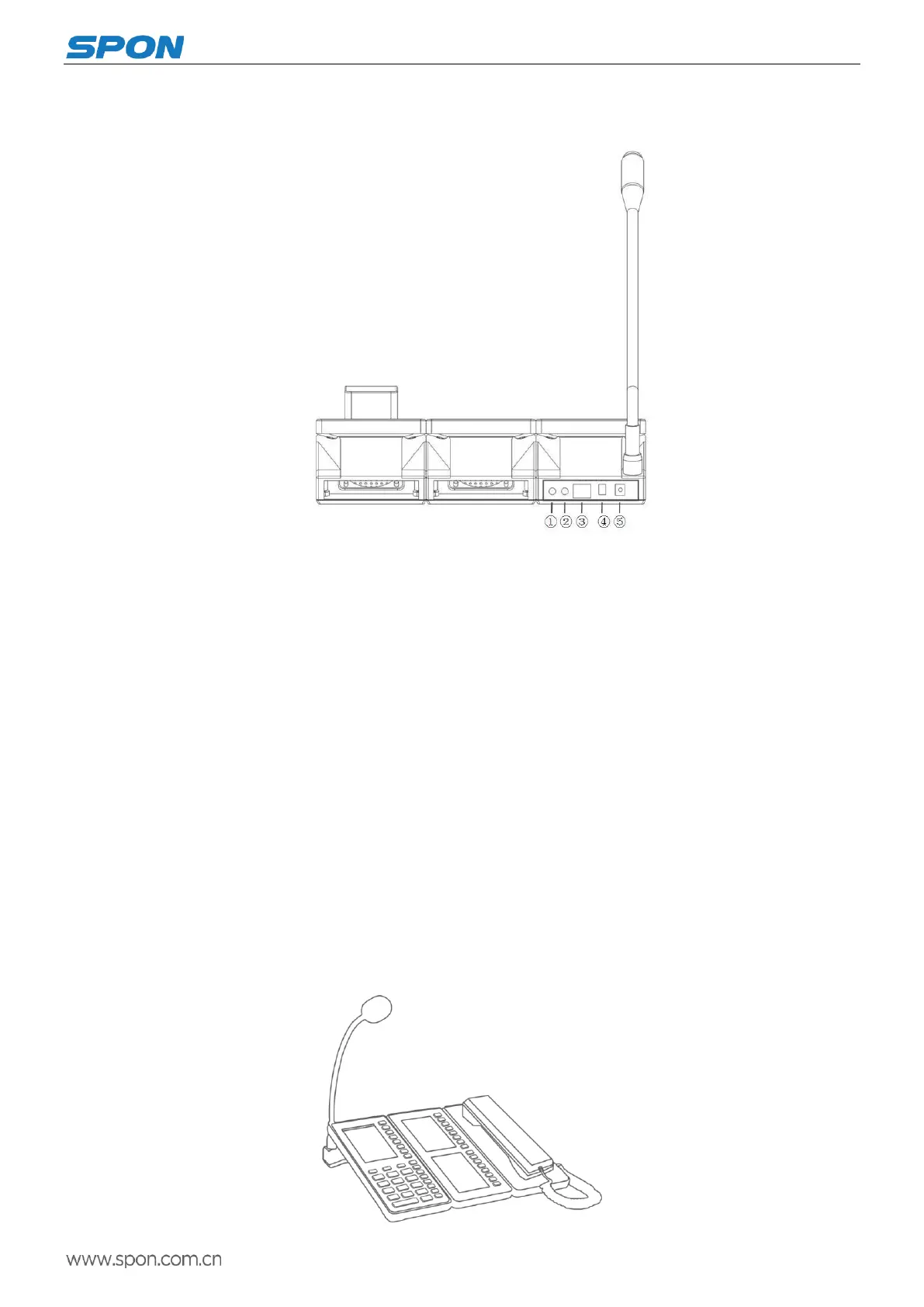
① Audio input interface
Used for connect the earphone or other 3.5mm audio plug.
② Audio output interface
The interface output is restored audio signal, it can used as the sound source to amplifier or active loudspeaker, used for
broadcasting back background music, the factory setting is audio output.
③ Ethernet interface
Connect with the server related cables in order to make the terminal login normally.
④Alarm input or output interface
With alarm input and output port for linkage with external device, factory defaults as alarm output.
⑤Power input interface
To provide 12V input voltage for the terminal
Introduction
Packing list
IP network paging microphone is including the following fittings, please check the fittings before the installation, if any
missing, please contact the distributor.
(1)IP Paging Microphone 1pcs (Remark: expansion panel and receiver panel is optional configuration.)



 To Next Page