66
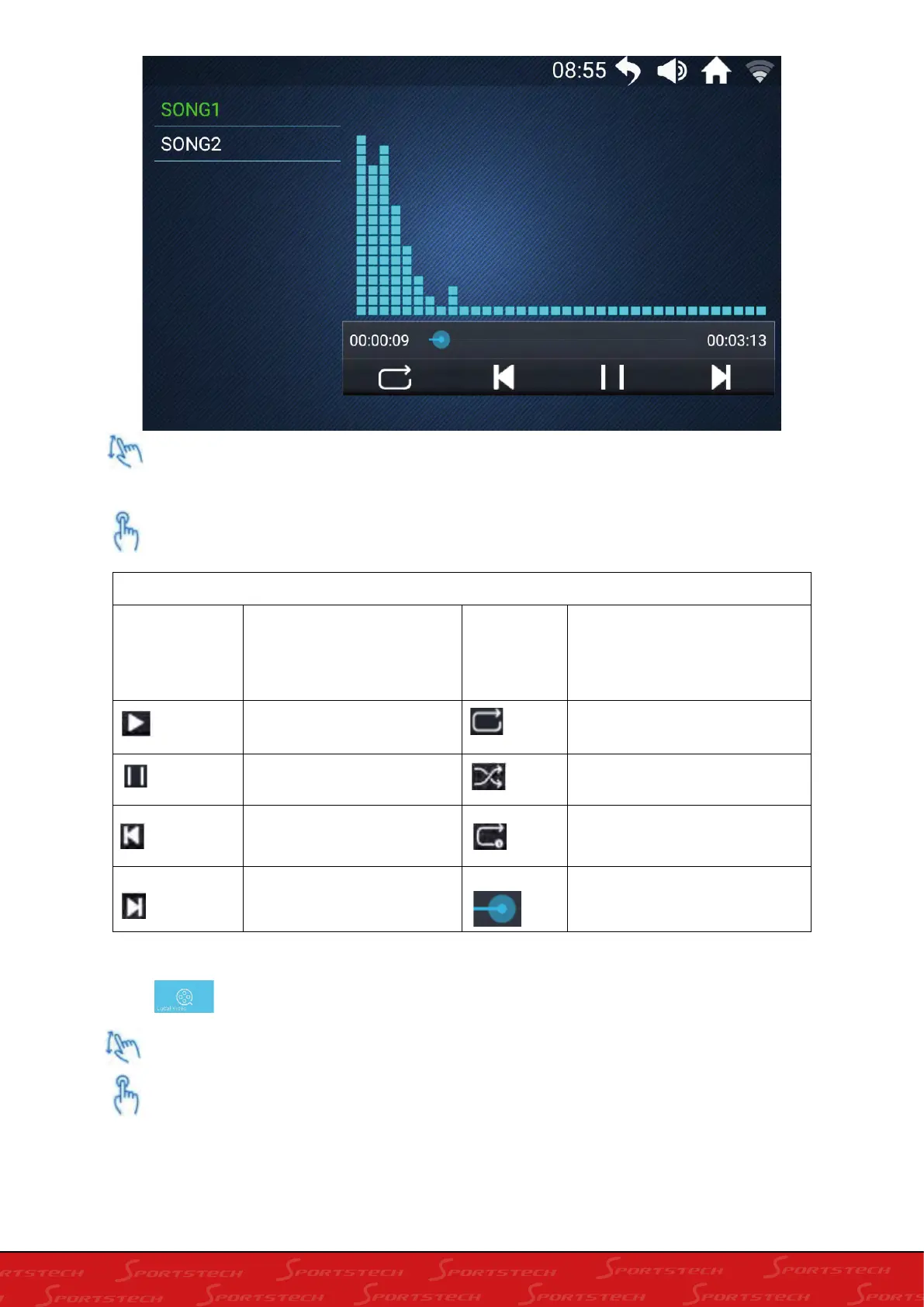
Swipe up and down to browse for the song name in the list on the left.
Press song file to start play.
Press icon enter into video interface.
Swipe up and down to browse for the video name in the list on the left.
Press video file to start play
Control directory
Song1
Green indicates the the
song are singing now
White indicates the song
to be selected
Start playing music Play music according to the
song list
Stop play music Random play of the song list
Play the previous Loop
Play the next Move the bar to the left or
right to change the progress
of the music.













 To Next Page