68
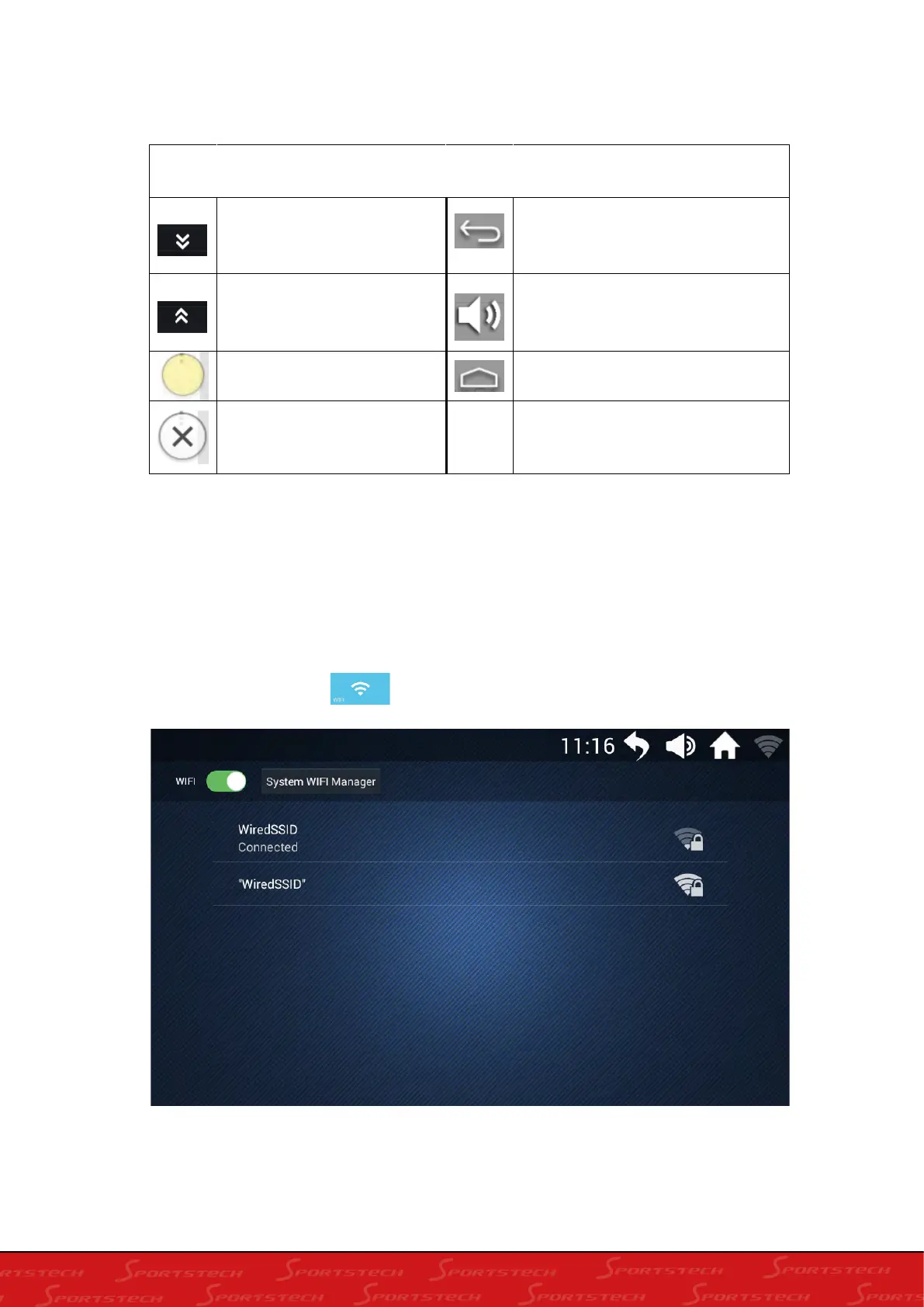
How to revert to the main interface and adjust the motion parameters when playing in a third-party
APP:
4. WIFI
4.1 In the main interface, click " ", to enter the WIFI interface
Control directory
click to hide the motion
parameters during running
Return to the previous menu
click to indicate the motion
parameters during running
Adjust the volume
Open the floating button
Back to Home page
Turn off the fly button








 To Next Page