74
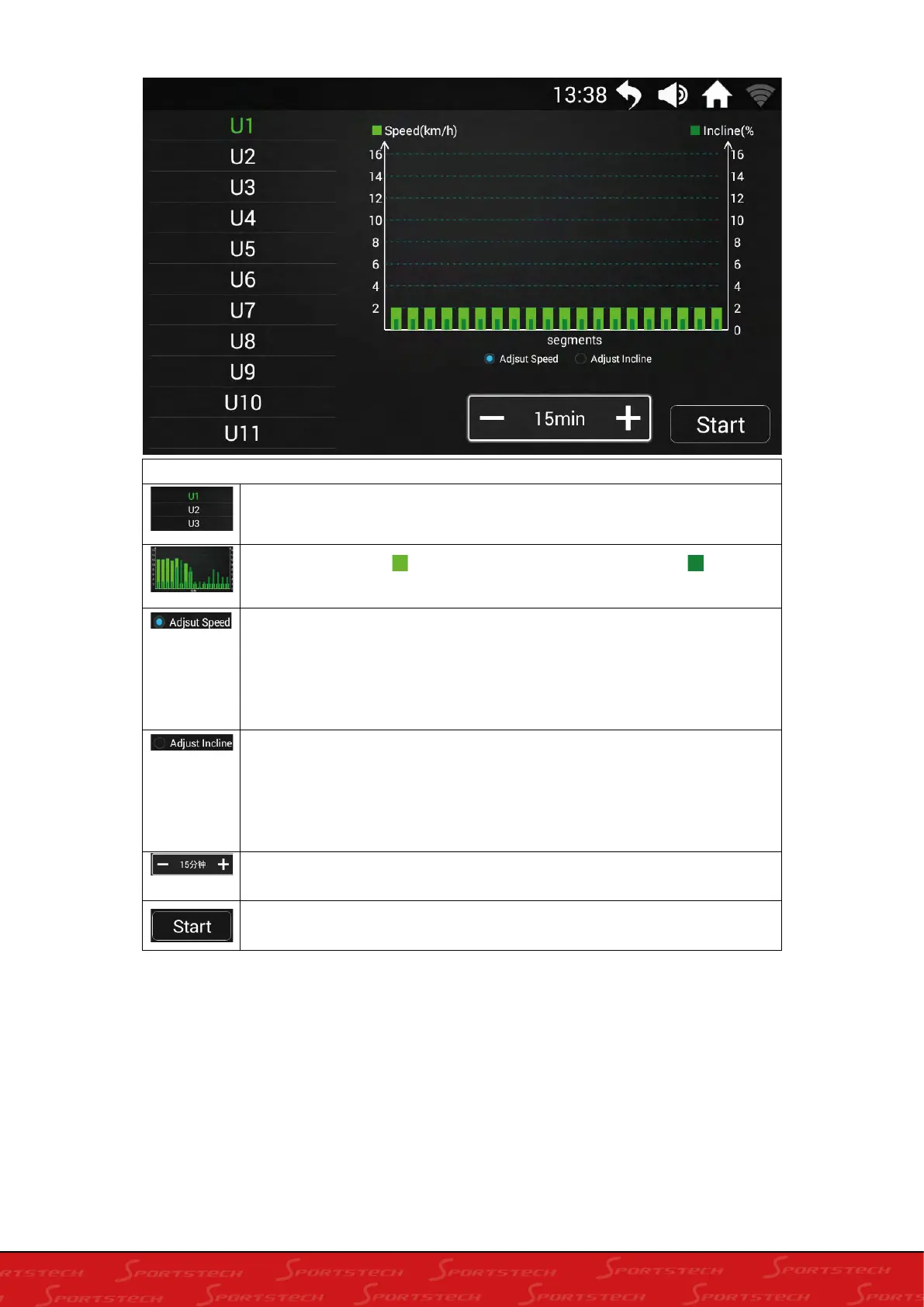
Control directory
Program list:
Built-in U1-U16 a total of 16 program data for users to
choose;
coordinate map:
Indicates the current running speed, Indicates
the current incline;
Adjust speed:
Click to select, the user can slide the rectangle
coordinates up and down, and customize the current running speed.
Once the user setting is successfully,the program data of the
user-defined setting will be automatically saved; (check the adjustable
speed map)
Adjust incline:
Click to select, the user can slide the rectangle
coordinates up and down, and customize the current incline. Once the
user setting is successfully run, the program data of the user-defined
setting will be automatically saved; (unadjustable incline display is
not selected)
Adjustment time:
The user presses the time plus or minus button on
the display window to set the current running time;
Start:
User data setting OK, click here, the treadmill starts running





 To Next Page